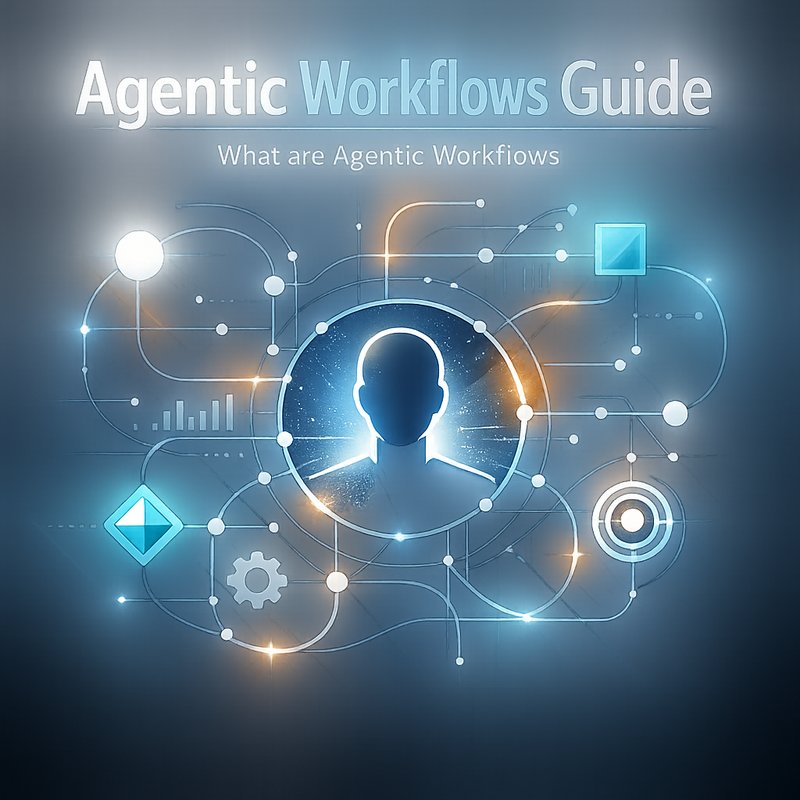
n8n agentic builder is a new way to make workflows that can think a little by themselves.
n8n agentic builder gives you tools like a Supervisor Agent that decides which nodes to run and a Discovery Agent that reads docs to set up new integrations.
This article explains what n8n agentic builder is, why it matters, and how to build useful agentic workflows step by step.
What is n8n agentic builder?
n8n agentic builder is a set of features inside n8n that helps you create workflows that can act autonomously.
You still control the rules, but agents do the routine work, check docs, or pick the right node to run.
The core idea is that agents add a layer of decision making on top of regular automation nodes.
Why this matters now.
AI models are getting smarter and cheaper to run.
Tools that combine automation with simple agent logic let teams move faster without writing lots of custom code.
n8n agentic builder is one way to make that happen inside an open automation tool.
Source: see the n8n Agentic Builder overview on XDA Developers for the initial details (https://www.xda-developers.com).
You can also visit n8n official docs at https://n8n.io for installation and base guides.
Quick example: onboarding a new app with a Discovery Agent
Imagine you need to add a new SaaS app to your stack.
Normally someone reads the API docs, sets up keys, makes a few nodes, and tests.
With n8n agentic builder you can build a Discovery Agent that reads the app docs and suggests a node setup.
How it works at a glance
- The Discovery Agent fetches or is given the app docs.
- The agent parses endpoints and authentication methods.
- It suggests a node map and sample inputs.
- A human or the Supervisor Agent approves the plan and the workflow runs.
This cuts the time to add integrations.
It also lowers the friction for non-developers to extend automations.
Build a simple Supervisor Agent in n8n agentic builder
The Supervisor Agent is the traffic cop of a workflow.
It decides which nodes should run.
You can start with a rule-based supervisor and then add an AI check later.
Step 1. Plan what decisions the Supervisor needs to make
- Is the input valid?
- Which branch should handle the request?
- Do we need human approval before running a risky action?
Step 2. Create a supervisor node in your workflow
- Add a new function or HTTP node that acts as the supervisor entry.
- This node inspects the incoming payload.
- It writes a simple JSON decision object that tells which node id to trigger next.
Step 3. Wire the workflow to follow the supervisor decision
- Use node conditional checks to read the JSON decision.
- Route the flow to the chosen nodes.
Step 4. Add approval gates if needed
- Insert a manual approval node or message step.
- The Supervisor can mark actions as "needs approval" and pause the flow.
Step 5. Monitor and log decisions
- Save supervisor decisions to a database or log for audit.
- Use those logs to tune the rules later.
Why start simple.
Begin with a few clear rules and expand.
A small, reliable Supervisor gives you trust in the system.
Later, you can add a lightweight AI model to suggest or validate decisions.
Build a Discovery Agent in n8n agentic builder
A Discovery Agent reads docs and proposes configuration.
It can read OpenAPI files, README pages, or short API snippets.
Step 1. Gather docs or sample swagger files
- Ask the source team to share OpenAPI, Postman, or README links.
- If no formal docs exist, feed a quick example cURL or a sample endpoint.
Step 2. Parse docs with the Discovery Agent
- Use an HTTP node to fetch an OpenAPI JSON or YAML file.
- Convert the file into a standardized structure inside n8n.
Step 3. Extract endpoints and auth flows
- The agent should list endpoints, methods, required headers, and sample bodies.
- It should detect auth types: API Key, OAuth2, Basic, etc.
Step 4. Build suggested node map
- Create a draft node map in JSON: nodes, triggers, sample inputs.
- Ask the Supervisor Agent or a human to approve the map.
Step 5. Auto-create nodes if allowed
- If you trust the agent, let it create nodes automatically.
- Otherwise export the node map and let a developer import or tweak it.
Real world use case
A digital team wants to add a new CRM integration.
They give the Discovery Agent a single OpenAPI file.
The agent proposes a basic node map for creating contacts, querying leads, and updating records.
A human approves and the integration is ready in minutes.
Practical tool list and integrations
n8n agentic builder works best when you link it to other tools.
Here are common building blocks.
- HTTP and Webhook nodes to fetch docs and listen for triggers.
- Function and Code nodes to parse and transform docs.
- Email, Slack, or Teams nodes for human approvals.
- Database nodes to store logs and decisions.
- External AI via API to help parse or suggest mappings.
If you need many models or endpoints, consider a router service that manages providers and API keys.
Neura Router does that well by connecting to 500 plus models in one API end point.
See https://router.meetneura.ai for more about routing multiple AI providers.
You can also link to transcription tools like Neura TSB for voice-based triggers.
Visit https://tsb.meetneura.ai for a quick look.
Example project: Syncing support tickets to a knowledge base
Problem
A support team has tickets in Zendesk and wants key answers added to an internal knowledge base automatically.

Goal using n8n agentic builder
- Use a Discovery Agent to map Zendesk endpoints.
- Use a Supervisor Agent to classify ticket priority.
- Create a workflow that summarizes tickets and adds them to the knowledge base if good.
High level steps
- Discovery Agent grabs Zendesk OpenAPI and proposes nodes.
- A webhook triggers on new tickets.
- Supervisor checks the ticket for priority and sensitive content.
- Low risk tickets get summarized and pushed to the knowledge base.
- Logs show what changed and why.
Why this helps support teams
- Less manual copying and tagging.
- Faster knowledge base growth.
- Humans still approve sensitive updates.
Safety and security tips for n8n agentic builder
Agents can make mistakes or expose data if you are not careful.
Here are key safety tips.
- Never let an agent store raw secrets in logs.
- Use approval gates for any action that changes external data.
- Rate limit remote calls to avoid unexpected charges.
- Log decisions in a secure database for audits.
- Use small, auditable steps rather than one big autonomous run.
Real risk example from the field
Recently some tools built with quick app builders leaked API keys and sensitive data.
Always check who can run an agent and which permissions it has.
For more attention to security, consider a tool like Neura Keyguard AI Security Scan.
This open tool looks for API key leaks and frontend errors.
You can learn more at https://keyguard.meetneura.ai
How to test and tune your agents
Testing helps you trust the agents.
Here are practical tests.
- Unit test the parsing logic with sample OpenAPI files.
- Simulate edge cases like missing auth headers or malformed JSON.
- Run a sandbox mode that logs decisions without performing actions.
- Use real user feedback to tune classification thresholds.
- Periodically review logs to remove noisy rules.
A simple way to begin
Run the Discovery Agent on a public API like the GitHub REST API.
See how it extracts endpoints and auth.
This gives you confidence before you run it on private systems.
When to use n8n agentic builder and when to avoid it
Use it when
- You need to speed up adding many new integrations.
- You want low code ways to map APIs.
- You need human plus agent collaboration for routine tasks.
Avoid it when
- The task is highly risky without full human review.
- There are complex legal or compliance checks that need human judgment.
- You need deterministic, audited changes with strict change control.
Tips to make agentic workflows friendly for teams
- Keep the UI simple and explain decisions in plain language.
- Add a one click revert for any automatic change.
- Keep short logs that show only needed info.
- Train the team on where to review agent proposals.
- Use small samples to demonstrate expected behavior.
Case study idea: Automating marketing asset creation
Idea
Use Discovery Agent to read a brand guideline doc and suggest image templates.
Supervisor Agent picks which template to use based on campaign type.
Final assets are generated and sent to Slack for review.
Why this works
- Marketing teams get faster drafts.
- Designers review only the best versions.
- Campaign launch times drop.
If you want to try related AI content workflows, Neura ACE is a tool that automates content generation and SEO tasks.
See https://ace.meetneura.ai for examples of content agent workflows.
Tips on AI models and cost control
If you add generative models to help agents, keep costs in mind.
- Use small models for parsing and classification.
- Cache repeated requests to avoid repeated cost.
- Monitor provider health and fail over when needed.
Open systems like OpenRouter provide caching and routing for model requests.
Neura Router can also help route to multiple providers and manage keys.
Future ideas for n8n agentic builder
Expect to see more built-in skills and reusable agent templates.
Skills could include things like security audits, cost estimates, or integration blueprints.
As the ecosystem grows, shared skill libraries will speed new projects.
Open source projects like OpenCrabs show how agents can self-heal and improve.
If you want to study agent engineering patterns, look at OpenCrabs on GitHub (https://github.com/adolfousier/opencrabs).
Those projects give design ideas for auto-repair, fallback handling, and robust retries.
Final checklist before you go live
- Have an approval gate for critical changes.
- Store decision logs securely.
- Limit permissions for agents.
- Test with public APIs first.
- Monitor costs and provider health.
If you want to explore how Neura tools can fit into this, check Neura Artifacto for multi purpose chat and doc analysis at https://artifacto.meetneura.ai
Also view product pages at https://meetneura.ai/products and meet the team at https://meetneura.ai/#leadership
Summary
n8n agentic builder helps teams add a light layer of decision making to workflows.
It blends automation with simple reasoning so teams can move faster.
Start with a small Supervisor Agent and a Discovery Agent for new APIs.
Test carefully, add approvals, and log everything.
If you build it right, you reduce manual work and let people do higher value tasks.