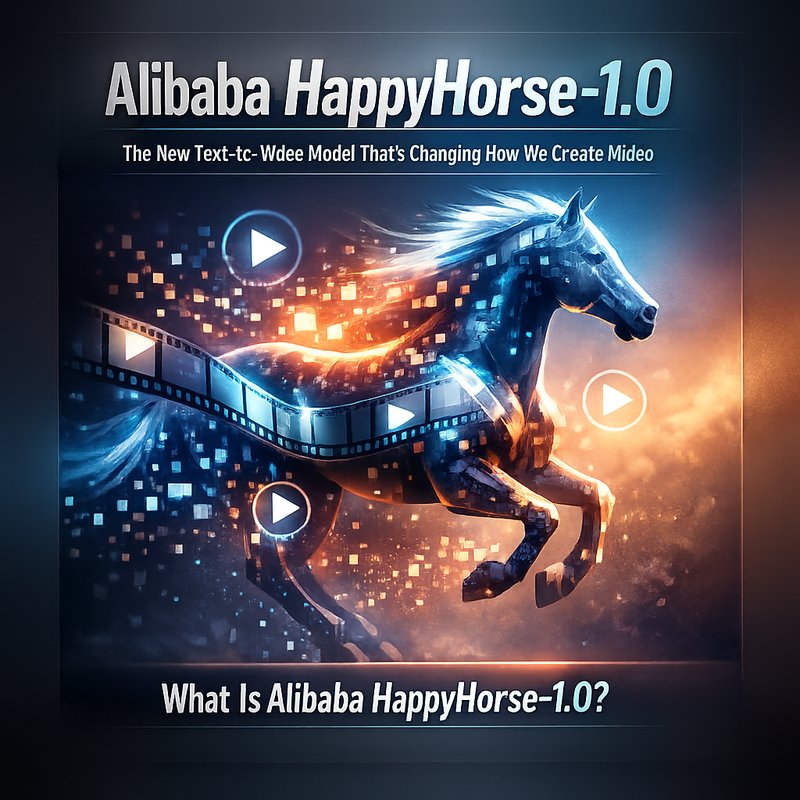
In the world of artificial intelligence, a new model has just stepped onto the stage: Alibaba HappyHorse-1.0. This text‑to‑video system is the latest from Alibaba’s research team and promises to make video creation faster, more accurate, and easier for everyone. In this article we’ll break down what HappyHorse-1.0 is, how it works, why it matters, and how you can start using it today. We’ll also look at how it stacks up against other models and what it means for creators, marketers, and developers.
What Is Alibaba HappyHorse-1.0?
Alibaba HappyHorse-1.0 is a generative AI model that turns written descriptions into realistic video clips. Think of it as a “text‑to‑video” version of the popular text‑to‑image models like Stable Diffusion. The model was announced in early April 2026 and has already taken the AI community by storm because of its high quality and physics‑aware motion.
Key Features
- Physics‑aware motion – The model keeps objects moving in a way that follows real‑world physics, so the video looks natural.
- Long‑horizon generation – It can produce longer clips (up to 30 seconds) without losing coherence.
- High resolution – Output can reach 1080p, making it suitable for social media, marketing, and even short films.
- Fast inference – With optimized GPU usage, it can generate a clip in under a minute on a single high‑end GPU.
How It Works
HappyHorse-1.0 uses a two‑stage pipeline:
- Text Encoding – The model first turns your text prompt into a set of visual tokens. These tokens describe objects, actions, and scenes.
- Video Generation – A diffusion‑based generator then creates a sequence of frames that match those tokens, while a physics engine ensures that motion looks realistic.
The result is a video that feels like it was shot in real life, not just a series of still images stitched together.
Why HappyHorse-1.0 Is a Game Changer
1. Real‑World Motion
Most text‑to‑video models struggle with motion. They might make a car move in a straight line or a person jump in a way that looks off. HappyHorse-1.0’s physics‑aware approach means that objects obey gravity, friction, and other forces. This makes the video look more believable.
2. Longer, Coherent Clips
Earlier models could only produce a few seconds of video before the story started to break apart. HappyHorse-1.0 can keep a narrative going for up to 30 seconds while staying on track. That’s enough time to tell a short story, show a product demo, or a quick tutorial.
3. Easy to Use
You don’t need a PhD in machine learning to use HappyHorse-1.0. The model comes with a simple API that a text prompt and returns a video file. Developers can integrate it into their own apps, and creators can use it directly from a web interface.
4. Competitive Edge
HappyHorse-1.0 outperforms other leading models like Meta’s Make-A-Video and Google’s Imagen Video in terms of visual fidelity and motion realism. That gives creators a new tool that can help them stand out on platforms like TikTok, Instagram, and YouTube.
How to Get Started with HappyHorse-1.0
1. Sign Up for the API
Alibaba offers a cloud‑based API for HappyHorse-1.0. You can sign up on their developer portal and get an API key. The pricing is competitive, and there’s a free tier that lets you test the model with a limited number of requests.
2. Write a Prompt
A good prompt is clear and descriptive. For example:
“A young woman in a red dress walks through a bustling city street at sunset, holding a bouquet of flowers.”
The more detail you provide, the better the model can generate a coherent scene.
3. Call the API
Using a simple HTTP request, you can send your prompt and receive a video URL. Here’s a quick example in Python:
import requests

url = "https://api.alibaba.com/happyhorse/v1/generate"
headers = {"Authorization": "Bearer YOUR_API_KEY"}
data = {"prompt": "A young woman in a red dress walks through a bustling city street at sunset, holding a bouquet of flowers."}

response = requests.post(url, json=data, headers=headers)
video_url = response.json()["video_url"]
print("Video ready at:", video_url)

4. Download and Edit
Once you have the video URL, you can download the file and edit it with any video editor. If you want to add music or subtitles, you can do that afterward.
5. Share
HappyHorse-1.0 videos are ready to upload to social media, embed on websites, or use in marketing campaigns. Because the output is high‑quality, you can share it on platforms that require HD video.
HappyHorse-1.0 vs. Other Text‑to‑Video Models
| Feature | Alibaba HappyHorse‑1.0 | Meta Make‑A‑Video | Google Imagen Video |
|---|---|---|---|
| Motion realism | Physics‑aware | Basic motion | Basic motion |
| Max clip length | 30 s | 15 s | 15 s |
| Resolution | 1080p | 720p | 720p |
| API availability | Yes | Yes | Yes |
| Pricing | Competitive | Premium | Premium |
HappyHorse-1.0’s edge lies in its physics‑aware motion and longer clip length. If you need a quick, realistic video, it’s the best choice right now.
Use Cases for HappyHorse-1.0
1. Marketing and Advertising
Brands can quickly generate product demos or brand stories without hiring a production crew. A simple prompt can produce a polished video that showcases a new gadget or a lifestyle scene.
2. Education and Training
Educators can create short instructional videos that illustrate complex concepts. For example, a biology teacher could generate a video of a cell dividing, or a physics teacher could show a projectile motion.
3. Content Creation
YouTubers and TikTok creators can use HappyHorse-1.0 to generate unique visual content. The model’s high resolution and realistic motion make it ideal for storytelling.
4. Game Development
Game studios can prototype cutscenes or character animations quickly. By describing a scene, they can get a rough video that helps visualize gameplay before investing in full production.
5. Accessibility
People with limited resources can produce professional‑looking videos for presentations, reports, or community outreach. This democratizes video creation.
Integrating HappyHorse-1.0 with Neura AI Tools
If you’re already using Neura AI’s platform, you can combine HappyHorse-1.0 with other Neura tools for a seamless workflow.
- Neura ACE – Use the autonomous content executive to generate prompts, then feed them into HappyHorse-1.0 for video creation.
- Neura Artifacto – After generating a video, upload it to Artifacto for easy sharing and collaboration.
- Neura TSB – Transcribe any audio from the video for captions or subtitles.
Check out the full list of Neura products at https://meetneura.ai/products.
Future Outlook: What’s Next for Text‑to‑Video?
HappyHorse-1.0 is just the beginning. We can expect:
- Higher resolution – 4K output in the next release.
- Real‑time generation – Live video creation for streaming.
- More detailed physics – Simulating fluid dynamics and cloth.
- Better integration – Direct plugins for Adobe Premiere and Final Cut.
Keep an eye on Alibaba’s research blog for updates. In the meantime, try HappyHorse-1.0 today and see how it can transform your video projects.
Conclusion
Alibaba HappyHorse-1.0 is a powerful new tool that turns text into realistic, physics‑aware video. Its high resolution, longer clip length, and easy API make it a top choice for marketers, educators, creators, and developers. By integrating it with Neura AI’s suite of tools, you can streamline your entire content creation pipeline. Don’t miss out on this exciting technology – start experimenting with HappyHorse-1.0 now and bring your ideas to life on screen.