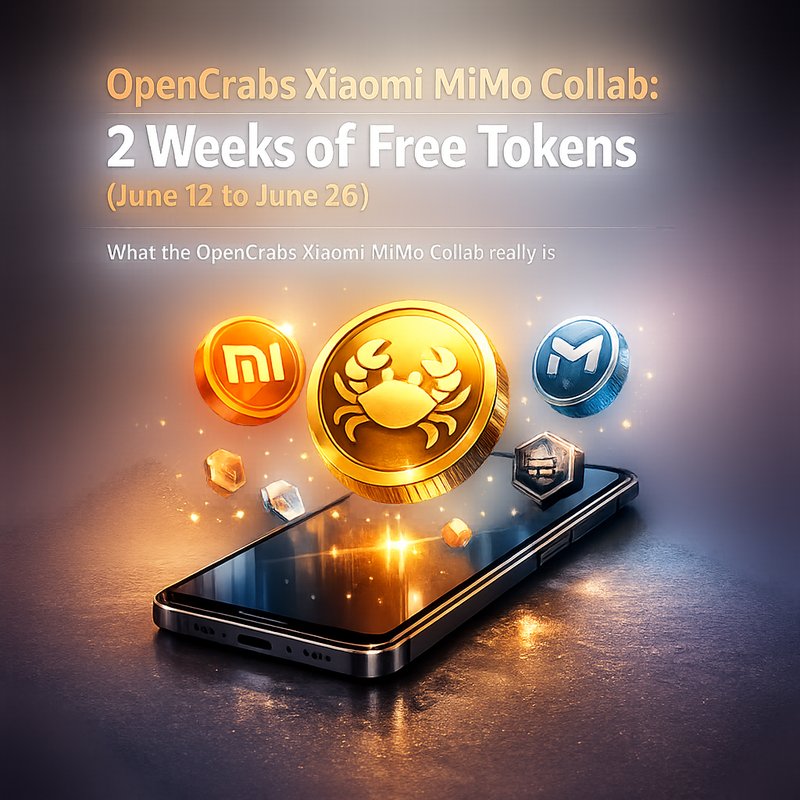
If you’re using OpenCrabs Xiaomi MiMo Collab, you’re probably here for one simple reason. You want a fast way to try Xiaomi’s MiMo V2.5 Pro model inside your OpenCrabs agent setup, with 2 weeks of free tokens starting June 12 to June 26.
This guide is for real builders. Not for home-device hype. Not for phone ads. We’re talking about OpenCrabs, a self-hosted AI orchestration agent, and a MiMo Orbit Program collaboration that gives OpenCrabs users free usage time.
By the end, you’ll know what the collab includes, which model to pick, how to avoid common setup mistakes, and how to run useful workflows without needing to understand fancy AI terms.
What the OpenCrabs Xiaomi MiMo Collab really is
Let’s keep it plain.
OpenCrabs Xiaomi MiMo Collab is a short collaboration where OpenCrabs users get free tokens for using Xiaomi MiMo models through OpenCrabs.
The key details from the research context you gave are:
- The free window runs June 12 to June 26
- It’s designed for OpenCrabs workflows
- The collaboration is connected to the Xiaomi MiMo Orbit Program
- OpenCrabs has added MiMo-specific tool-call handling improvements so model outputs can work more cleanly with tool actions
Also, this matters: the MiMo Orbit Program is focused on opening frontier models and compute access to developers, not selling consumer hardware.
So if you’ve been waiting for a low-risk chance to test MiMo inside an orchestration agent, this is one of those rare windows where you can just try it.
Why people care about MiMo V2.5 Pro inside OpenCrabs Xiaomi MiMo Collab
You might wonder why MiMo V2.5 Pro is getting so much attention.
From your search results:
- MiMo-V2.5-Pro is built for coding agent style work
- It’s described as using a hybrid-attention architecture
- It has a 1-million-token context window
That sounds huge (and it is), but here’s the practical point for OpenCrabs users.
When your agent is doing multi-step work, the quality of its output depends on having enough relevant information.
Sometimes you need long context. Sometimes you don’t. But when you do, a big context window can help keep the agent aligned.
Is 1 million tokens required for everything? No.
In fact, your collab goal statement highlights another practical idea: even without using the full context window, OpenCrabs can keep things organized through how it runs and stores work. So you get the benefits of long context, but you can still move fast and keep setups simple.
That’s why this is a builder-friendly collab, not just a model demo.
What you can do during the June 12 to June 26 free token window
Here’s a real builder way to think about the OpenCrabs Xiaomi MiMo Collab.
During the free period, you can test the full “agent loop” style workflows:
- Plan work steps
- Use tools for actions (like file edits or structured command execution)
- Ask for review and iteration
- Run again with better constraints
Even if you never touch “robot wording,” you can still benefit from how an orchestration agent breaks tasks down.
Good first workflows to try
Pick one small project and run it end to end. For example:
- Turn a messy spec into a clean checklist, then ask the agent to draft a solution plan
- Build a short coding assistant flow: generate code, then ask for a review pass
- Create a “debug style” routine: describe a failing case, then request likely causes and fixes
- Convert notes into structured outputs, like markdown tasks and acceptance criteria
The trick is not to chase too many tasks at once. Run one workflow and see how the tool calling behaves.
Which MiMo model should you pick in OpenCrabs Xiaomi MiMo Collab
Your research context says you can pick between 5 models during the collab.
But you specifically called out MiMo-V2.5-Pro as the best starting pick, especially because it has the 1M context and is aimed at coding agent work.
Here’s a simple decision guide.
Start with MiMo-V2.5-Pro if you want coding and long work sessions
Choose MiMo-V2.5-Pro when:
- You want the agent to handle longer task chains
- You want strong coding and review behavior
- You expect to write and refine multiple steps
Consider other models if your task is narrow
If your workflow is mainly about:
- short drafting
- focused rewriting
- quick extraction of structured info
Then you might prefer a smaller or more “task-specific” MiMo model depending on what’s included in the collab options.
If you’re unsure, do what most builders do: start with MiMo-V2.5-Pro, run your workflow once, then switch only if you see clear speed or quality differences.
The OpenCrabs side: what changed so MiMo tool calls work better
This is where your setup can either feel smooth or feel annoying.
From the OpenCrabs changelog you provided, there are important MiMo-related fixes in the 2026-06-12 release notes (and referenced as v0.3.37 with v0.3.38 latest).
Key MiMo-specific improvements in OpenCrabs
OpenCrabs added multiple fixes that help tool actions work when Xiaomi MiMo models emit tool calls.
In your changelog, these are the most relevant points:
-
Keyless Xiaomi MiMo onboarding now works
The config defaults now seed a default Xiaomi section so the app doesn’t require a pre-existing config.toml entry. -
Tool-call parsing now supports MiMo XML wrappers
MiMo models can output tool calls wrapped in<tool_call_list>XML, and OpenCrabs now parses that so tool_use succeeds instead of treating it like normal prose. -
Structured tool calls are reminded in prompts
When the active model is Xiaomi MiMo, OpenCrabs adds a reminder so tool calls are structured JSON, not “instructions to the user.”
That combo is huge. It means fewer “why did the agent just explain what to do instead of doing the tool action” moments.
So if you’ve used OpenCrabs before, but MiMo felt flaky, this is likely the reason it feels more usable during the collab.
How to run OpenCrabs Xiaomi MiMo Collab with minimal setup
You might be tempted to overthink the setup. Don’t.
Your changelog specifically mentions that keyless Xiaomi MiMo onboarding works because config defaults seed a default Xiaomi section.
So your job is basically:
- Install or update OpenCrabs
- Start the collab flow inside OpenCrabs (where MiMo tokens are provided)
- Select a MiMo model option
- Run one workflow and validate tool actions
Quick checklist before you test a workflow
Before you burn free tokens, sanity check:
- Your OpenCrabs version is up to date
- You can see Xiaomi MiMo model options in the interface
- Your first tool call actually triggers tool behavior (not just text)
If you do those four checks, you’re already ahead.
A simple “agent test” workflow you can run in 20 minutes
Here’s an easy workflow that tells you a lot quickly.
Step 1: Give the agent a small task
Example task:
“Turn these rough notes into a clean markdown plan with tasks and acceptance criteria.”
Keep it short. Don’t use a huge file.
Step 2: Ask for a second pass
Ask it to:
- list missing pieces
- fix unclear wording
- rewrite into a final version
Step 3: Request a tool-style action
Then ask it to do something that should require tool calling, like:
- “Create the markdown in a file named PLAN.md”
- “Run checks and report what changed” (if your setup supports it)
What you’re looking for
If OpenCrabs Xiaomi MiMo Collab is working well, you’ll see:
- tool actions trigger as actions
- outputs are structured enough to be reliable
- second-pass rewrite feels consistent
If instead the agent mostly explains how to do it, review your tool-calling setup, then try again after confirming the MiMo tool-call parsing fix is available in your OpenCrabs version.
Why “per-call mixed models” can matter for your agent
Your search results mention an interesting OpenCrabs architectural shift:
OpenCrabs now allows per-call provider and model overrides via spawn_agent and team_create.
This matters for OpenCrabs Xiaomi MiMo Collab because it hints at a practical builder pattern:
- Use MiMo V2.5 Pro for one job (like drafting or coding)
- Use another model for a different job (like stricter review or style checks)
You might not do it on day one of the collab. But it’s a real reason MiMo is valuable inside orchestration frameworks.
Instead of picking one model for everything, you can assign different models to different steps in one plan.
Common mistakes people make during model collabs (and how to avoid them)
Here are the most common “why isn’t this working” issues you’ll see.
Mistake 1: Expecting consumer-device style integrations
This isn’t about phones, home devices, or Office popups.
OpenCrabs Xiaomi MiMo Collab is for developers testing MiMo models inside OpenCrabs.
Mistake 2: Using too many tasks at once
If you throw 10 workflows at the agent in one session, you can’t tell what’s broken.

Run one workflow end-to-end.
Mistake 3: Not validating tool calls
Don’t assume tool calls work.
Ask for a clear tool action and confirm it actually triggers an action.
Mistake 4: Picking a model without testing your workflow
The collab gives you free tokens, but you still want your experiment to be useful.
Start with MiMo-V2.5-Pro, verify the behavior, then experiment with other MiMo models only if it’s worth it.
How to make your experiments “shareable” after the free window
Even though this is a short collab, you can turn it into something useful you can reuse.
Here’s a simple strategy:
- Keep a log of prompts you used (short and clear)
- Save the outputs you like
- Note the steps where tool calls worked best
- Record changes when you switch models
If later you swap back to non-collab modes, you’ll still have:
- a working workflow template
- prompt examples that already work with OpenCrabs
- a better sense of which MiMo model fits which task style
That’s the real value, honestly.
Where this connects to Xiaomi MiMo Orbit Program (in plain English)
From your search results, the Xiaomi MiMo Orbit Program is about:
- opening frontier models
- giving compute grants
- helping developers test and build
So the OpenCrabs Xiaomi MiMo Collab is basically a “developer access” moment.
It lets OpenCrabs users try MiMo models for free tokens during a fixed time.
And because OpenCrabs added MiMo tool-call handling improvements, this collab isn’t just “try the model.” It’s more like “try the model inside an orchestration setup that can actually act.”
Conclusion: Make the most of OpenCrabs Xiaomi MiMo Collab before June 26
The best way to think about OpenCrabs Xiaomi MiMo Collab is simple.
You get a short, developer-friendly window from June 12 to June 26 to test MiMo-V2.5-Pro and other MiMo options inside OpenCrabs, using free tokens.
Then you validate two things:
- Does the model write useful output for your work?
- Does tool calling behave the way you expect?
If it does, you walk away with real workflow templates, not just a one-time chat.
And if you’re building orchestration flows, that can save you days of trial and error later.
So, try one workflow today. Confirm tool calls. Then keep what works.