If you’re hearing about pipeline-native AI agents in CI/CD, this article is for you. Pipeline-native AI agents in CI/CD are not just chatbots that suggest code. They run as real, governed steps inside your build and release workflow, like automated checks that can also fix issues. That shift is showing up fast in 2026, because teams want speed, but they also want control.
Recently, multiple industry signals pointed to this direction. For example, Gravity DevOps described these agents as “pipeline-native,” meaning they operate as governed CI/CD steps for builds, security scans, and infrastructure remediation. In parallel, model release news and agent-safety updates (like safer auto modes) remind us that how you run an agent matters as much as what the agent is.
In this guide, I’ll break down what pipeline-native AI agents in CI/CD really means, why teams are adopting them, and how you can build a practical setup that is safer than “just let the model run.” You’ll also get a clear checklist you can use when you design agent steps for builds, scans, and deployments.
Focus keyword: pipeline-native AI agents in CI/CD
(Used repeatedly throughout, because you should know the phrase and what it stands for.)
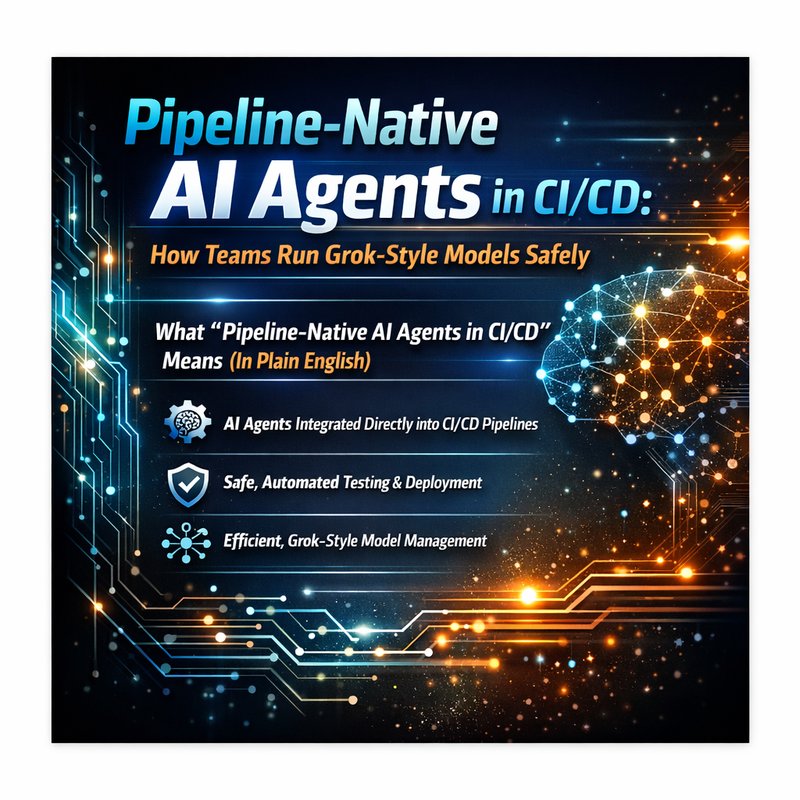
What “Pipeline-Native AI Agents in CI/CD” Means (In Plain English)
When people say “AI agent,” most folks imagine a chat window.
But pipeline-native AI agents in CI/CD sit inside your software delivery pipeline. That means:
- They run during CI or CD steps.
- They receive structured inputs (like logs, configs, diffs).
- They produce structured outputs (like patches, scan reports, or remediation plans).
- They follow rules you define (permissions, time limits, allowed commands).
- They are governed like any other CI task.
That’s the big difference. Your pipeline already has guardrails. Linux runners have timeouts. CI jobs have environment variables. Script steps can fail the build. Artifact storage is controlled. Secrets are managed.
So pipeline-native AI agents in CI/CD try to become “just another step,” not a wildcard.
The best analogy: a robot that works only inside a station
Think of a warehouse automation robot.
It can move boxes, but only along mapped lanes, under safety rules, with sensors watching. Delivery agents are similar. They can assist and even fix things, but they should do it in the mapped lane of your pipeline.
Why Teams Are Using This Approach Now
Several forces are pushing teams toward pipeline-native AI agents in CI/CD.
1) Code changes happen faster than humans can review
Pull requests move quickly. Build failures happen quickly too. It’s not surprising that teams want faster diagnosis.
If a pipeline step can:
- read CI logs,
- identify failing tests,
- propose a patch,
- rerun checks,
- and report what changed,
then you cut time to resolution.
2) Security scanning is the main bottleneck
Security teams often need deeper context than a simple grep scan.
A pipeline-native agent can:
- summarize vulnerabilities from scanner output,
- map them to the exact commit or dependency,
- draft upgrade steps,
- and prepare PR notes for human approval.
Even if the agent cannot deploy fixes by itself, it can still move the workflow forward.
3) Model “capability” is not the same as “safety”
Recent product notes around safer auto modes show why this matters. For example, Claude Code releases (from July 8, 2026) highlighted safer auto mode behavior that blocks transcript tampering. That’s a safety theme: the agent should not be easy to trick.
In practice, pipeline-native AI agents in CI/CD try to reduce risk by limiting:
- what the model can see,
- what the model can do,
- how it can write changes,
- and how it can trigger actions.
4) Governance fits DevOps culture
DevOps teams already accept “automation with gates.”
So instead of arguing about whether AI can be trusted, you build AI into the same gate system you use for everything else.
What a Good CI/CD Agent Step Looks Like
Let’s make it concrete. A solid pipeline-native AI agents in CI/CD setup usually has the same parts.
Inputs the agent should get
Give the agent only what it needs.
Common inputs:
- CI logs from the last run
- failing test names and stack traces
- diff summary (what changed)
- dependency scan results
- relevant config files (like lint or build settings)
- repository structure (file list, not entire source code if you can avoid it)
If you can avoid sending secrets, do it.
Outputs the agent should produce
You want outputs that your pipeline can consume.
Good outputs:
- a short failure diagnosis report
- a proposed patch (or patch plan)
- a remediation command list (that your pipeline runs only after approval)
- updated documentation text
- an explanation of why it thinks the fix works
Avoid outputs that are hard to validate, like “it should work now” without evidence.
The governance layer
This is where you make pipeline-native AI agents in CI/CD actually feel safe.
Governance includes:
- limited permissions (read-only vs write access)
- strict allowlists for commands
- timeouts and resource limits
- required approval steps for risky actions
- audit logs for every action
- environment separation (dev vs staging vs prod)
A Step-by-Step Blueprint: Add Pipeline-Native Agents Without Chaos
Here’s a practical build plan you can use.
Step 1: Pick one pipeline job to start with
Start small.
Examples:
- lint job fixer (no deploy)
- test failure diagnosis + patch suggestion
- dependency vulnerability triage report
If you start with deployment remediation, you will regret it.
Step 2: Define “agent scope” in one sentence
Write this down internally.
For example:
“The agent may read CI logs and open a patch proposal, but it may not run network calls or touch production settings.”
That statement becomes your governance contract.
Step 3: Use a two-phase workflow: Diagnose, then Act
A safer model behavior for pipeline-native AI agents in CI/CD is:
- Diagnose: summarize what failed and why
- Act (only after checks): propose a patch that passes policy
In CI, you can implement this by splitting into separate stages.
Step 4: Force structured outputs
Instead of asking for “instructions,” require:
- JSON fields for proposed changes
- a “risk level” field (low/medium/high)
- file paths affected
- test targets that must pass
Then your pipeline can validate the content before applying it.
Step 5: Use approval gates for anything that changes infra
If the agent touches deployment config, secrets handling, or IaC, require:
- human approval
- or at minimum: an approval bot step that checks changes against rules
Designing Safety Rules for Pipeline-Native AI Agents in CI/CD
Safety is not a single switch. It’s a set of habits and rules.
Rule A: Never allow the agent to silently push to main
For pipeline-native AI agents in CI/CD, “write access” should be constrained.
Common pattern:
- agent opens a branch
- pipeline runs checks on that branch
- PR is reviewed (or auto-merged only if tests and policies pass)
Rule B: Limit credentials visibility
If your agent can view logs but you redact secrets, do it.
Even better:
- don’t mount secrets into the job container
- pass only safe tokens with least privilege
Rule C: Block prompt injection paths
CI logs are messy. They can include unexpected text.
That’s why safety updates like “blocks transcript tampering” matter conceptually. You need your agent runtime to prevent the model from being tricked by earlier text.
In practice:
- treat CI logs as untrusted text
- keep system rules separate from user-controllable logs
- avoid letting logs modify tool permissions
Rule D: Require evidence for “fixes”
A model should not claim success without a rerun.
So the pipeline should:
- apply patch
- rerun tests and scans
- report result
What Model Releases Teach Us About Agent Reliability
Model releases are loud, but agent reliability depends on runtime behavior.

The search results you saw include news about Grok 4.5 from SpaceXAI and Cursor partnership for Grok. While model performance can change quickly, the operational lesson stays the same:
If you want pipeline-native AI agents in CI/CD to be useful, you must standardize the environment around the model.
That means:
- stable job inputs
- consistent ways to call tools
- predictable output formats
- consistent governance checks
So even if models evolve, your pipeline stays stable.
When Pipeline-Native Agents Are a Great Fit
Here’s where pipeline-native AI agents in CI/CD tend to shine.
Best-fit tasks
- Summarizing build failures into human language
- Detecting which tests failed and likely root causes
- Drafting code patches for lint, formatting, or small refactors
- Turning security scan output into a triage report
- Preparing remediation PR descriptions
Not-so-great tasks at first
- Complex refactors across multiple packages
- Database schema changes without strong safeguards
- Anything that needs production data access
- “Deploy to prod and hope” workflows
Start cautious. Earn trust with evidence.
A Checklist You Can Copy Into Your Next CI Design
Use this checklist as your “agent readiness” screen for pipeline-native AI agents in CI/CD.
- [ ] The agent has a strict scope statement
- [ ] Inputs are minimized and secrets are not exposed
- [ ] Outputs are structured (patch plan, file list, test targets)
- [ ] Commands and tool calls are allowlisted
- [ ] The agent cannot push to main without approval
- [ ] Risky actions require a human gate
- [ ] Every agent action is logged for audit
- [ ] The pipeline reruns checks after any patch
- [ ] You start with one pipeline job, not the whole release path
If you can check most of these, you’re on the right track.
How Neura Fits Into This Workflow
If you’re building agent steps for real teams, you likely need more than one “AI model call.” You need routing, formatting, and tool assistance across tasks.
Neura is an integrated business platform with AI-powered RDA Agents. It includes Router Agents (RAG + Reasoning, Decision and Action) that route requests based on intent. That matters when you want your pipeline logic to pick the right behavior, like:
- parsing CI logs into reports
- drafting remediation text
- generating patch instructions
- converting documents or markdown into the right formats for PR notes
You can explore relevant building blocks here:
- Neura platform: https://meetneura.ai
- Product overview: https://meetneura.ai/products
- Case studies: https://blog.meetneura.ai/#case-studies
If you also need dedicated utilities that often show up in pipeline workflows, these can help in adjacent steps:
- security scanning: https://keyguard.meetneura.ai
- transcription and organization for logs and meeting notes: https://tsb.meetneura.ai
- routing across multiple AI providers: https://router.meetneura.ai
This does not replace CI governance. It helps you standardize the “agent layer” that sits near your pipeline.
Common Questions People Ask About Pipeline-Native AI Agents in CI/CD
“Do we still need human review?”
Yes, especially early on. The first wins come from diagnosis, patch proposals, and triage reports.
“Will the agent make the pipeline slower?”
It can, if the agent runs too often or reads too much. Start by limiting scope and running the agent only on failing jobs.
“What if the model is wrong?”
That’s why you need evidence gates. Always rerun tests and scans after applying changes suggested by pipeline-native AI agents in CI/CD.
“What about different models?”
You can swap models, but keep your pipeline governance the same. This is the operational secret.
Conclusion: The Real Shift Is Governance, Not Hype
The big story behind pipeline-native AI agents in CI/CD is that teams are moving from “AI assistance” to “AI as a governed pipeline step.”
Instead of letting a model free-run over your repo, you give it a lane:
- clear inputs
- structured outputs
- strict permissions
- audit logs
- gates for risky actions
And then you make the pipeline do what it already does best: verify changes.
If you implement this carefully, pipeline-native AI agents in CI/CD can reduce time to fix and improve consistency. Not by magic. By design.