Artificial intelligence is getting faster at making new “skills” (tools that do a job). But speed without control is how you end up with unsafe or broken actions.
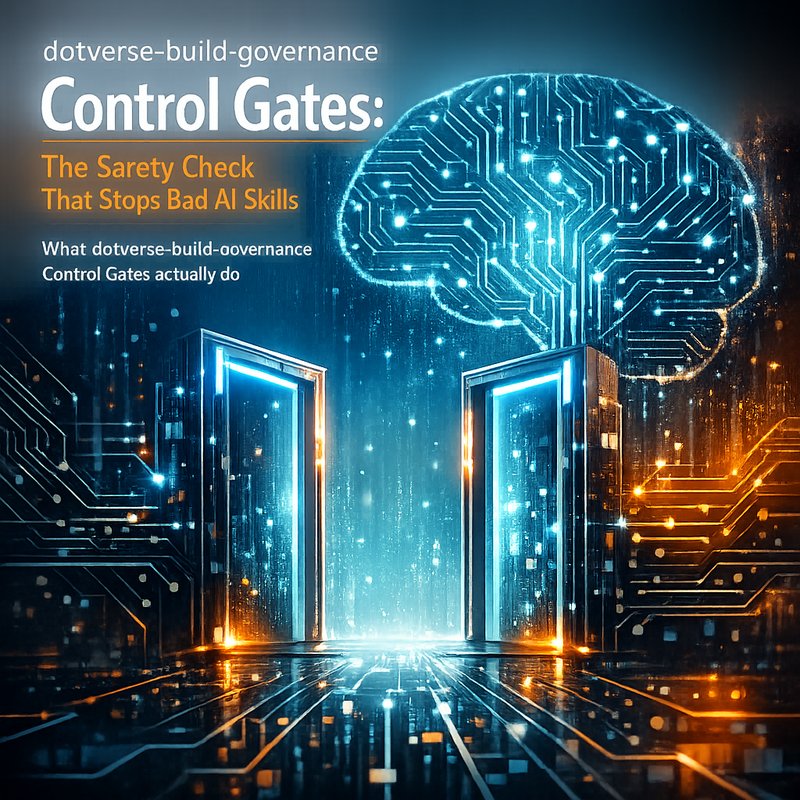
That is why the new dotverse-build-governance skill is getting attention. It adds Control Gates that freeze direct activation of newly generated skills until they pass a 12-point verification check. In other words, AI can propose skills. It still cannot “go live” until it proves it is safe.
In this article, we will break down what Control Gates are, why a 12-point verification check matters, and how teams can copy this idea in their own agent systems. We will also connect it to what you are seeing in the wider AI world, including plans from Anthropic for Claude updates in premium tiers, and the way modern CI workflows are getting stricter about approvals.
The big theme here is simple: dotverse-build-governance Control Gates are a practical pattern for safer AI tool use.
What dotverse-build-governance Control Gates actually do
A lot of AI agent systems work like this:
- The model generates a tool or “skill”.
- The system installs it.
- The agent starts using it.
It sounds efficient. The problem is that step 3 can start instantly, even when the new skill:
- has a hidden edge case,
- calls the wrong endpoint,
- bypasses your normal guardrails,
- or behaves correctly in tests but fails in production.
The dotverse-build-governance skill introduces Control Gates that prevent that. Instead of allowing newly generated skills to activate right away, Control Gates hold them.
Then a 12-point verification check runs.
Only after the skill passes all those checks does it get frozen in a usable state.
So Control Gates are basically like a safety lock plus a quality inspection.
Why a “12-point verification check” is more than a random number
You might wonder: why 12 points?
Honestly, the number does not matter as much as the idea. What matters is that a verification step should not be “one quick test and done”. A serious gate usually checks different risk angles, like:
- Does the skill follow your allowed tool rules?
- Does it avoid disallowed actions?
- Does it validate inputs before calling a tool?
- Does it handle errors safely?
- Does it expose any secrets by accident?
- Does it behave the same in a test run and a dry-run?
Even if your system only has 8 checks, or 20 checks, you still get the same benefit: you slow down unsafe activation and reduce “oops” moments.
And the dotverse-build-governance Control Gates approach is built around that idea.
If you implement gates, you should think of them as different layers, not one layer.
The real risk: new skills can act before you even notice
Here is the thing that teams learn the hard way.
An AI skill can look fine when you inspect the code.
But under real conditions, it can act differently:
- different input shapes,
- rate limits,
- missing environment variables,
- unexpected tool outputs,
- or different prompts that trigger a new behavior path.
Also, newly generated skills often change fast. If your system auto-activates them, you might not notice failures right away.
So the dotverse-build-governance Control Gates model is basically a “pause button” for new capabilities. That pause gives you time to run verification and decide what is safe.
It also makes approvals clearer for humans and safer for automation.
Control Gates create a clean separation between “build” and “activate”
Many teams blur these phases:
- build the skill,
- then activate it immediately,
- then fix it later.
That is backwards. A better approach is:
- build the skill,
- verify it through a gate,
- release it only when it passes.
This is how you avoid a messy loop where production becomes your test suite.
The dotverse-build-governance Control Gates pattern helps enforce this clean split. It is not just about safety. It is also about making your pipeline predictable.
How to copy Control Gates in your own agent system
You do not need to use dotverse-build-governance itself to copy the concept.
Start by designing your own gate.
Below is a practical plan you can apply to most “AI generates skills” systems.
Step 1: Add a “pending activation” state to new skills
Create a state model like this:
- Draft
- PendingGateCheck
- Active
- Rejected
When the AI proposes a skill, put it in PendingGateCheck.
Do not install it as Active yet.
This simple state change is the foundation for everything else.
Step 2: Write a 12-point checklist (or start with fewer)
You can start smaller than 12 points, but make sure each point targets a different risk type.
Here are example verification categories you can include:
- Tool allowlist checks: Does the skill call only approved tools?
- Input validation: Does it check inputs before acting?
- Sensitive data handling: Does it avoid printing secrets?
- No unsafe side effects: Does it avoid destructive commands?
- Rate limit safety: Does it handle throttling gracefully?
- Deterministic dry-run: Does it behave consistently under test prompts?
- Output schema checks: Does it return the right format for the next step?
Once you have categories, you can convert them into your own “points”.
Then you can scale up to a full 12-point verification check approach like dotverse.
Step 3: Make failures loud and actionable
A gate should not just block.
It should also tell you why.
When a skill fails, produce a report like:
- which check failed,
- what evidence was captured,
- and a short remediation suggestion.
That way the next AI iteration can fix the skill instead of guessing.
This also helps humans review faster.
Step 4: Log everything used in the gate decision
To trust a dotverse-build-governance Control Gates system, you need logs.
At minimum, log:
- the skill manifest,
- the tool calls it attempted during verification,
- the pass/fail results for each point,
- and the version of the model that generated the skill.

Without logs, “why did it fail” becomes guesswork.
Where this fits with tool-calling and secret safety
A lot of teams are focused on safe tool calling, and for good reason.
If an agent can call tools, it can also accidentally leak things you never meant to expose, like API keys or private request data.
Even if your agent is careful, tool calling adds new attack surfaces:
- prompt injection inside tool outputs,
- secrets in error messages,
- keys accidentally included in context.
So the dotverse-build-governance Control Gates idea becomes extra valuable when your skills are allowed to call tools.
Because a gate can perform security checks before activation.
This is the same mindset behind security scanning tools that specifically look for API key leaks in frontend apps (and similar patterns). For example, you may already be using tools like Neura Keyguard AI Security Scan, which focuses on finding API keys leaks and security breaches in frontend codebases.
Here is the angle: gates are a pipeline safety net. Scanners are a code safety net. Together, they reduce blind spots.
If you are interested in security-first agent workflows, you should also check how teams handle safe tool activation and secret ref storage, because the gate becomes the place where you confirm “no secret leakage” before the skill runs.
The wave of stricter AI workflows in 2025 and 2026
Control Gates are not happening in a vacuum.
In the broader AI ecosystem, companies are moving toward:
- stricter tool permissions,
- gated approvals for new capabilities,
- and safer “agent execution” models.
You saw a related idea in CI work: autonomous agents can run checks and propose changes, but real approvals should not be automatic. That is the same logic behind gates.
What surprised me recently is how quickly these patterns are becoming “standard engineering”.
Even AI model providers are changing delivery plans so premium users get newer models sooner. For example, Anthropic announced that Claude Fable 5 will be integrated into Max and Team Premium plans starting July 20.
That matters because newer models can generate new skills faster. If your pipeline is not gated, faster generation means faster mistakes too.
So as dotverse-build-governance Control Gates ideas spread, you will likely see them paired with:
- permission checks,
- model version tracking,
- and approval steps.
The direction is clear: safer automation is the point.
A simple example: how Control Gates stop a bad skill
Let’s make this concrete.
Imagine an AI agent creates a skill called auto_report_status.
A naive system does this:
- generates skill,
- activates it,
- agent immediately calls the skill to post to your internal dashboard.
Now imagine one bug:
- it formats dates wrong for your dashboard,
- or it calls an endpoint that includes a private token,
- or it posts to the wrong channel.
If that activation is immediate, you find the problem after it already happened.
With dotverse-build-governance Control Gates, that skill would be:
- generated,
- frozen in pending state,
- checked by the 12-point verification check,
- only activated if it passes.
So the failure never reaches the “active” stage.
Even better, the verification report tells you what failed, so you fix the generator or the skill template.
How to evaluate if your Control Gates are working
Gates are easy to add. Making them effective takes measurement.
Here are practical ways to evaluate your dotverse-build-governance Control Gates style system:
- Gate pass rate trends: Is improvement reducing failures over time?
- Time-to-detect: Do issues show up later in production or earlier in the gate logs?
- False positives: Are you blocking good skills too often?
- False negatives: Do unsafe skills still slip through?
- Human review time: Are reviewers spending less time arguing about “should we allow this” and more time on quick fixes?
The key is to treat gates like a test pipeline, not a one-time setup.
Common objections (and honest answers)
“This slows us down.”
Yes, if you activate skills instantly today, a gate will add delay.
But if you measure it honestly, you often find that the time you lose in gates is cheaper than the time you lose in incidents, rolled-back actions, or messy debugging after activation.
Also, gates can run in parallel. The AI can build while checks run.
“The checks might be too generic.”
True. If your gate checks are vague, you will either block everything or miss real risks.
Start with clear checks that map to real failure modes in your system.
Then tighten them as you learn.
“We already trust the model.”
I get that. But the model is only one part of the system.
Skill generation can fail due to:
- prompt changes,
- tool API changes,
- environment differences,
- and unexpected tool response formats.
Gates protect you from all that.
So relying on trust alone is risky.
What to do next
If you are building AI agents that generate new skills, you should seriously consider Control Gates.
Not because gates are trendy.
Because they are the simplest way to stop “instant activation” from becoming a safety problem.
A dotverse-build-governance Control Gates system with a 12-point verification check shows a clear direction:
- build fast,
- verify hard,
- activate safely.
This also sets you up to scale as AI models get better and faster at generating tools.
And honestly, that is the real goal: you want speed without chaos.
Featured example sources and further reading
- dotverse-build-governance Control Gates (12-point verification check):
https://vertexaisearch.cloud.google.com/grounding-api-redirect/AUZIYQGD7o7r2FfE01VmxsQxFLciRX4WeTKTUEiOAGxiHuK_DN9ZDF911dW-H7fw4s5-M8jodSIizngd6uLgdbPyL3frQzi7JWyMT1lAMCwwAq33o3Mh0lSQ-DGH0XFqMBdiykkdfRRzFPLiGaR_v6jr0zHUaG-SHKvdkajk0gQVvMPmGFemCEtq6mBHBM4Hx1HqCPjzHin_95k_shMCDK8= - Anthropic Claude Fable 5 integration announcement via Vertex AI search redirect:
https://vertexaisearch.cloud.google.com/grounding-api-redirect/AUZIYQGsTEpv5KGqMMLGfw3vpLRgvwNCVjzDTDyPfNpO-zqow7lvCW12UEY290Hg4GsXiAxFzH84lS2qczmPgS1FvwsdVmPUEHAhuYZKg7q3iAhFt9Flc2CyEUMsPZoWJY5_n72Hofzi2JtJQ87yEp86uJkETryZL8dSsXFU - Company and engineering angle (Forbes redirect):
https://vertexaisearch.cloud.google.com/grounding-api-redirect/AUZIYQF6ns9fveUthfTIVhBkYjPiEcN5pMuG5Xm57grgPemiTtxppBqs1koYo44Dp8BXO5AL7Nfavfdf_ulfRg08TeMLCF1s3EUrXPieBkj2uRjekQobraGTuyGI_fWMU0BA3h2ffq72KX1-Cy3d35vGUZ_skxYcEz3g8_F4qUiCTJwZiWGm5OIIiQ74YPBqFz2nIKsxAaiAERCv_RRFX5qVrQN6Q91z_3CebuWkoRAzpOU1oMQ=
Conclusion
The best part about dotverse-build-governance Control Gates is that they deal with one of the biggest agent problems: letting new skills activate before they are verified.
When you use a 12-point verification check, you turn “generated tools” into “approved tools”. And that is a huge step toward safer AI automation.
If you want to build agents that move quickly but do not cause chaos, this gate pattern is one of the clearest ways to do it.