AI coding agents are getting more hands-on. Recently, Cursor agents added the ability to monitor Pull Requests (PRs), watch Slack threads, and run scheduled tasks on their own. That sounds powerful. It also raises a very normal question:
How do you use Cursor agents in a way that helps you ship faster without creating messy PRs, noisy Slack updates, or random tasks running at the wrong time?
In this guide, I’ll break down what Cursor agents can do, why the PR and Slack parts matter, and how to set up guardrails so the agent acts like a helpful teammate, not a chaotic intern. You’ll also get a simple setup checklist you can follow right away, plus a testing method to catch problems before they hit production branches.
If your team is trying to move from “AI writes code” to “AI joins the workflow,” this article is for you. And we’ll focus on one core idea throughout: Cursor agents for PRs and Slack should be configured with clear rules, clear permissions, and clear feedback loops. That is the difference between useful automation and accidental disruption.
Quick source note: Cursor release notes mention agents that can monitor PRs, watch Slack, and run scheduled tasks autonomously, via the sources you shared through the linked changelog entry (see the Cursor Changelog redirect links in your results).
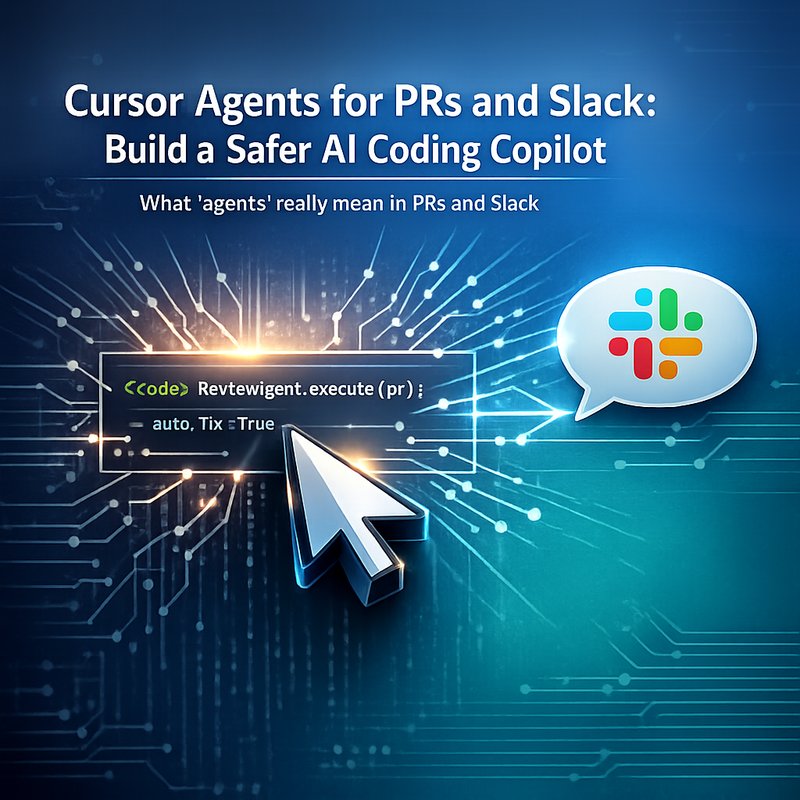
What “agents” really mean in PRs and Slack
When people hear “AI agent,” they imagine a robot that can “do everything.” In real teams, agents work best when they have a narrow job.
With Cursor agents for PRs and Slack, the job is usually one or more of these:
- Review changes inside a PR and suggest improvements
- Detect what’s blocked in a thread (for example, “tests failing” or “missing context”)
- Draft replies or summaries in Slack so humans can decide quickly
- Run scheduled checks like “does CI pass?” or “are stale PRs waiting on review?”
What’s different from older AI coding assistants is that the agent is not waiting for a prompt every time.
Instead, it can observe triggers like:
- PR events (opened, updated, requested review, CI status changes)
- Slack activity (threads where people discuss that PR)
- A timer schedule (like nightly checks)
That changes the risk profile, too.
If the agent can respond on Slack, it might post the wrong thing to the wrong thread.
If it can edit or suggest PR changes, it might break conventions your team follows.
If it can run scheduled tasks, it might spam reruns or waste compute.
So the key is not “can it act.” The key is “how do you constrain it.”
Cursor agents for PRs and Slack: the 3 biggest failure modes
Before you set it up, you should know the usual ways agent workflows go wrong.
1) Helpful replies that are actually wrong
An agent sees a PR diff and a Slack thread, then tries to “fill gaps.” But missing context is where mistakes hide.
Example: someone says “this is fixed” in Slack without pasting the error log. The agent might assume tests pass and reply as if they do.
Fix: require the agent to cite concrete signals before it states a status.
In practice, that means:
- Ask it to reference CI result names or test output snippets
- Require PR links or commit hashes in its reasoning
- Make it default to “I might be missing context” when logs aren’t present
This is how Cursor agents for PRs and Slack avoid confident nonsense.
2) PR noise that makes reviewers hate you
Even if the code suggestions are correct, too many small PR changes can turn review into a chore.
Example: an agent keeps reformatting or doing style changes every time a PR updates.
Fix: set one owner rule.
- Either the agent only suggests, not applies changes
- Or the agent applies only specific types of edits (like unit tests, not formatting)
Also, tie actions to clear thresholds. For example:
- Only propose a fix if it detects a failing test
- Only suggest refactors if a PR crosses a complexity limit your team agrees on
3) Scheduled tasks that run when they should not
Scheduled agents can be great, but they can also become background chaos.
Example: the agent rechecks PRs every hour, even on weekends, and floods channels.
Fix: add time windows and budgets.
- Limit schedule frequency (like once per night)
- Add quiet hours (like no Slack messages after 6 PM)
- Add a “max actions per run” ceiling
That keeps Cursor agents for PRs and Slack predictable.
A practical setup checklist for Cursor agents for PRs and Slack
Let’s turn the failure modes into a simple setup plan. You can follow it even if your team is small.
Step 1: Define the agent’s “mission” in one sentence
Write one sentence you can paste into your internal docs.
Example mission statement:
- “The agent reviews CI status in PRs and drafts short Slack updates with links and test names, then waits for human approval.”
If you do not write this down, you will invent rules later under stress. And when teams do that, the agent acts too freely.
Step 2: Choose what the agent can do automatically
For Cursor agents for PRs and Slack, separate “observe” from “act.”
Start with this safe default:
- Observe PR changes ✅
- Observe Slack threads ✅
- Draft suggestions ✅
- Post to Slack with approval ✅ (or post only summaries)
- Apply PR code changes only with explicit approval ✅
Then gradually open up permissions after you see stable results.
Step 3: Map which Slack channels are allowed
This is the part most teams underdo.
Pick:
- One PR-related channel (like
#pr-helpor#dev-updates) - One failure channel (like
#ci-alerts) - Lock everything else down
Then set a rule like:
- Agent can only comment on threads that include a CI link or a PR link
This reduces “wrong thread, wrong message.”
Step 4: Add an action budget for each run
Put a cap on how many things it can do in one scheduled cycle.
Example budgets:
- Max 10 PRs reviewed per night
- Max 3 Slack messages per run
- Max 1 PR with suggested code changes per cycle
Budgets make agent behavior feel human. Humans also get tired and stop after a certain limit.
Step 5: Require evidence for status claims
For any Slack update that says something like “fixed” or “ready to merge,” require evidence.
Evidence could be:
- CI check name and pass/fail status
- Test command output (or link)
- Coverage report link (if you use one)
If evidence is missing, the agent should say:
- “I might be missing context. Here are the items I need to confirm.”
That one rule alone dramatically improves Cursor agents for PRs and Slack reliability.
PR workflows where Cursor agents add real value
Now the fun part. Where do Cursor agents for PRs and Slack actually shine?
Use case 1: PR triage for failing tests
When CI fails, time goes missing. The agent can:
- Look at the test failure output
- Identify likely causes (for example, missing mock, wrong import, changed API)
- Draft a short Slack message including the error summary and suggested next step
This reduces “who owns this?” loops.
Use case 2: Keep reviewers updated without manual copy-paste
If a PR gets new commits, updates may happen in multiple places.
An agent can summarize:
- What changed since last run
- What files were touched
- Whether CI was re-run
Then it posts a clean, short message.
It’s not just speed. It’s fewer tiny “Can someone look at this?” posts.
Use case 3: Scheduled hygiene checks
Agents can run on a schedule for:
- Stale PRs
- Missing labels
- Outdated branches (if you track that)
- CI reruns for flaky tests (only within limits)
If you set the budgets and time windows, this becomes a steady background helper.
Slack workflows where Cursor agents can annoy people (and how to prevent it)
Slack is where agent mistakes get loud. So you need tighter rules.
Don’t let the agent “guess” what people mean
Slack threads can be messy. People write partial thoughts.
So add this expectation:
- The agent should quote or link to the exact line it is responding to
- If multiple interpretations exist, it should ask a question instead of picking one
This keeps Cursor agents for PRs and Slack from turning one misunderstanding into five wrong messages.
Use short messages with a consistent template
A template is underrated.
Here’s a simple template your agent can follow in Slack:
- What happened (one sentence)
- Evidence (one bullet)
- Suggested next step (one sentence)
- Question (one question max)

Example (in plain language):
- “CI failed on test
auth_flow_returns_token.” - “Evidence: job link here.”
- “Next step: check recent change in
TokenService.” - “Want me to draft a fix or just summarize?”
Templates keep the agent’s tone consistent and readable.
Testing your agent setup before you scale it
Even if the configuration looks clean, test it like you would test a feature rollout.
Test 1: The “missing context” test
Create a fake PR update where the Slack thread has no CI link.
Then see what the agent does.
A good Cursor agents for PRs and Slack setup:
- refuses to declare success
- asks for logs or links
- offers “what I can confirm now”
Test 2: The “spam prevention” test
Run its scheduled task in a staging or test channel.
Check:
- Did it post too many messages?
- Did it post into channels it should not?
- Did it exceed your action budget?
If it did, fix limits before using it on real PRs.
Test 3: The “style change storm” test
Make a PR that only changes formatting or easy refactors.
See whether the agent tries to do extra code edits.
The best setup:
- drafts review comments
- avoids rewriting code unless the team approves
- triggers code changes only when necessary
Where Neura fits if you want more control over agent workflows
If your team is building a “workflow agent” mindset, you might also want tooling that helps you structure outputs and keep AI work connected to your process.
For example, Neura’s platform includes agents and connectors designed to automate tasks and generate structured results across workflows. You can explore the product overview here: https://meetneura.ai/products
Also, if you’re rolling out AI content or internal updates, Neura ACE can help automate writing and formatting for technical posts and summaries, especially when you need an SEO-style output format for docs or public write-ups: https://ace.meetneura.ai
For teams working with PR messaging and internal comms, having a structured writing lane (instead of totally free-form agent output) often reduces confusion.
And if your security team is worried about secrets getting exposed in tooling, check Neura Keyguard AI Security Scan: https://keyguard.meetneura.ai
That said, the main lesson here is still the same:
Cursor agents for PRs and Slack must be set up with clear permissions and clear evidence rules, not just “more autonomy.”
Quick implementation plan (do this in 60 minutes)
Here’s a simple plan you can run with your team today.
- Pick one mission sentence for Cursor agents for PRs and Slack
- Start in observe-only + draft-only mode
- Allow Slack posts only in one test channel
- Set budgets and quiet hours
- Add evidence rules for “fixed” and “ready” claims
- Run one scheduled test and review all agent messages
If everything looks good, expand gradually:
- Add more PR labels
- Allow more channels
- Then add code suggestions with approval
Slow rollout beats sudden chaos. Every time.
Conclusion: Make Cursor agents for PRs and Slack predictable
Cursor agents for PRs and Slack can genuinely reduce the busywork around reviews and updates. But they can also add noise if you give them too much freedom too soon.
The best approach is simple:
- Observe first
- Draft and summarize
- Post to Slack only where it belongs
- Require evidence before the agent confirms status
- Use action budgets and quiet hours for scheduled tasks
When you do that, your agent becomes a reliable helper. Your PRs stay clean. Your Slack stays useful. And your team gets time back for the work that still needs a human brain.