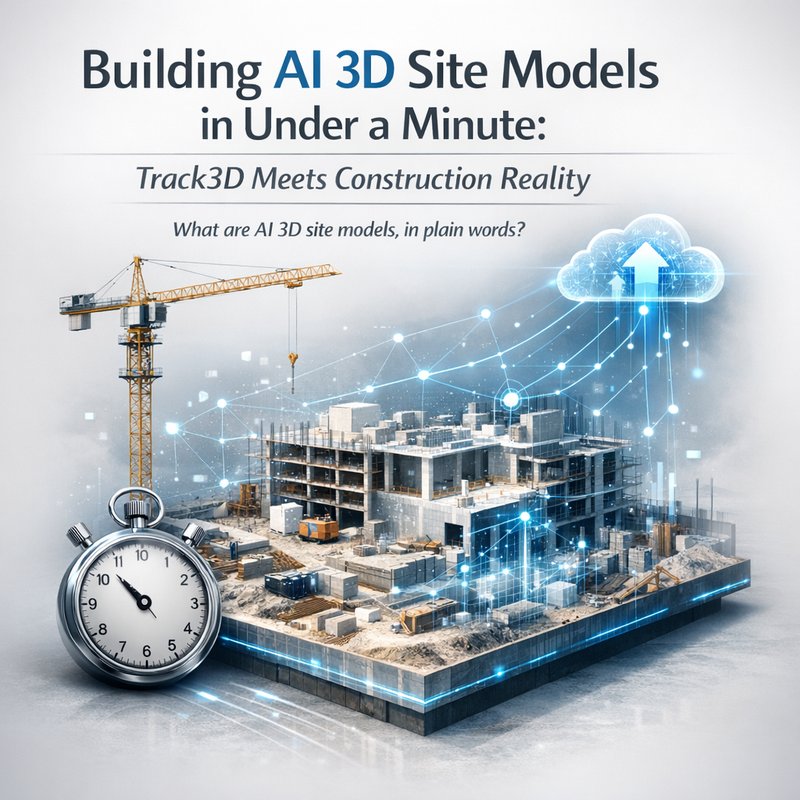
In today’s construction world, people want speed and proof. And now AI 3D site models can be made fast from simple smartphone footage, thanks to new systems like NEC’s Rapid 3D Modeling Technology (reported July 14, 2026). This article is about AI 3D site models and what’s really changing when you can generate them in under one minute, plus how partnerships like the Zero RFI x Track3D Reality Intelligence move “what teams see” into shared reality for planning, QA, and communication.
We’ll also ground the discussion in an open, practical way: what these systems do, what they miss, and how to use them safely in real projects. No hype. Just the workflow and the tradeoffs.
What are AI 3D site models, in plain words?
AI 3D site models are computer-generated 3D views of a construction site made from real-world inputs like photos or video. Instead of starting from scratch with surveys and manual measurements, teams can feed in footage they already have, then get a 3D representation they can inspect.
Lately, the big shift is speed. NEC’s Rapid 3D Modeling Technology was announced as generating detailed 3D models of construction sites in under one minute using standard smartphone footage (source: https://vertexaisearch.cloud.google.com/grounding-api-redirect/AUZIYQEk-s8dLk9LbYMdEng8zs9ymp-j07KLU30J5voxFAs6UVUA3a6icRBJOutyjWYzUwso7r3y2NmHqwewQ08EurDxpb9ihNia3j6lBpBpK8GgPzq9hFQincBWArgQ-O_i_wfhSHhZHGwGUnjKl_on94tpNQ==).
That matters because construction teams do not live in perfect planning sessions. They live in:
- Weather changes
- Deadlines that move
- Work that gets done on the fly
- Lots of “quick checks” that used to take too long
When AI 3D site models can be generated quickly, you can do more than just view geometry. You can:
- Compare views across time
- Spot changes earlier
- Share a common reference with everyone on the project
- Reduce back-and-forth questions (“Which area do you mean?”)
Why “under one minute” changes the whole workflow
If generating AI 3D site models takes hours or days, they become a “big event.” People only use them around milestones.
But when the model comes back in under a minute, it turns into something closer to a daily habit. And that changes behavior.
The old reality: slow site documentation
Before fast AI 3D, many teams relied on:
- Laser scans scheduled for specific times
- Drone flights planned and weather-checked
- Survey teams and lengthy processing
- Manual redlining based on photos
That is all valid work. It’s just not fully aligned with how construction moves.
The new reality: quick model checks
Now, a smartphone video can become AI 3D site models that help answer questions right away, like:
- “Did the work match the last plan?”
- “Where exactly is the issue?”
- “Is this area ready for the next crew?”
- “Can we verify progress without waiting for a full survey?”
Here’s the part I keep coming back to: speed makes feedback loops tighter. And tighter loops mean fewer surprises later.
How NEC’s Rapid 3D Modeling fits into the bigger AI 3D site models story
NEC’s announcement is interesting because it claims both speed and “detailed 3D models” from smartphone footage (reported July 14, 2026). The headline is AI 3D site models generated under one minute (source: https://vertexaisearch.cloud.google.com/grounding-api-redirect/AUZIYQEk-s8dLk9LbYMdEng8zs9ymp-j07KLU30J5voxFAs6UVUA3a6icRBJOutyjWYzUwso7r3y2NmHqwewQ08EurDxpb9ihNia3j6lBpBpK8GgPzq9hFQincBWArgQ-O_i_wfhSHhZHGwGUnjKl_on94tpNQ==).
Now, I’ll be careful here. “Under one minute” sounds simple, but the pipeline behind it likely includes steps like:
- Extracting visual features from the video
- Estimating camera motion
- Reconstructing surfaces
- Producing a usable 3D representation
Even if the final generation time is short, getting reliable inputs still matters.
What you should expect from AI 3D site models generated from video
In practical terms, you can usually expect:
- Strong coverage for areas where the video clearly shows surfaces from multiple angles
- Solid geometry for “normal” looking construction materials
- Less stability when surfaces are repetitive (like identical tile patterns) or heavily occluded
So the camera work still matters, even when the AI is fast.
Reality Intelligence partnerships: what changes after the model exists
Creating AI 3D site models is one step. Sharing them across teams is the next step. That’s where “Reality Intelligence” platforms come in.
On July 14, 2026, Zero RFI announced a strategic partnership with Track3D to integrate “Reality Intelligence” into its platform (source: https://vertexaisearch.cloud.google.com/grounding-api-redirect/AUZIYQGnqqEMyTMJE4dg9X2TeAdjg1ePV8dwPiNnHef7a8KGJEA-jxom6mbzzowYJ9fZACCTojaaZ1LIBynuxpqS0FQPTI4Do8kY6YRTDbqNzbe_UJ5SkG1Kjbd9WBzTxG5bRkGYpMmdRGHuV8lY3w7bHCXLTAFpnN5MZLTojS3mFk0A3evlEi1x65pizKeuNQiAX1aZJX3gmV240UbgZn07Si5bdO1uBH8s48vbkoW2AOvOZ6A46NlaSk217c_SLbZAPF0ibBJwtigNZbHEJib6jR87IhK1C0Wcr0-SYz02n2tbHbWa).
This kind of partnership is a big deal because it’s moving toward a shared workflow:
- Capture reality (video and visuals)
- Convert into AI 3D site models
- Use those models inside project tools and processes
- Turn views into actionable items (issues, confirmations, and documentation)
If you’ve ever had a disagreement like “I think the wall is here” versus “No, it’s there,” you already know why shared reality matters.
The new question: can teams act faster than before?
The real win is not just that 3D models exist.
It’s whether teams can use the models to:
- Reduce RFI time
- Cut rework
- Improve quality checks
- Keep everyone aligned across disciplines
When AI 3D site models become part of daily work, the value shifts from “cool tech demo” to “project rhythm.”
A practical workflow for using AI 3D site models on real projects
Let’s make this usable. Here’s a simple workflow you can adapt, even if your exact vendor stack differs.
Step 1: Capture smartphone footage like you mean it
Yes, it’s a smartphone. No, it won’t magically ignore bad inputs.
Aim for:
- Smooth walking paths
- Multiple angles for key areas
- A few pauses for stable views
- Coverage of entry points and hard-to-reach corners
If you only film one straight line through a space, AI 3D site models will be weaker there.
Step 2: Run the model generation fast (then check quickly)
When the system gives AI 3D site models, don’t treat it as “set it and forget it.”
Do a quick sanity check:
- Are major structures in the right place?
- Do surfaces look consistent?
- Is the scale believable?
- Can you navigate the model without weird distortions?
If something looks off, reshoot that area. The fast generation time means you can iterate more than before.
Step 3: Add the model into a “who needs to see what” plan
Here’s where most teams either win or lose.
Decide early:
- Who reviews the model?
- What decisions come from it?
- How will comments be made?
When AI 3D site models are used correctly, you get fewer “interpretation gaps” between stakeholders.
Step 4: Turn inspection into records
Even simple documentation helps:
- Screenshot clips
- Annotated regions
- Short written notes linked to areas in the model
That’s how you build trust over time.
Where AI 3D site models still struggle (and why that’s okay)
People love to talk about “accuracy,” but you should also plan for uncertainty.
Here are common issues that can show up with AI 3D site models made from video:
- Motion blur or shaky footage can reduce reconstruction quality
- Occlusions can hide key parts of geometry
- Similar-looking surfaces can confuse mapping
- Lighting changes can affect feature matching
The bottom line? Treat AI 3D site models as a strong “first view,” not a perfect legal survey by default.
And that’s not a knock. It’s how you make the tool fit the job.
A simple rule to stay safe
Before high-stakes decisions, do:
- Quick visual review
- Cross-check with at least one reference (like a known benchmark point, plan, or previous capture)
- Use AI 3D site models for early detection and alignment, then confirm critical items with the appropriate measurement method
This keeps speed while respecting risk.
How open agent thinking can help manage 3D capture workflows
There’s also a more technical angle here.
When you move from “one-off model generation” to running AI 3D site models repeatedly, you need handling for capture scheduling, file management, and quality checks.
That’s where agent-style systems can help: not to replace you, but to reduce manual steps.
On the open-source side, there’s a project called opencrabs, described as a “self-hosted AI agent” that is self-improving and runs as a single binary (source: https://opencrabs.com and https://github.com/adolfousier/opencrabs). The idea is not that it magically builds 3D models, but that agent tooling can orchestrate tasks around them.
Example: agent-assisted 3D workflow (conceptual)
An agent could:
- Ask the recorder for which areas to capture
- Check that the video quality meets minimum standards
- Trigger model generation and then request you to confirm the output
- Log results into a project timeline
Even if the 3D generation is handled by a dedicated tool, automation around it can still save time.
If you care about “how agents actually behave day to day,” this open approach is a useful reference point (though you should verify fit for your environment).
Using source-grounded tools to avoid “wrong reality”
Whenever you deal with AI 3D site models, you should also deal with the risk of confidence without evidence. That’s a general AI issue, not just 3D.

In practice, teams reduce mistakes by:
- Linking model outputs to the capture session
- Keeping input metadata (time, device, location if available)
- Using clear audit trails
- Reviewing results locally before sharing externally
Also, if you use AI agents in your workflow, you want them grounded in tool outputs and real files, not memory guesses.
What should leaders do next if they want AI 3D site models?
If you’re a project lead, site manager, or technical manager, here’s a clear way to start without betting the farm.
Start with one repeatable use case
Pick something you do often, like:
- Progress checks on the same type of work area
- Pre-pour confirmation
- Site coordination meetings where “where is the issue” is a constant struggle
Build a capture playbook
Even in companies with good teams, capture quality varies. Write a simple guide for:
- How to walk
- How to stabilize the camera
- What angles to prioritize
- When to reshoot
This alone can improve output consistency for AI 3D site models.
Train reviewers for fast sanity checks
You do not need reviewers to become 3D experts.
They just need to spot:
- Obvious mismatches
- Missing regions that matter
- Scale issues
Measure value by time saved, not just model quality
The model itself is helpful, but real value is:
- Faster alignment
- Fewer follow-up calls
- Earlier issue detection
- Cleaner records
Conclusion: AI 3D site models are moving from “demo tech” to daily operations
The combined news here is simple. NEC is pushing AI 3D site models that can be generated in under a minute from smartphone footage (reported July 14, 2026), and partnerships like Zero RFI x Track3D Reality Intelligence are working to bring those models into shared project workflows (reported July 14, 2026).
That’s the shift: AI 3D site models are no longer only for big survey projects. They are becoming part of how teams coordinate and document daily work. The teams that benefit most will be the ones that treat models like “fast reality drafts,” then use human review and smart workflow tools to make decisions with confidence.
Neura ACE recommended next step (internal apps tie-in)
If you want to operationalize this kind of work, Neura’s agent tools can help organize inputs, generate checklists, and automate reporting templates.
You can explore Neura’s platform here: https://meetneura.ai/products