If you’ve been hearing the phrase “agentic AI” everywhere, but you’re not sure what it really means in day to day building, this guide is for you. Agentic AI Tools are not just chatbots that talk. In 2025, they’re increasingly about connecting models to tools, APIs, and real workflows, so the system can plan, take actions, and respond with less human hand holding. And the most useful part is this. Agentic AI Tools can be set up to run across browsers, desktop apps, and office tools, while still keeping control over what they’re allowed to do.
In this article, I’ll break down how modern agent systems get built, what the newest tooling trends are (including computer use and “MCP” style tool standards), and how you can think more clearly about safety, permissions, and reliability. I’ll also share practical setup steps and a few “watch out for this” tips you can use right away.
Plus, if you’re building internally, you’ll find concrete patterns for turning a messy real-world task into a workflow that agentic AI tools can execute without failing at every tiny step.
What “Agentic AI Tools” really means (not just hype)
Here’s what most people miss. Agentic AI Tools are usually made from a few building blocks, not one magic model.
The basic pieces behind agent workflows
Most working agents have some version of these parts:
-
A planning or deciding step
The agent figures out what to do next. Sometimes this is done with a reasoning model. Sometimes it’s done with a state machine plus tool calls. -
A tool calling layer
The model can request actions like: fetch data, query a database, send email text, summarize a page, or click through an interface. The important part is that it doesn’t just recommend. It tries. -
A runtime loop
The agent repeatedly does: plan, act, observe results, and correct course. This is where agent reliability is won or lost. -
Guardrails
The system needs limits. For example: which URLs can be visited, which APIs can be called, and what changes are allowed. -
Memory and context
The agent needs the right facts at the right time. That can be a short context window, a search layer, a document parser, or a router that picks the right specialist.
Why tool standards matter more than ever
These days, a huge chunk of agent work is about integration. That’s why standards show up so often.
One big trend in your search results is MCP, Model Context Protocol, promoted as a way to connect models to tools and data without everyone writing custom glue code. Google’s search redirect results you shared highlight MCP as a “plug and play” approach for local databases and developer environments.
If you want a starting point for why MCP exists and what it aims to solve, check out the community coverage around MCP and how it supports tool wiring. (Since your search results already mention it, the key takeaway is integration speed plus fewer custom hacks.)
You can also explore broader agent discussions through sources like:
- https://futureagi.com
- https://vertexaisearch.cloud.google.com/grounding-api-redirect/ (for the grounding and tool-aware content they surface)
The shift from chat to computer use and real execution
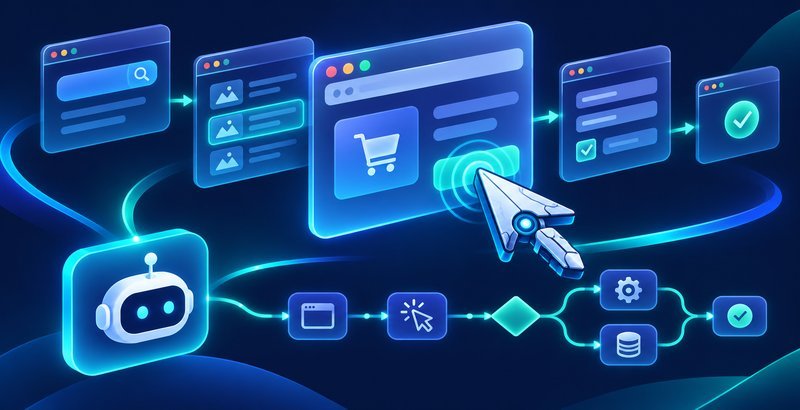
Lately, the most impressive demo videos are not “typing assistants.” They’re “computer use” agents. That means the agent interacts with an actual interface.
Computer use changes the whole engineering approach
When a bot clicks buttons and fills forms, you can’t rely on perfect inputs.
So agentic AI tools start to include features like:
-
Wait logic and “edit settling”
For example, some agents must handle fast UI updates. If a chat message is edited repeatedly, the agent should wait until the final version appears. -
Multilingual intent matching
If people message in different languages, the agent needs to recognize intent consistently before calling tools. -
Tool call parsing
Some models output tool calls in special formats. A robust agent has to parse those tool call structures correctly.
These details show up directly in the OpenCrabs changelog you provided. OpenCrabs is a self-hosted agent that includes many reliability fixes like tool call parsing improvements, multilingual intent fixes, and messaging edit settle windows.
For example, the changelog mentions:
- fixes for tool call parsing when tool calls are wrapped in XML
- structured tool calls when a specific model type is active
- Telegram group edit settling behavior so it doesn’t act on partial text
- multilingual intent phrase matching across all supported languages
That list is basically a real-world checklist of what it takes to make agentic AI tools behave.
Why this matters for your own builds
If you are building an internal workflow agent, computer use pushes you toward better engineering habits:
- assume the UI changes while the agent is thinking
- treat tool outputs as uncertain data
- build a loop that can recover
- keep a very clear line between “read” and “write” actions
The rest of this guide gives you practical ways to design that.
A practical view of agent architecture: router agents, tool loops, and state
One strong theme in your search results is agent orchestration: tool calling, state machines, safe execution.
Instead of trying to copy a single framework, it helps to think in patterns.
Pattern 1: Router agents pick a specialist tool chain
A router agent decides what to do based on intent.
This is useful because many workflows are not one-size-fits-all. Sometimes you need transcription. Sometimes you need image analysis. Sometimes you need web research.
In the Neura platform description you provided, Router Agents route requests based on user intent. That idea is consistent with what good agent builds do in general: route early, then run the right chain.
Neura’s router approach is summarized as:
- router agents that smartly route based on intent
- connecting speech-to-text, text-to-speech, document analysis, website support, and more
If you want a product entry point for how the platform positions this, start here:
Even if you are not using Neura, the architecture idea still applies: route to the right action pipeline early.
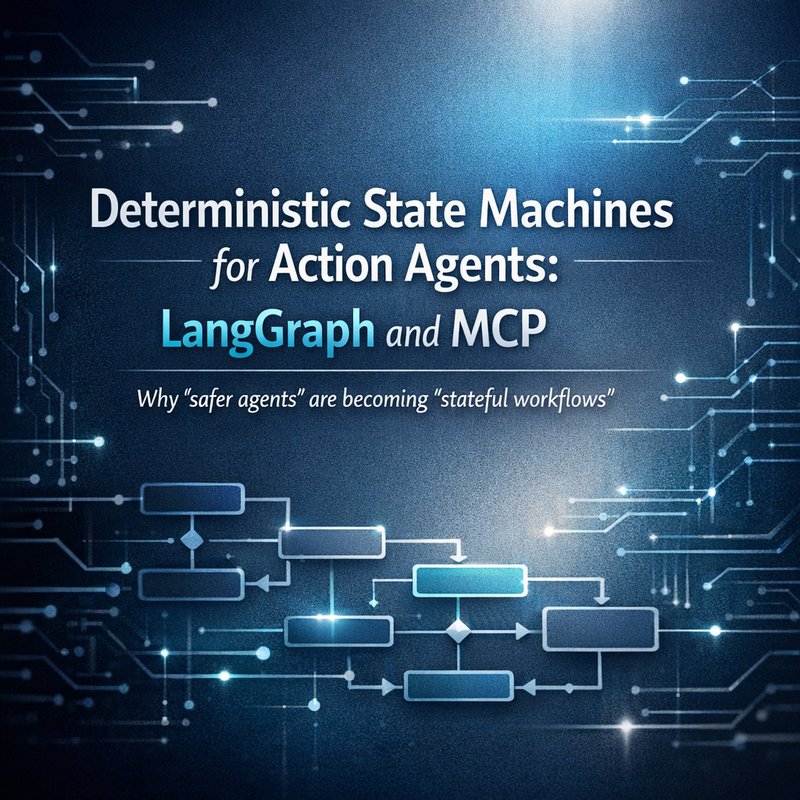
Pattern 2: State machine orchestration for safe multi-step work
For bigger tasks, use a state machine style orchestration:
- State: Plan
- State: Fetch data
- State: Draft response
- State: Validate
- State: Execute final action
- State: Report result
This makes behavior easier to debug. It also makes adding guardrails cleaner. You can require extra checks in “execute final action.”
Your search results also emphasize that orchestration is not just about tool calling. It’s about safe execution.
Pattern 3: Tool-first design, then language
Here’s a method that works well:
- Define the tool calls you need.
- Define tool input schemas and outputs.
- Only then decide what the model should do in text.
Because if you start with “the model will figure it out,” your failures get weird and hard to fix.
MCP-style tool standards: the integration win
Your search results point to MCP as a standard that allows models to plug into local databases and tools without bespoke code.
Here’s the practical side:
Why MCP helps agent builders
Without a standard, each tool integration becomes a custom project. That means:
- more time building connectors
- more bugs in each connector
- harder maintenance when the model output format changes
With a tool standard, you can keep a consistent interface layer.
A simple mental model:
- the model produces tool requests in a known format
- the agent runtime executes those tool calls using the standard
- the tool outputs return to the model in a consistent structure
That reduces “agent drift” where one interaction format breaks everything.
The real caution: formats still vary
Even with standards, you still need good parsing and error handling.
OpenCrabs again is a good reminder. In the changelog you provided, tool calls sometimes arrive wrapped in XML tags, and the agent needs specific parsing logic to make tool_use succeed.
So yes, standards help. But robust agents still treat tool outputs as messy and handle it.
Tool calling in the real world: lessons from OpenCrabs reliability fixes
Let’s zoom in on OpenCrabs, because your changelog contains exactly the kind of “small fixes” that make agents usable.
Tool call parsing and structured calls
Your changelog says OpenCrabs improved parsing for:
- tool calls wrapped in
<tool_call_list>XML - structured JSON tool calls in special model conditions
That means when the model tries to call tools, the agent can interpret it correctly and doesn’t fall back into “prose instructions” that never trigger tool logic.
If you’re building agentic AI tools, this is one of the biggest sources of silent failure:
- The model thinks it called a tool.
- Your runtime treated it like text.
- The system “talks” instead of acting.
Telegram edit settling and multi-frame message handling
Your changelog mentions a “settle window” and holding a bot’s message in a group until edits finish.
That’s a real-world issue in chat environments:
- messages can be edited after sending
- the bot might act on partial content
To solve it, agents wait briefly for updates to stop.
Multilingual phantom self-heal and intent detection
The changelog also mentions multilingual intent matching scanning all languages at once.
That means:
- the agent should not depend on language detection step outcomes
- it should recognize intent even if the user mixes languages
This matters because real users do not type in perfect “one language per conversation” behavior.
How to think about safety and guardrails (without killing usefulness)
Your search results include a strong theme on enterprise guardrails: verifying agent intent, preventing unauthorized changes, and managing API permissions.
This is where real engineering beats hype.
Safety rules that actually help
Instead of generic guardrails like “be careful,” use rules you can implement:
-
Permission gates
Only allow specific tools or specific actions. -
Read vs write separation
Let the agent read the web, documents, and databases. Write actions require extra confirmation. -
Human approval for high-impact steps
Sending emails or changing data might require a “yes” from a human. -
Tool allow lists and rate limits
Stop the agent from spamming APIs. -
Audit logs
Store tool calls and model decisions (at least at a summary level) so you can debug later.
Your changelog context and the enterprise research angle both point toward a common truth: the agent should be useful, but also controllable.
A step-by-step guide to building your own agentic workflow
Now let’s get practical. This section gives you a simple template you can start from, even if you’re building with your current stack.
Step 1: Pick one workflow that is annoying and repetitive
Good first agents do something you already do manually.
Examples:
- summarize meeting notes from an audio recording
- draft email response based on a prompt and a dataset
- analyze a document and extract structured fields
- answer website FAQs in a controlled way
If you want to see how transcription and organized notes are positioned in the Neura ecosystem, you can check:
Step 2: Define tool outputs as structured data
Instead of asking the model to “write a good answer,” aim for:

- tool returns a structured summary
- tool returns extracted fields
- tool returns citations or references when possible
Then the model turns those into readable text.
Step 3: Add a state machine with “stop points”
Create states like:
- DETECT_INTENT
- GATHER_SOURCES
- DRAFT
- CHECK
- APPLY
Your CHECK step can run either:
- a second model pass
- a rule-based validator
- or both
Step 4: Add parsing and fallbacks
Make sure you handle:
- tool call formats that sometimes appear in XML wrappers
- JSON tool calls that model output might partially break
- “tool calls” that appear as prose due to formatting mistakes
OpenCrabs shows this kind of attention to parsing details, like tool-call XML handling and structured call reminders.
Step 5: Test in the messy environment, not just in the lab
Use test cases that reflect real behavior:
- quick repeated edits in chat
- mixed language messages
- missing fields
- weird user instructions
This reduces “works on demo, breaks in production.”
Tool review: what each trend solves for builders
Your search results list several tool categories: orchestration platforms, visual workflow builders, coding assistants, and self-hosted agents.
Here’s the help behind each:
Visual workflow builders for agent chaining
Your search results mention n8n / Gumloop style workflow builders.
These tools matter because they let you connect:
- Slack
- Notion
- Postgres
- other apps
to agent-like steps in a visual way.
This is how teams often move from “cool prototype” to “real operational tool.”
Agentic coding editors for multi-file changes
Your results mention Cursor and other “AI-native code editors” that can read codebases, apply multi-file edits, and debug.
This is a big deal for agentic systems, because building agent runtimes is not a single file job. Multi-file changes like:
- tool schemas
- parsing logic
- state transitions
are easier when the editor can do structured code edits.
Self-hosted agents for private workflows
OpenCrabs is an example of self-hosted agent tooling that you can inspect and modify.
Self-hosting can matter if you need:
- air-gapped operation
- stricter data control
- customization of tool calls
Standards and interoperability
MCP style thinking is there to reduce custom integrations and speed up building.
Where Neura fits into agentic AI workflows (and what to try next)
If you’re exploring agentic AI tools in a production mindset, it helps to work from a platform that already maps common workflow categories.
Neura describes itself as an integrated business platform with AI-powered RDA Agents, plus an ecosystem of apps that connect tools across platforms.
If you want to explore the product side, a good entry point is:
And for a specific “what does it do” overview:
Neura’s app categories also match many of the agent workflow ideas we covered:
- transcription and note organization
- email auto-replier logic
- website customer support
- document analysis
- router-based routing by intent
If your goal is to build practical agentic AI tools for daily operations, starting from an ecosystem like this can save you a lot of time.
Common failure points when using agentic AI tools
Let’s be honest. Agents fail in predictable ways.
Failure point 1: Confusing “chatty answers” with “real actions”
If an agent only writes text, it’s still useful, but it’s not fully agentic.
Look for actual tool calls:
- API requests
- browser actions
- data extraction outputs
- sending messages through a controlled tool
Failure point 2: Tool output format problems
If the model output format changes slightly, parsing can fail.
OpenCrabs tool parsing fixes (XML wrapper handling and structured tool calls) are a great example of what to plan for.
Failure point 3: Missing guardrails
Agents that can write without limits can cause real damage.
Keep:
- read tools open
- write tools gated
- approval steps for high impact actions
Failure point 4: No “observe and correct loop”
If the agent does not check tool results and correct itself, it will keep going on wrong assumptions.
Reliable agent loops treat tool results as ground truth.
Conclusion: The winning recipe for agentic AI tools in 2025
Agentic AI Tools are turning into workflow systems, not just conversation systems. The best builds look less like a single chatbot, and more like a stack: router, tool calling, reliable parsing, a runtime loop with state, and guardrails that keep actions safe.
When you look at the real-world reliability work happening in projects like OpenCrabs, you’ll notice a pattern. The most valuable improvements often aren’t flashy. They are boring fixes that make the agent actually do what it was supposed to do.
So here’s the bottom line. If you want agents that work, design for messy inputs, treat tool calls as structured events, and build a state loop that can recover.
If you want to explore a practical platform approach, you can start at:
SOCIAL MEDIA DATA CONTENT###
TWITTER_POST_THREAD_CONTENT:
1/5
Agentic AI Tools are not “just chat.” In 2025, the winners are the teams that connect models to tools and let agents run real workflows with a plan, tool calls, and checks.
2/5
Big reliability details matter. Things like parsing tool calls correctly and handling fast chat edits are what stop agents from failing silently. OpenCrabs recently shipped fixes for those exact issues.
3/5
The best agent builds also treat safety like a product feature. Read vs write permissions, approval gates, and audit logs keep the agent useful without uncontrolled actions.
4/5
If you’re building your own agent workflow, start small: one annoying task, clear tool outputs, and a state machine with stop points for draft and validation.
5/5
Want the full breakdown of how agentic AI tools get built and where they fail in the real world? Read here: https://blog.meetneura.ai/agentic-ai-tools-workflows-built-2025/
#meetneuraai #neuraai #agenticAI #AITools #MCP
INSTAGRAM_POST_CONTENT:
Agentic AI Tools are going beyond “answering questions.”
These days, real agents do the work. They plan what to do, call tools, and adjust based on results.
But here’s the part people skip. Reliability depends on small engineering details.
Recent examples from the OpenCrabs community show tool call parsing fixes and chat edit settling logic. Those are exactly the kinds of improvements that make agents feel real in daily use.
If you’re building your own workflow agent, focus on:
- A tool calling layer with structured outputs
- A simple state machine with a “check” step
- Guardrails like read vs write permissions
- A loop that “observes and corrects”
Full guide here: https://blog.meetneura.ai/agentic-ai-tools-workflows-built-2025/
#meetneuraai #neuraai #agenticAI #AITools #MCP #workflowautomation
FACEBOOK_POST_CONTENT:
Agentic AI Tools in 2025 are not just chatbots.
They are workflow systems that can plan, use tools, and keep going until a task is done.
What surprised me lately is how much the “small fixes” matter. If your agent mis-parses a tool call, it will talk instead of doing the action. If it reads a message too early, it can act on partial text. These are real issues teams are solving right now.
A good agent workflow needs:
- Tool-first design with structured outputs
- A state machine idea (plan, act, check, apply)
- Safety rules like permissions and approvals
- A loop that checks results and corrects course
Full guide: https://blog.meetneura.ai/agentic-ai-tools-workflows-built-2025/
#meetneuraai #neuraai #agenticAI #AITools #automation
LINKEDIN_COMPANY_POST_CONTENT:
Agentic AI is moving fast, but the real progress is happening in construction details.
Agentic AI Tools today are less about “good answers” and more about real execution. That means planning, tool calling, and a loop where the agent observes what happened and corrects course.
One theme that keeps showing up in current work is reliability engineering. Tool calls can arrive in different formats. Chat systems include edits. User messages can show up in multiple languages. If your agent does not handle those messy realities, it will fail even when the model looks smart.
We also see stronger guardrail thinking. Enterprise use cases push teams to verify intent, limit permissions, and separate safe read actions from higher risk write actions.
In the full guide, we break down the practical building blocks behind working agentic AI tools, and we include a step-by-step workflow you can start with right away.
Read the article here: https://blog.meetneura.ai/agentic-ai-tools-workflows-built-2025/
#meetneuraai #neuraai #agenticAI #AITools #workflowautomation #automation
LINKEDIN_REPOST_OF_COMPANY_POST_WITH_PERSONAL_ACCOUNT_POST_CONTENT:
Agentic AI Tools are one of those areas where the hype is loud, but the engineering is the main story.
What matters is whether the agent can actually take the right action, not just sound confident while describing actions.
That’s why tool parsing, state management, and safety gates keep coming up. They’re the difference between an agent that works occasionally and one that works in daily operations.
I also like that the best systems treat guardrails as part of the product design. Read vs write permissions and approval steps are straightforward, but they remove a ton of risk.
If you’re exploring agent workflows, this article is worth the read for practical patterns and the real failure points teams are fixing. Check the company post for the full breakdown and examples.
#meetneuraai #neuraai #agenticAI #AITools #MCP #workflowautomation
YOUTUBE_POST_CONTENT:
Agentic AI Tools are becoming workflow engines, not just chatbots.
In this video style guide, we explain how agentic workflows are built in 2025 using tool calling, a runtime loop, and safer execution patterns.
We also cover why “small reliability fixes” matter, like correct tool call parsing and handling edited messages in chat systems. When builders get those details right, agents stop failing silently.
Full article here: https://blog.meetneura.ai/agentic-ai-tools-workflows-built-2025/
#meetneuraai #neuraai #agenticAI #AITools #MCP #automation
LINKEDIN_PERSONAL_ACCOUNT_SEPARATED_POST_WITH_ONLY_CHANGELOGS_UPDATE_POST_CONTENT:
Been working on the OpenCrabs agent reliability details, and the latest changelog is a good example of what actually moves the needle.
We updated Xiaomi MiMo onboarding so keyless runs get seeded defaults instead of requiring a pre-existing config block.
We also fixed tool call parsing for cases where MiMo models emit tool calls wrapped in <tool_call_list> XML, so tool_use works instead of falling through as prose.
Then we tightened Telegram behavior. We reduced the peer bot settle window to about 2 seconds, and we hold bot text in groups until edits stop, so the agent doesn’t act on partial message frames.
Also improved multilingual intent phrase matching by scanning all languages at once, which helps when users mix languages.
#meetneuraai #neuraai #OpenCrabs #agenticAI #AITools #toolcalling