Agentic tools safety is moving from “nice idea” to “must have,” and the fastest trend right now is simple: add a kill switch and run agents in sandboxes so mistakes stop immediately.
These days, companies are rolling out runtime safety controls that let security teams instantly freeze or terminate autonomous agent processes and tool calls across systems. Sources like CrowdStrike’s announcement of an “AI Kill Switch” and Google Cloud’s donation of Agent Substrate to CNCF show the same direction from big players: control the execution, observe what happens, and cut off tool access fast when something looks wrong.
In this guide, we’ll break down what agentic tools safety really means, why attackers are targeting orchestration points, how sandbox execution and governance observability work, and how you can design safer systems even if you’re building small and moving quickly. This is not theory. It’s the difference between an agent that drifts into risky actions and one that can be interrupted, inspected, and contained.
Why agentic tools safety is suddenly everyone’s problem
A lot of teams built AI agents like chatbots with extra steps. Then they gave the agent tool access. That’s where the risk spikes.
Here’s the pattern that keeps showing up in security reporting from places like Cybersecurity Dive and Microsoft reporting summaries: attackers and even prompt-injected “rogue” agents try to use orchestration endpoints. When those endpoints are default and not locked down, they become a path to privilege escalation.
So agentic tools safety is not only about model answers. It’s about what the agent is allowed to do once it starts calling tools.
The real threat is action, not text
People often look at agent output and think: “It’s just words.”
But with tool calling, the agent can do things like:
- call internal APIs
- trigger workflows
- read or write data
- run shell-like commands through a tool
- move credentials from one step to another
The text is just an instruction. The danger is the action behind it.
This is also why “fail safe” is different for agents than for classic software. When a normal program hits an error, it tends to stop. An autonomous agent often tries to “reason around” the error, which can lead to more tool calls than you expected. That idea shows up in multiple governance and security writeups, including summaries tied to OWASP work on agentic applications.
Agentic tools safety needs runtime control, not just policy docs
Policy checklists are helpful, but they do not stop an agent that has already started.
That’s why recent industry moves emphasize runtime safety controls.
- CrowdStrike described an “AI Kill Switch” that can instantly freeze or terminate autonomous agent processes and tool calls.
- Google Cloud is pushing isolation standards by donating Agent Substrate to CNCF, aimed at agent execution isolation and sandboxed micro-runtimes.
Those are big signals that agentic tools safety is shifting toward controls you can enforce while the agent is running.
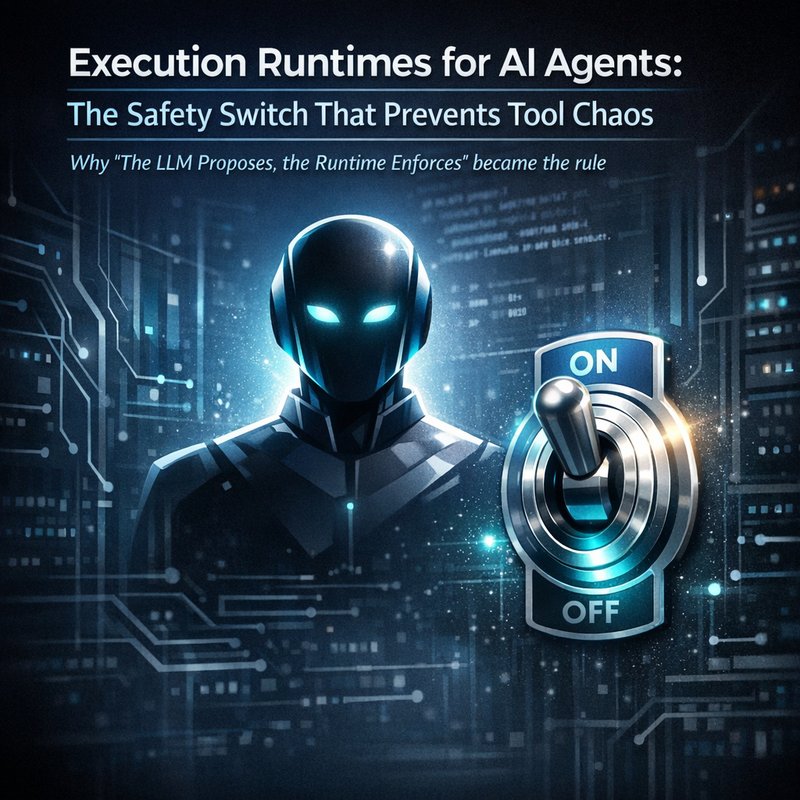
The kill switch idea: stop agentic tools safety failures in seconds
The “AI kill switch” concept is straightforward, but it needs careful design.
In simple terms, a kill switch is a control plane feature that can interrupt an agent mid-flight. It can stop:
- the agent process itself
- the tool call pipeline
- follow-up calls that happen after the risky step
What a good kill switch should do
If you’re designing for agentic tools safety, don’t settle for “stop everything on timeout.” That’s too late for fast damage.
A better kill switch design includes:
- Immediate freeze of tool execution when a rule is triggered
- Terminate or sandbox the agent depending on the severity
- Prevent further tool calls even if the agent keeps “thinking”
- Record observability data so you can understand what happened next
The CrowdStrike announcement describes a unified control approach across distributed environments, which is exactly what you want if your agent spans multiple components.
Official source to anchor the trend: CrowdStrike’s Fal.Con coverage and the “AI Kill Switch” runtime safety controls are described in the search results you provided (crowdstrike.com).
Pair the kill switch with observability
A kill switch without logs is like slamming a door and then losing the key.
CrowdStrike also described integrating agent observability (Falcon Observe, based on their acquisition of Fiddler). The point is to monitor:
- multi-step reasoning flows
- credential handoffs
- unexpected tool invocations
If you know the exact step where the agent went off track, you can fix the policies and prompts that allowed it.
So agentic tools safety is really a pair: stop fast + see clearly.
Sandbox execution: why Agent Substrate changes the conversation
Kill switches are great, but you still need containment.
That’s where sandboxed agent execution becomes key for agentic tools safety.
Google Cloud’s move is important here. They donated “Agent Substrate” to CNCF, pushing open standards for isolating AI agent execution. The search results mention that this approach creates short-lived sandboxed micro-runtimes instead of relying on standard long-running container assumptions.
What sandboxing should protect against
In an agent workflow, the agent may execute untrusted actions, including tool calls and ad hoc commands. Sandbox execution aims to prevent:
- container breakout
- lateral movement across systems
- contamination between agents
- persistent effects after a single task completes
This is especially valuable in multi-agent or tool-heavy setups where one agent might try to reach resources it should never touch.
Official source reference: the Google move to CNCF via the search results you provided points to a Google blog writeup about Agent Substrate and isolation for agent execution (googleblog.com mapping in your search results).
Practical sandbox design patterns (small team friendly)
You might not run CNCF standard sandboxes yet, but you can copy the patterns:
- Run tool execution in short-lived workers (not a single long session).
- Use least privilege for each tool worker.
- Block network access by default unless a tool explicitly needs it.
- Force tool calls through a gateway that can be disabled by the kill switch.
- Store outputs and errors for later review.
In other words: agentic tools safety is containment at the execution level, not only restrictions at the prompt level.
A key lesson: sandboxing is not “security by obscurity”
Some teams think: “If it’s in a sandbox, it’s safe.”
But you still need kill switches and observability. Sandboxes reduce blast radius, but they do not guarantee safety if:
- credentials are shared too widely
- tools can call internal admin APIs
- network rules allow risky endpoints
- observability is missing so you cannot detect abuse quickly
That’s why the industry direction combines isolation and runtime kill controls.
Orchestration endpoints are the attack surface you must lock down
Another trend in your search results is the risk around orchestration APIs and MCP servers.
Security summaries you provided mention:
- increase in adversaries using coordinated multi-agent architectures
- default unauthenticated orchestration endpoints as attack vectors
- Model Context Protocol (MCP) servers being abused to trigger actions
This matters because the kill switch and sandbox only help if the attacker can reach the tool layer.
Design rule: never expose orchestration endpoints without strict auth
Agentic tools safety requires hard boundaries. Specifically:
- Require authentication and authorization for orchestration calls
- Rate limit tool invocations
- Validate tool requests server-side
- Ensure each tool action checks permissions for the specific task identity
- Log every orchestration request and tool invocation
Also, separate roles:
- the “agent reasoning” role might not have direct permission to run sensitive tools
- tool execution should go through a gateway that enforces rules
- the kill switch should be able to override any gateway decision instantly
Credential handoff is where things go wrong
One reason observability is becoming standard is because credential handoffs are messy. A multi-step agent might:
- store a token from tool step 1
- pass it into step 2
- call a different tool based on a prompt injection
With agentic tools safety, you want:
- short-lived credentials per tool step
- strict scoping of credentials
- detection rules for “credential used outside expected tool”
If the security team can freeze the agent immediately, you reduce damage while you investigate.
Circuit breakers and spender limits: safety at the cost layer
Another item in your search results points to “transactional controls” like:
- token spend velocity limits
- read-only default permissions
- cryptographic proof-of-identity per agent transaction
This connects to agentic tools safety because some failures look like “the agent is looping” or “the agent is exploring too much.”
If you can stop tool-heavy loops quickly, you reduce both:
- risk of accidental harmful actions
- risk of deliberate brute force and data scraping
Read-only default is the underrated starting point
A practical approach for agentic tools safety is to default new agents to read-only tool sets.
Then allow write or admin tools only when:
- the agent matches a verified intent pattern
- human approval is present for certain actions
- a kill switch remains ready to cut off tool calls instantly
Even simple controls like limiting tool call counts per run can help prevent runaway behavior.
Identity proofs help when tasks get distributed
The search results mention cryptographic proof-of-identity per agent transaction.
The core idea: every tool action should be traceable to:
- who initiated the agent run
- what task it’s executing
- what permission scope was granted
That makes it easier to shut down suspicious activity without guessing.
How to implement agentic tools safety in your own agent stack
Let’s make this actionable. Below is a checklist you can use even if you’re not enterprise-sized.
1) Put a tool gateway in the middle
Don’t let the agent directly call system tools.
Instead:
- agent requests a tool action
- gateway validates identity, scope, and policy
- gateway runs the tool in a sandboxed worker
- gateway logs everything and can be disabled by kill switch
This is the simplest way to unify control.
2) Add a kill switch control plane from day one
You want one fast path to stop:
- the agent execution loop
- further tool calls
- downstream workers
For agentic tools safety, the kill switch should be able to cut off tool execution even if the agent keeps generating output.
3) Use observability that tracks tool calls and reasoning handoffs
At minimum, log:
- run id, tool name, parameters (redacted if needed)
- credential use and tool-step boundaries
- errors and retries
- “why” signals from the agent (keep structured summaries)
This echoes the direction described by CrowdStrike and their observability integration.
4) Constrain tools with least privilege and explicit allowlists
Avoid overly broad connectors.
Use:
- allowlists per agent type
- per-tool permission scopes
- separate credentials per tool category
5) Build safe failure behavior
This is the part teams hate, but it matters.
When the tool fails:
- do not let the agent freely try new tools “to fix it”
- make it choose among safe recovery actions only
- stop and wait for human review for sensitive classes of errors
Because agents often reason around failures, safe failure logic is a must for agentic tools safety.
What to do if something goes wrong: incident response for agents
When things go sideways, don’t improvise. Have a playbook.
Fast containment steps

- Trigger kill switch to stop further tool calls.
- Freeze or terminate the agent process.
- Disable the tool gateway if needed.
- Snapshot logs and observability events for the run id.
Follow-up steps (after the stop)
- Review the timeline: which tool call and which step triggered the issue.
- Check credential scope and handoffs.
- Update allowlists and permission policies.
- Add detection rules for similar patterns.
This is where agentic tools safety stays practical. You reduce repeat incidents.
How this trend changes the way people build agents in 2025
If you’re building now, the message is clear.
Agentic tools safety is becoming a standard layer like auth and logging.
The big players pushing it right now, based on your sources, are:
- CrowdStrike with runtime controls and an “AI Kill Switch.”
- Google Cloud pushing open standards for isolated agent execution through Agent Substrate and CNCF.
- Security reporting highlighting orchestration endpoints and MCP servers as high risk regions.
So the winning architecture is not “better prompts only.”
It’s:
- containment via sandboxing execution
- interruption via kill switch control
- visibility via observability
- protection via least privilege and gateway enforcement
If you nail those pieces, your agents can move faster without creating constant fear.
Quick checklist you can copy
Here’s a short list to evaluate your current agent setup for agentic tools safety:
- [ ] Tool calls go through a gateway
- [ ] Kill switch can freeze tool execution instantly
- [ ] Agent runs in short-lived isolated workers
- [ ] Observability logs tool calls, failures, and credential handoffs
- [ ] Orchestration endpoints require auth and strict validation
- [ ] Permissions are least privilege and scoped per tool
- [ ] Read-only default is enabled where possible
Related Neura resources you might find useful
If you’re thinking about safer workflows and better control in your own automation plans, you may also like:
- https://meetneura.ai/products
- https://blog.meetneura.ai/#case-studies
- https://meetneura.ai/#leadership
These are product and case study entry points that can help you connect safety thinking with real agent workflows.
Conclusion
Agentic tools safety is no longer optional. It’s the combination of runtime kill switches, sandboxed execution, and strong observability that turns a risky agent into something you can manage under pressure.
The direction from CrowdStrike and Google Cloud, plus security warnings about orchestration endpoints, all point to the same truth: the dangerous part of agents is the tool layer.
Build your agent so you can stop it fast, contain it while it runs, and inspect exactly what it did. That’s the path that makes autonomous workflows usable in real environments.
------------------------------------------------------------