If you’re building agent apps (or moving one to production), the Microsoft Agent Framework vs AutoGen successor question comes up fast. This matters because AutoGen is now in maintenance mode, and teams need a clean, safe path to production reliability. And honestly, the hardest part is not “can it work?” It’s “will it keep working when things get messy?” (tool calls, long runs, weird inputs, and real-world edge cases).
In this article, I’ll break down what the Microsoft Agent Framework vs AutoGen successor really changes, what you should test first, and how to structure a rollout so your agents are safer and more predictable. We’ll also connect this to the bigger trend: modern agent stacks are moving toward production-first design, with better routing, better observability, and fewer surprising failures.
You’ll learn how to run quality checks, what logs to keep, how to test tool calling, and how to reduce “phantom” behaviors that feel like the agent is acting on intent it never actually had. If you plan to migrate, you’ll get a practical checklist you can use even if your current setup is messy.
Source note: One of the key signals from the search results is that Microsoft Agent Framework is being positioned as a production-ready successor to AutoGen. See the search result links for the references used in this write-up.
- https://vertexaisearch.cloud.google.com/grounding-api-redirect/AUZIYQHyuy34nrEgtJyr9MlnQKne_aPZZmqmq2mzPaLLUSL5qsJw79bEw39jCzvhreAUky3ejk51iNJo_WS6p4UHp2_KAx1g4V5dBW_cx6ZuoWOy_D9xlI6cJF2IwqA
- https://vertexaisearch.cloud.google.com/grounding-api-redirect/AUZIYQFiWzV3kzoCZ6MRK0LxBwI4sh6LgvJ_P5CYz621SWKmumgt7fqDIogfJR5WxM7Me-r7RDE3dzmCJi3HAa3TuvyLVFIqsHd-OLcJoUpB-cvuTLntm5ZbhFveICKKKtuA4h6ZrslbNL0QF8zQX-uStrkhSgEh5eND7mbub5A
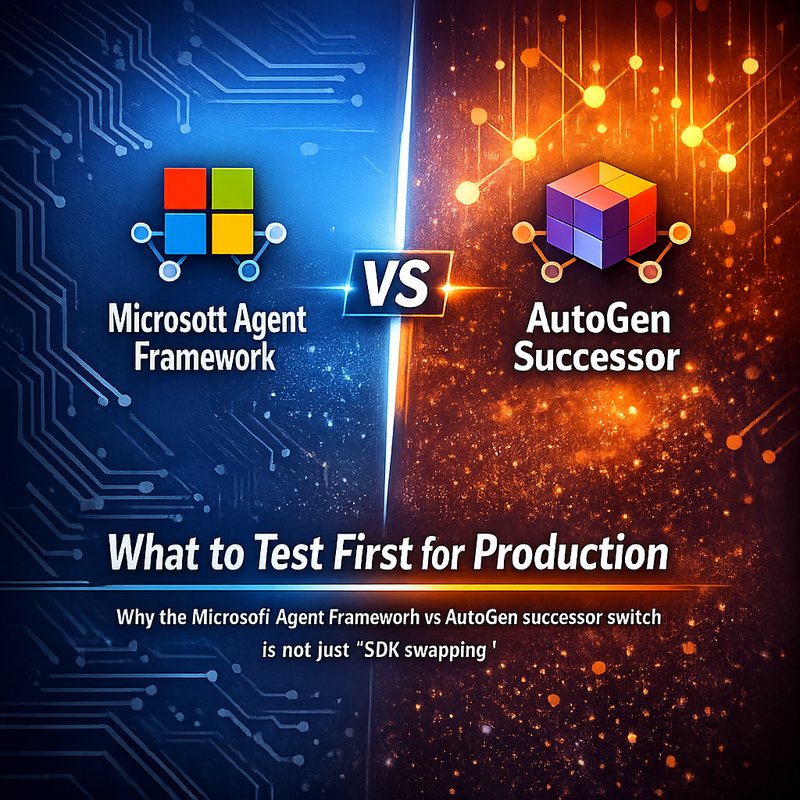
Why the Microsoft Agent Framework vs AutoGen successor switch is not just “SDK swapping”
A lot of teams treat migrations like a simple library swap. But with agent systems, the risk is rarely the import path. The risk is the behavior at the edges.
With the Microsoft Agent Framework vs AutoGen successor shift, you should expect differences in:
- How agent conversations are structured
- How tools get called and validated
- How messages are coordinated between roles
- How errors show up when the model produces unexpected output
- How production systems handle timeouts and retries
And here’s the thing. AutoGen worked for many people. It’s not “bad.” But it’s now in maintenance mode, which usually means no major new reliability work for the parts that break in the wild. That’s why the Microsoft Agent Framework vs AutoGen successor story matters more than usual.
So, instead of asking “what version do I install?”, ask this first:
What failure mode are you most worried about?
For many teams it’s one of these:
- Tool calls that don’t match the schema
- Agents that keep looping after a failure
- Agents that do something “plausible” but wrong
- Long running tasks that hit timeouts
- Output that looks correct but breaks downstream formatting
If you test those early, your migration will feel boring. Which is exactly what you want.
The production test order for Microsoft Agent Framework vs AutoGen successor
If you’re moving toward the Microsoft Agent Framework vs AutoGen successor, your tests should start small and move toward full flows. This is the order I suggest.
Test 1: “Tool call contract” before anything else
Tool calling is where agents break most often.
Create a set of test cases where you know the expected tool name, expected arguments, and expected output type.
Then check:
- Does the agent produce a valid tool call?
- Are the tool arguments valid JSON?
- Do the argument types match what your tool expects?
- What happens if the model returns extra fields?
- What happens if the model misses a required field?
The goal is not “the agent works once.”
The goal is “the agent never silently degrades.”
This is why the Microsoft Agent Framework vs AutoGen successor migration should begin with tool contract tests.
If you also care about agent safety testing, you might like Neura’s security scanning tools as an extra step parallel to your agent migration. For setup ideas, see:
Test 2: “Message routing” and role behavior
Agent frameworks often coordinate multiple roles. Your tests should confirm:
- The “planner” role does planning, not execution
- The “executor” role does execution, not planning
- Summaries or final answers do not contain tool call internals unless you intend that
In other words, test the boundaries. In production, boundary violations feel random, but they’re often consistent once you see it.
This is still part of the Microsoft Agent Framework vs AutoGen successor work because message coordination errors show up as “agent weirdness,” not as obvious crashes.
Test 3: “Recovery behavior” after failures
Now test what happens when tools fail.
Examples:
- Tool timeouts
- Tool returns “not found”
- Tool returns invalid values
- Tool throws an exception
You want to observe:
- Does the agent retry?
- Does it ask a clarifying question?
- Does it stop and report a safe error?
- Does it keep going in a loop?
A good recovery policy is simple enough that humans can predict it.
If you don’t define recovery, the agent will improvise. And improvisation is where production systems get scary.
Test 4: “Determinism knobs” and randomness control
Even when models are good, you need repeatability for debugging.
So add controls such as:
- Fixed seeds if your stack supports it
- Reduced temperature for test runs
- Narrow prompts for tool calls
- Stable output formats
If the Microsoft Agent Framework vs AutoGen successor migration changes how prompts are wrapped or how system instructions are attached, you need tests that can catch formatting drift.
Test 5: “End to end formatting checks”
Once tool calls and routing are stable, test the final output.
For example:
- Must be valid Markdown
- Must include required sections
- Must match JSON structure if it outputs JSON
- Must fit token limits
- Must avoid leaking internal data
This is the part people skip, then later they discover downstream parsers are failing.
So yes, this is boring. But boring is good for production.
What to log when you upgrade (so you can actually debug)
If you’re doing the Microsoft Agent Framework vs AutoGen successor rollout, logs are your best friend. Not pretty logs. Useful logs.
Log these events:
- Prompt text (or safe version of it)
- Tool call name
- Tool call arguments
- Tool response
- Tool response parse errors
- Agent state transitions (planner to executor, etc.)
- Retries and stop conditions
Then add a “single run id” that ties all events together.
Without that, you’ll spend hours guessing what happened in a single request.
Also, don’t only log final outputs. Log the intermediate steps. That’s where the weird issues hide.
Migration strategy: run parallel, compare behavior, then cut over
Here’s a practical rollout method that reduces risk.
Phase 1: Parallel shadow runs
Run the current AutoGen-based system and the new Microsoft Agent Framework vs AutoGen successor stack in parallel.
Feed the same inputs.
Then compare:
- Tool calls (names and arguments)
- Final output formatting
- Timing and retry counts
- Whether safety checks trigger
You’re not trying to get identical text. You’re trying to get identical behavior.
Phase 2: Canary release
Ship only to a small percentage of traffic.
Then monitor:
- Tool failure rates
- Timeout rates
- User-visible errors
- Any “agent loops” you didn’t expect
Phase 3: Full cutover
After the canary looks stable for long enough, cut over fully.
The key is that you don’t “trust” the new stack based on one demo run. You treat demos as marketing, not evidence.
This is especially true when your agents can act on tools that change data.
Counterpoint: why some teams get stuck during the Microsoft Agent Framework switch
A common problem during a Microsoft Agent Framework vs AutoGen successor migration is expecting the same behavior while changing only the framework.
But agent behavior comes from a lot of moving parts, like:
- Prompt templates
- Tool schemas and argument validation
- System instruction ordering
- How roles are described
- How the framework interprets model output
So if everything is different, blame no single thing. Debug one layer at a time.
Also, some teams over-focus on “getting it to run” and under-focus on “making it testable.”
If your framework doesn’t expose good signals, you’ll struggle to debug.
That’s why your first step should be building a test harness that captures tool calls and routing decisions.
Example test suite you can start today (simple but effective)
Here’s a starter set of test categories you can implement quickly.
Tool schema tests
- Valid tool call with required args
- Missing required arg
- Wrong argument type
- Extra fields
- Non-JSON arguments returned by the model
- Tool returns unexpected types
Failure recovery tests
- Tool timeout
- Tool returns “not found”
- Tool returns invalid value
- Tool throws error
- Tool slow under load
Agent loop tests
- Confirm agent stops after N failures
- Confirm agent requests clarification instead of looping
- Confirm agent produces a safe error message
Output formatting tests
- Output is valid Markdown
- Required headers appear
- If output is JSON, it parses cleanly
If you cover these categories, your Microsoft Agent Framework vs AutoGen successor migration will have far fewer surprises.
Where phantom behaviors fit into this story
When people say “phantom intents” they usually mean cases where an agent seems to act like it understood intent that wasn’t actually in the user message, or it triggers an action based on a mistaken interpretation.
Even if you’re not using the same exact agent codebase, you can still apply the lesson:
You need tests that catch action triggers from short or ambiguous phrases.
The search results you provided also connect to work around agent intent matching and self-healing behavior in agent projects. A practical takeaway is this:
- Treat short “status” phrases and announcements as special cases in your tests
- Confirm the agent only takes action when intent truly matches
- Confirm the agent doesn’t treat any random sentence as a command
That mindset makes the Microsoft Agent Framework vs AutoGen successor migration safer, because your tests will include “weird but real” user inputs.
How to keep the rollout under control with an agent checklist
Here’s a checklist you can copy into your internal rollout doc.
Migration readiness checklist
- [ ] Tool schema tests pass
- [ ] Tool call parsing tests pass
- [ ] Error recovery tests pass
- [ ] Output formatting tests pass
- [ ] Shadow runs compare tool calls and final formatting
- [ ] Canary release plan exists
- [ ] Logs include run id, tool calls, tool results, and retries
- [ ] Stop conditions are defined (no endless loops)
- [ ] You have a rollback plan
The Microsoft Agent Framework vs AutoGen successor change becomes much easier when you treat it like risk management, not just engineering.
Conclusion: The fastest way to success with Microsoft Agent Framework vs AutoGen successor
If you’re doing the Microsoft Agent Framework vs AutoGen successor migration, don’t start with “look and feel.” Start with production safety checks: tool contract tests, routing behavior tests, recovery behavior tests, and end to end formatting checks.
Then run shadow comparisons, canary rollout, and only after that do the full cutover.
The win here is simple. When your tests cover the failure modes that show up in real use, your agents stop surprising you. And your migration stops being scary.