SEO_FOCUS_KEYWORD: real-time conversational voice ai
SEO_TITLE: Real-Time Conversational Voice AI: Barge-In Guide
SOCIAL_TITLE: Real-Time Conversational Voice AI in Daily Life
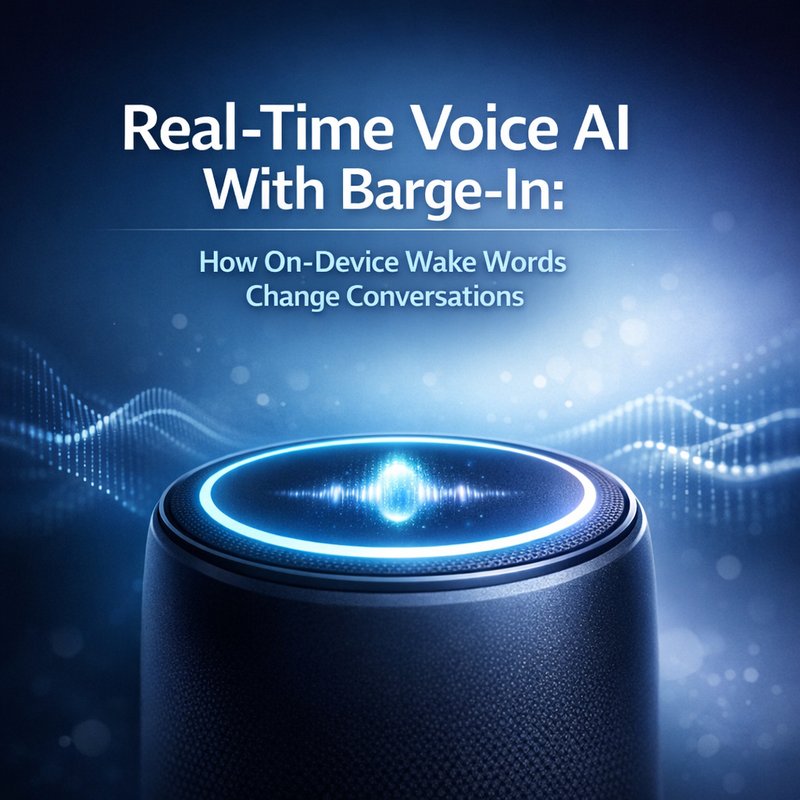
TWITTER_TITLE: Real-Time Conversational Voice AI With Barge-In
META_DESCRIPTION: Learn how real-time conversational voice ai uses barge-in and on-device wake words for hands-free control, plus a practical test checklist.
SOCIAL_DESCRIPTION: Real-time conversational voice ai is getting faster and more natural with barge-in and on-device wake words. Here’s how it works.
TWITTER_DESCRIPTION: Real-time conversational voice ai now supports barge-in and on-device wake words. Want to test it? Use this checklist.
SLUG: real-time-voice-ai-bargein
EXCERPT: Real-time conversational voice ai is moving beyond “push to talk” using barge-in and on-device wake words. Here’s what to expect and how to evaluate it.
CATEGORIES: AI Voice, Product Testing, Applied AI, Robotics
TAGS: real-time conversational voice ai, barge-in, wake word, streaming TTS, voice UX, on-device AI, hands-free control, speech systems
FEATURED_IMAGE_ALT: real-time conversational voice ai with barge-in and on-device wake words for hands-free conversations
In the last year, voice assistants have gotten a lot better, but the biggest jump lately is simpler than it sounds.
Real-time conversational voice ai is now handling speech turn-by-turn while you are still talking. That means no more waiting in silence for the system to finish. Also, on-device wake words let the device listen for a “start” signal without always sending raw audio to the cloud.
Here is the key phrase that matters for this article: real-time conversational voice ai. You will see it again because it is the real product change behind the hype.
If you build products, run demos, or just want to understand what you are hearing, barge-in and wake words change how voice feels in real life. And once you notice it, you cannot un-notice it.
Why real-time conversational voice ai feels different from classic voice bots
Old-school voice bots often follow a pattern like this:
- You press a button or wait for a “ready” tone.
- You speak.
- The system processes your audio.
- It returns one full answer.
That works, but it feels stiff. A lot of friction comes from one thing: the system is built like a turn-based chat on top of audio, not like a real conversation.
Real-time conversational voice ai changes the timing model. The system can stream text back while it is generating it, and then use streaming TTS to speak as it goes.
Then comes the most important UX upgrade: barge-in.
What barge-in really means in plain words
Barge-in means you can interrupt the assistant while it is speaking.
So instead of waiting for the end of the answer, you can say:
- “Wait, no. I meant Tuesday.”
- “Stop. That is not what I asked.”
- “Can you repeat the last step?”
This is not just “cool.” It reduces mistakes because you can correct the system faster. It also makes voice feel more natural because humans interrupt each other all the time.
Streaming TTS plus streaming understanding
Many systems now combine two streaming ideas:
- The assistant understands speech as audio comes in (or nearly as you speak).
- The assistant speaks back using streaming text-to-speech (TTS), so output starts quickly.
The result is that real-time conversational voice ai can start talking sooner, and it can coordinate better when you interrupt.
A good way to think about it: streaming reduces dead time. Barge-in removes the punishment for interrupting.
On-device wake words: the quiet change nobody talks about
People focus on the “smart” part of the voice assistant. But the wake word part is the practical hero, especially for privacy and speed.
An on-device wake word means the device listens for a short phrase like “Hey device” using a small model that runs locally. When it hears the wake word, it then starts the heavier pipeline.
That can improve:
- Latency (faster start).
- User control (wake word is predictable).
- Privacy (less background audio needed for constant server processing).
The search result you saw points to a release that mentions hands-free control via on-device wake words, plus streaming TTS and barge-in. That is a strong combo, because it attacks both the “how do I start talking” problem and the “how do I keep talking without waiting” problem.
Source you can review:
A simple mental model for wake words
Think of it like a “doorbell detector.”
- Wake word detector runs 24/7 on-device.
- Full assistant pipeline runs only after the wake word triggers.
That keeps things efficient.
How to test real-time conversational voice ai in under 15 minutes
If you are evaluating a voice assistant for a product demo or internal use, you need tests that check real behavior, not marketing slides.
Below is a practical checklist you can run. The goal is to measure how the assistant behaves when you talk like a real person.
Test 1: Barge-in timing
Try five interruptions. For each one, track what happens.
Say:
- Ask a question normally and wait for the assistant to start speaking.
- Interrupt after it says about 1 to 2 sentences.
- Interrupt after it says a single short sentence.
- Interrupt mid-question.
- Interrupt with “stop” plus a new request.
What you want from real-time conversational voice ai:
- The assistant stops quickly (or at least quickly enough to feel responsive).
- The new request gets understood as a new intent.
- The assistant does not get “stuck” finishing the old answer before responding.
Test 2: “Repeat with correction” quality
This catches a common failure mode.
Try:
- Ask for something slightly wrong.
- During the assistant response, interrupt and correct one detail.
Example:
- “Schedule a call with Maria on Thursday.”
- Assistant starts: “Okay, Thursday at 3 PM…”
- You interrupt: “No. Friday at 4 PM.”
What to look for: you want the system to apply the correction cleanly, not treat it like a small note to append at the end.
Test 3: Wake word reliability
If on-device wake words exist in your target system, test them in different conditions:
- Loud background music.
- Quiet room.
- Different distances from the microphone.
- Different user accents or speaking speeds.
For real-time conversational voice ai, wake word quality affects overall trust. If it misses once, users start to repeat themselves, and then errors cascade.
Test 4: “Fast turn completion” flow
Ask a short question and then immediately ask a follow-up.
Example:
- “What’s the weather plan for today?”
- Immediately: “No, just tell me tomorrow morning.”
If streaming and barge-in are done well, the assistant should keep the conversation flowing instead of starting from scratch each time.
What developers need to get barge-in right
This section is for engineers, product builders, and anyone writing evaluation plans.
Barge-in is tricky because the assistant has two audio streams happening at the same time in spirit:
- The assistant is producing audio output.
- The user is also speaking input.
To do well, the system needs policies like:
- When to interrupt TTS playback.
- How long to wait before finalizing user speech.
- How to separate user words from assistant words in one audio loop.
- How to keep the conversation state consistent.
One issue teams face is “partial intent.” If the assistant hears the interruption too early, it might treat it as random noise or a fragment. If it hears it too late, it might finish the old sentence and then respond like nothing happened.
The better real-time conversational voice ai implementations can handle this with better turn-taking rules.
A practical architecture view (no deep math required)
Here is a simple architecture pattern many systems use:
- Low-latency speech-to-text (streaming).
- Real-time NLU to detect intent quickly (not perfect, but fast).
- Streaming generation for the assistant response.
- Streaming TTS playback.
- A barge-in detector that monitors whether user speech likely started.
When barge-in triggers, the system stops TTS and switches focus back to the user speech pipeline.
Why this matters beyond gadgets and demos
You might be thinking: “Okay, cool. But does this change anything in real work?”
Yes. It changes how people interact with systems in busy environments.
Examples of where real-time conversational voice ai matters:
- Support agents who need fast hands-free updates.
- Field work where typing is slow and unsafe.
- Teams recording quick decisions while moving around.
- Vehicles and in-home usage where you cannot press a button calmly.
In all these cases, the user does not want to wait for the assistant to finish.
The biggest hidden benefit: fewer “lost corrections”
People correct voice assistants more than they do with text. With barge-in, corrections come sooner. That means fewer wrong turns and less frustration.
Even if the assistant still makes mistakes sometimes, the system can recover faster.
Common limitations and how to explain them honestly
Not every system will be perfect. A balanced evaluation helps you avoid overpromising.
Here are realistic limitations you may see:
- Wake word false positives (device triggers when it should not).
- Wake word false negatives (it misses and users feel stuck).
- Confusing interruptions (assistant stops but then misses the corrected intent).
- Hallucinated details (voice can make errors feel more confident than text).
- Background noise problems (wind, machines, or echo can disrupt speech).
If you are writing product docs, you should be honest about what the assistant does well and what it needs.
Also, try to guide users with short prompts. Long rambling instructions often hurt performance.
If you want a broader view on trustworthy AI voice systems, you can also review public guidance from places like Google about responsible AI design patterns and system behavior. Start with:
- https://ai.google/responsibility/ (general responsibility guidance)
Practical prompt patterns for better barge-in outcomes
Even if the model is strong, your “talk style” can help it recover after interruptions.
Try using:
- “Stop. I meant …”
- “No, switch to …”
- “Correction: …”
- “Again, but with …”
Avoid:
- Long explanations during the interruption.
- Multiple unrelated changes at once.
For real-time conversational voice ai, the system is best when it can identify the changed part quickly.
Privacy and transparency: the part people will ask about
The search results also highlight AI Act enforcement and transparency requirements for AI-generated content and deepfakes starting August 2, 2026, specifically Article 50 regarding transparency.
Even if a voice assistant is not doing “deepfake” generation, transparency still matters because users need to know they are talking to an AI system.
Source you can review:
If you are building or deploying real-time conversational voice ai, make sure your product clearly communicates when it is AI driven. Also consider how wake words and audio processing are handled behind the scenes.
Where real-time conversational voice ai fits inside a bigger AI workflow
Voice is great for quick interaction, but it should connect to tools and knowledge, not end at “talk.”
A strong pattern is:
- Voice interface for input and confirmation.
- A tool layer for actions (search, scheduling, ticket creation, document retrieval).
- A memory layer for context during the session.
If you want to see how this type of “router plus agents” approach looks in practice, you can explore Neura’s routing and agent tools (it is not voice-only, but the idea of routing by intent is the same).
And if you are specifically interested in content workflows, Neura ACE can help in turning research into drafts, which pairs well with voice assistants when you need quick summaries.
A quick buyer’s guide for real-time conversational voice ai
If you are trying to decide whether a vendor voice assistant is worth it, check these points:
- Does real-time conversational voice ai support barge-in?
- Does it use streaming TTS so it starts speaking quickly?
- Does it use on-device wake words for faster start and cleaner privacy story?
- Can you correct it mid-response without breaking the conversation?
- Does it handle accents and background noise reasonably?
If a vendor cannot answer these clearly, you should run the 15-minute test checklist above before believing claims.
Conclusion: the real shift is faster turns, not louder speech
The main difference with real-time conversational voice ai is not just that it sounds better.
It is that the system respects the rhythm of a real conversation. Barge-in makes interrupting normal again. On-device wake words make the start reliable and fast.
Once you see these patterns in action, it becomes obvious why voice assistants feel less “scripted” these days.
If you build with this tech, test it like a human. If you buy it, verify the barge-in and wake word behaviors with real interruptions. That is where the value shows up.