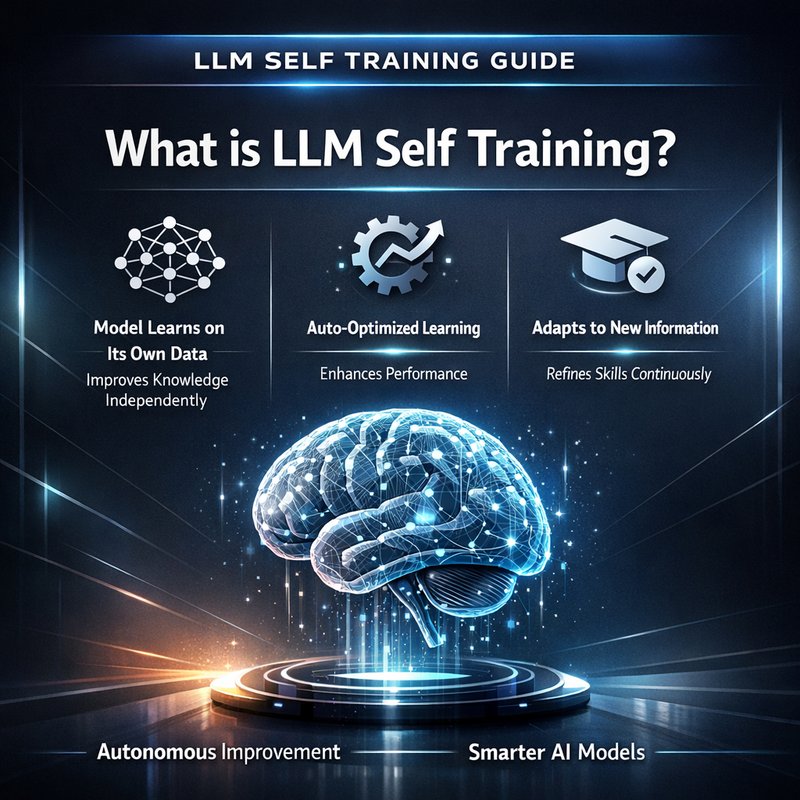
Self training LLMs is a practical way to make models learn from their own outputs and improve over time.
In this guide I explain what llm self training means, why it works, and how you can try it safely with real tools.
You will get a step by step plan, tool tips, and simple examples that anyone can follow.
What is llm self training?
llm self training is when a language model generates text, then uses that text as training data to fine tune itself.
This can be done with full model updates or with lighter steps like retraining a memory store or adding new embeddings.
The idea is simple.
The model writes, we check, we keep the good bits, and we feed those back so the model gets better on tasks we care about.
Why try llm self training?
Because it can help models adapt to your style, fix blind spots, or expand knowledge in narrow areas.
It can also lower costs when done right, since you do more work with generated data instead of buying large labeled sets.
Why llm self training works
Here is the thing.
Models are already good at pattern matching.
When they generate valid, relevant text, that text can teach them more of the same.
Recent research shows that models can benefit from unconditional self-training when the synthetic data matches the model’s lineage.
That means the generated data must be similar in tone, format, and domain to what the model was trained on.
If synthetic data is too different from the model family, self training can confuse the model.
So compatibility matters.
You need to check generated examples, filter poor outputs, and keep the mix consistent.
For more background on self-generated training data, see the write up at machinebrief.com that covers "Learning From Their Own Echoes" and how lineage matters.
Also check official docs and community projects on GitHub, like the OpenCrabs repo at https://github.com/adolfousier/opencrabs for self-hosted agent ideas and tooling.
Two simple types of llm self training
-
Light retraining including embeddings and memory updates.
This updates what the app remembers, not the model weights.
It is fast and cheap. -
Weight-level self training.
This actually fine tunes the model weights on new data.
It gives bigger changes but needs more compute and safety checks.
Start with memory and embeddings.
If that helps, then consider weight-level updates.
Key steps to run llm self training safely
-
Collect prompts and outputs.
Save both the prompt and the model output for review. -
Filter and label.
Automatically filter low quality outputs.
Manually review samples to catch subtle issues. -
Score and rank.
Use a small rubric, like relevance, accuracy, and style match.
Keep high scoring examples. -
Create a training set.
Format your data as short instruction-response pairs or as text-only examples depending on your plan. -
Embed and store.
If you are using memory retraining, create embeddings and store them in a vector index or FTS5 search. -
Retrain or refresh memory.
Update embeddings or run a light fine tuning pass. -
Monitor outputs.
Track changes and watch for drift or errors.
These are the basic steps for any llm self training workflow.
Tools you can use today
You do not need a complex stack to try llm self training.
Here are practical tools and options.
-
OpenAI embeddings and models.
Use OpenAI for embeddings if you want a managed API.
https://openai.com -
OpenCrabs.
OpenCrabs is a single binary self-hosted agent platform that includes memory and embedding modes.
It now supports an OpenAI-compatible embedding API and an FTS5-only memory mode to run on small VPS instances.
Learn more at https://opencrabs.com and see the repo at https://github.com/adolfousier/opencrabs -
Local embedding engines.
Ollama, Jina, and LM Studio export endpoints that can replace heavy local GGUF downloads. -
Simple DB options.
Use SQLite FTS5 if you want a low memory, cheap search for small projects.
Use a vector DB for larger scale. -
Neura products for teams.
If you want a ready-made content and research pipeline, check Neura ACE at https://ace.meetneura.ai and the Neura Router at https://router.meetneura.ai for multi-model routing.
Also see the product overview at https://meetneura.ai/products
Example llm self training workflow for a small project
This plan is for a single person or small team.
It favors low cost and fast iterations.
-
Choose a base model.
Pick an LLM you can query repeatedly and that supports embeddings.
For example, an OpenAI family model or a local model accessible via an API. -
Create an evaluation rubric.
Use simple scores 1 to 5 for accuracy and style.
Keep anything that scores 4 or 5. -
Generate synthetic data.
Use templates to ask the model for examples.
For instance, ask for five short explanations of a concept in different tones. -
Filter automatically.
Run a lightweight filter that rejects outputs with forbidden content or empty answers. -
Human spot check.
Sample 5 to 10 percent of items for quick human review. -
Build embeddings for the approved set.
Use an OpenAI-compatible embeddings endpoint or Ollama.
If you run on a cheap VPS, use FTS5-only mode to avoid large models on the server. -
Update memory or retrain.
- Memory path: add new embeddings to your index and adjust retrieval rules.
- Weight path: fine tune on the new dataset with a low learning rate and small batch sizes.

-
Test.
Run your usual prompts and compare results before and after. -
Repeat.
Keep cycles short and focus on small, stable wins.
This is how you make llm self training part of a small, low-risk project.
How embeddings fit with llm self training
Embeddings are the glue between raw text and what your app remembers.
When you do llm self training, you often create new examples that should be findable later.
Turn those examples into embeddings and add them to your memory.
OpenCrabs now supports an OpenAI-compatible embedding API.
That means you can plug in different providers like OpenAI, Ollama, or LM Studio without downloading a big GGUF model.
Use the provider that matches your budget and speed needs.
If you are on a tiny VPS, use FTS5-only memory mode.
This mode stores plain tokens and uses keyword search, which is fine for many apps and saves RAM.
Compatibility and lineage: a simple rule
Research shows that self training works when the synthetic data is compatible with the model lineage.
That means the generated data should look like the data the model can already understand and produce.
Here is a simple rule you can use.
- If your model is from provider X and you generate data in the same style, you are safe.
- If you try to force a model to learn a very different format, it might not work and could degrade performance.
So pick a base model and keep the style consistent during training loops.
Safety checks and quality control
Self training can amplify errors if you are not careful.
Follow these safety steps.
-
Keep a human in the loop for checks.
Even a small sample of manual review helps. -
Avoid feeding untrusted sources directly.
If your app scrapes forums or comments, clean and sanitize before training. -
Track model behavior metrics.
Create simple tests to detect hallucinations and wrong facts. -
Log data and versions.
Keep an audit trail of what data was added and when. -
Use small learning rates for weight updates.
That reduces the chance of large model shifts.
When to use memory updates instead of weight updates
Memory updates are faster, cheaper, and reversible.
Use memory updates when you want to expand what the system remembers without changing the model itself.
Use weight updates when you need deeper behavior changes like new reasoning skills or a new consistent voice.
Start with memory updates.
If those solve the problem, you never need heavy fine tuning.
Quick code concept for a memory update flow
This is a conceptual outline.
Do not treat it as production code.
- Step 1: Collect prompt and response.
- Step 2: Evaluate and filter.
- Step 3: Embed the text using an embedding API.
- Step 4: Insert embedding into index.
- Step 5: Use retrieval augmented prompts on next requests.
If you want a productized pipeline, tools like Neura ACE and the Neura Router can help connect your model calls, embeddings, and storage quickly.
See https://ace.meetneura.ai and https://router.meetneura.ai
Real world example use cases
-
Customer help articles.
Generate updated help content from an LLM, filter it, and add to your site memory so future answers are better. -
Team style guide.
Generate writing samples in your brand voice and store them as memory for future content creation. -
Domain knowledge fill.
For niche topics that lack public data, generate targeted examples, verify them with an expert, and add to memory.
Monitoring and rollback
Always have a rollback plan.
If new training data causes bad behavior, be ready to remove recent additions and restore the previous index or model checkpoint.
Use tests that run automatically against known prompts.
If test scores drop, pause self training cycles until you fix the issue.
Tools and options recap
-
Embedding APIs: OpenAI, Ollama, Jina, LM Studio.
See OpenAI at https://openai.com -
Self-hosted agent platforms: OpenCrabs (https://opencrabs.com, https://github.com/adolfousier/opencrabs)
-
Team tools: Neura ACE (https://ace.meetneura.ai), Neura Router (https://router.meetneura.ai), product list https://meetneura.ai/products
-
Small server memory mode: FTS5-only for low memory environments.
Final tips before you start
-
Start small.
Do one narrow task and run a few self training cycles. -
Keep the data similar to the model style.
If in doubt, match the model family. -
Measure everything.
Simple metrics win over fuzzy impressions. -
Use memory updates first.
They are cheap and reversible. -
Document what you add and why.
It will save time later.
Self training LLMs is not magic.
It is a steady process of generate, filter, and feed back.
When done carefully it gives useful, practical gains.