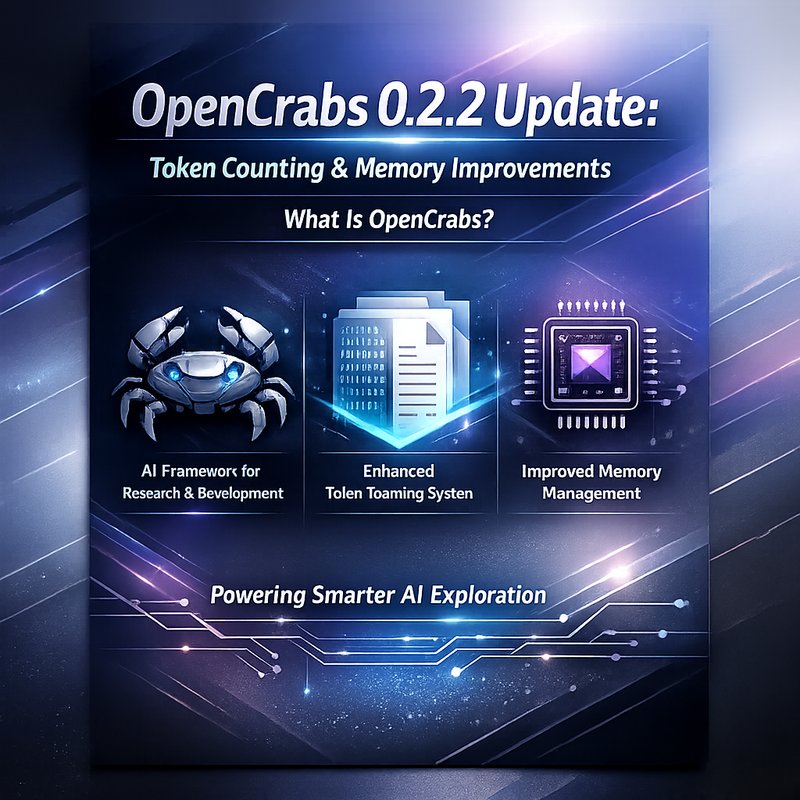
OpenCrabs token counting is a new feature in the 0.2.2 release that improves how the agent tracks context. OpenCrabs token counting lets developers see the exact number of tokens used in each turn, making it easier to stay within model limits. OpenCrabs token counting also helps avoid double‑counting when tools are called. OpenCrabs token counting is essential for building reliable AI agents. OpenCrabs token counting is part of the broader OpenCrabs 0.2.2 update.
In this article we will walk through what OpenCrabs token counting does, why it matters, how it fits into the overall memory architecture, and how you can use it in your own projects. We’ll also look at the new configuration tools, the improved memory compaction logic, and a few practical tips for keeping your agents running smoothly.
What Is OpenCrabs?
OpenCrabs is a Rust‑based orchestration layer inspired by the OpenClaw project. It lets developers build AI agents that can call external tools, manage context, and keep a long‑term memory of past conversations. The core idea is to give you a single API that handles all the heavy lifting, so you can focus on the logic of your agent.
Key features of OpenCrabs include:
- Tool‑based reasoning – Agents can call any tool you register, from simple math functions to complex web scrapers.
- Memory management – A three‑tier memory system that stores durable memory, daily logs, and a semantic search index.
- Config management – Runtime configuration changes via a new
config_managertool. - Token accounting – Accurate tracking of input and output tokens for billing and context budgeting.
The 0.2.2 release brings a major improvement to the token accounting system, which is the focus of this article.
OpenCrabs Token Counting in Action
How Token Counting Works
In earlier releases, OpenCrabs counted tokens by adding the input and output tokens for every tool call. This approach caused two problems:
- Inflated token totals – The same context was counted multiple times, leading to over‑estimates.
- Billing inaccuracies – When you paid for tokens, you were charged for tokens that were never actually sent to the model.
The new token counting logic fixes these issues by:
- Tracking only the last iteration’s input tokens –
AgentResponse.context_tokensnow reflects the token count of the most recent API call, not the cumulative total. - Separating usage from context – The
usagefield still accumulates for billing, but the context budget is calculated from the last iteration only. - Using tiktoken for precision – The
trim_messages_to_budgetfunction now uses thecl100k_basetokenizer, which is the same tokenizer used by many OpenAI models.
Example: A Simple Agent
use opencrabs::{Agent, Tool};

let mut agent = Agent::new("my_agent");
agent.register_tool(Tool::new("math", |input| {
    // Simple math tool
    format!("Result: {}", eval(input))
}));

let response = agent.run("What is 12 * 7?");
println!("Response: {}", response.output);
println!("Tokens used: {}", response.context_tokens);
In this example, the response.context_tokens field will show the exact number of tokens that were sent to the model for that turn. If you call the math tool again, the token count will reset to the new input, not add to the previous count.
Why Accurate Token Counting
- Cost control – Knowing the exact token usage helps you stay within budget, especially when you’re using expensive models like Claude 3.7 Sonnet or Gemini 3.1.
- Model limits – Most models have a maximum context window (e.g., 128K tokens). Accurate counting prevents accidental over‑runs that would cause errors.
- Performance tuning – By seeing how many tokens each tool call consumes, you can decide whether to keep or drop certain tools.
Memory Architecture Enhancements
OpenCrabs 0.2.2 also improves the memory system, which works hand‑in‑hand with token counting.

Three‑Tier Memory
- Brain MEMORY.md – A durable memory file that you can edit manually. It loads into the agent’s brain at the start of each session.
- Daily Memory Logs – After each compaction, a summary is written to
~/.opencrabs/memory/YYYY-MM-DD.md. Multiple compactions per day stack in the same file. - Semantic Search – The
memory_searchtool uses QMD to search past logs. If QMD is not installed, the tool falls back to reading the log file directly.
Compaction Logic
The compaction threshold was lowered from 80% to 70% of the context window. This means the agent will compact earlier, leaving more room for new messages and tool results. The compaction summary is now displayed as a system message, so you can see exactly what was summarized.
Practical Tips
- Keep your brain file small – Only store essential facts. The more you keep in the brain, the more tokens you’ll use.
- Review compaction summaries – They can reveal if the agent is losing important context.
- Use the
memory_searchtool – It’s faster than scanning the log file manually.
Config Management Tool
The new config_manager tool lets you read and write configuration files at runtime. This is handy when you want to change the model or the approval policy without restarting the agent.
agent.run("config_manager read_config");
agent.run("config_manager write_config model=claude-3.7-sonnet");
The tool also handles migration from commands.json to commands.toml, so you don’t lose any custom slash commands.
Using OpenCrabs with Other Models
OpenCrabs is model‑agnostic. You can plug in any OpenAI‑compatible provider, including:
- Claude 3.7 Sonnet (hybrid reasoning)
- Gemini 3.1 Flash Preview
- Qwen3 Coder Next
- GLM 4.6v
When you switch models, remember to adjust the token counting logic if the tokenizer changes. The cl100k_base tokenizer works for most models, but some use a different scheme.
Best Practices for Token Management
- Set a token budget – Use the
thinking_budgetparameter if your provider supports it. This limits how many tokens the model can use for reasoning. - Monitor token usage – Log
response.context_tokensafter each turn. You can write a simple script to alert you when you approach the limit. - Batch tool calls – If you need to call multiple tools, try to combine them into a single prompt to reduce overhead.
- Trim unnecessary context – Use the
trim_messages_to_budgetfunction to keep only the most relevant messages.
Future Outlook
OpenCrabs is actively evolving. The next major release will focus on:
- Better integration with LLM providers – More seamless switching between models.
- Advanced memory indexing – Faster semantic search with vector databases.
- Enhanced security – Built‑in checks for API key leaks.
If you’re already using OpenCrabs, keep an eye on the changelog. The 0.2.2 update is a solid foundation for building reliable, cost‑effective AI agents.
Conclusion
OpenCrabs token counting is a game‑changer for developers who need precise control over context and cost. By tracking only the last iteration’s input tokens, OpenCrabs token counting eliminates double‑counting and gives you a clear view of how many tokens you’re actually using. Combined with the new memory compaction logic and config management tool, the 0.2.2 release makes it easier than ever to build robust AI agents that stay within budget and never lose context.
If you’re building an AI agent that calls external tools, or if you’re just curious about how token counting works under the hood, give OpenCrabs 0.2.2 a try. The new token counting feature will help you keep your agents running smoothly and cost‑effectively.