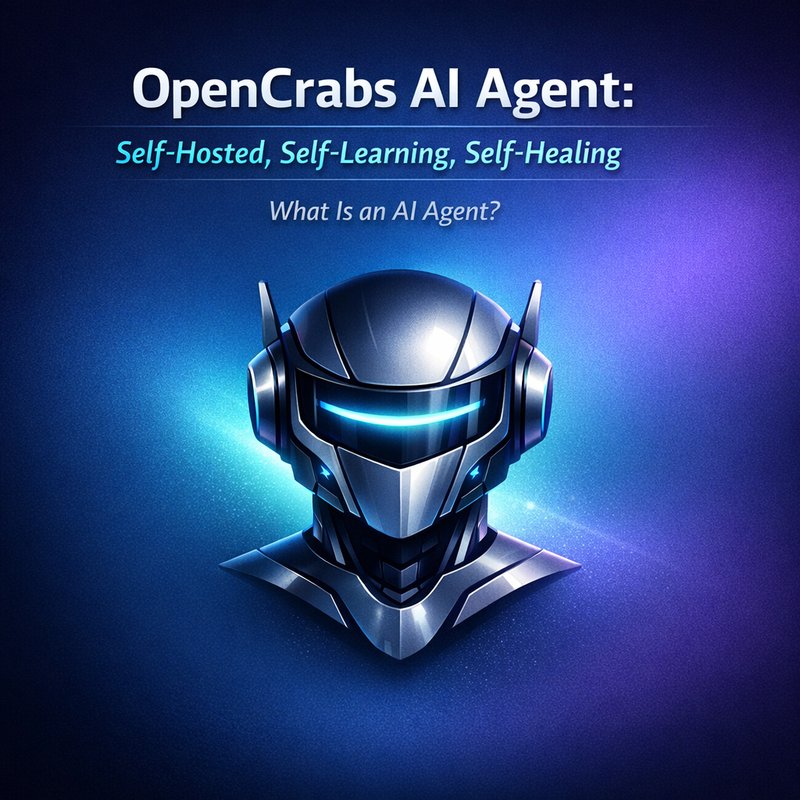
OpenCrabs is a new open‑source AI agent that lets you run a smart assistant on your own computer or server. It learns from the work it does, fixes itself when something goes wrong, and can run many different tasks at the same time. In this article we’ll look at what makes OpenCrabs special, how it works, and why it might be useful for developers, small teams, or anyone who wants a private AI helper.
What Is an AI Agent?
An AI agent is a program that can read a question, think about it, and produce an answer or action. Think of it like a robot that can talk, write, and use tools. Most AI agents today run in the cloud, but OpenCrabs lets you keep everything on your own hardware. That means you control the data, the cost, and the privacy.
OpenCrabs AI Agent Overview
OpenCrabs is built in Rust and uses a text‑based interface called Ratatui. It can connect to many chat platforms such as Telegram, Discord, Slack, and WhatsApp. The core idea is that the agent can:
- Learn from the conversations it has.
- Heal itself when a tool or connection fails.
- Run multiple profiles at once, each with its own settings.
The project is hosted on GitHub and is actively maintained. The latest release, 0.2.94, added several new features that make it easier to use in real projects.
Key Features of OpenCrabs
1. Multi‑Profile Support
OpenCrabs can run several isolated profiles from a single installation. Each profile has its own configuration, memory, and tools. This is handy if you want one profile for personal use and another for a business project. You can create a new profile with:
opencrabs profile create <name>
and switch between them with:
opencrabs -p <name>
or by setting the OPENCRABS_PROFILE environment variable. The profiles live in ~/.opencrabs/profiles/<name>/. This feature was added in the 0.2.94 release.
2. Self‑Improving and Self‑Healing
OpenCrabs watches its own health. If a tool fails or a connection drops, it automatically tries to recover. For example, if a Telegram bot stops responding, OpenCrabs will reconnect and resume where it left off. The system also keeps a backup of the last good configuration, so if the config file gets corrupted it can restore itself.
3. Tool Integration
OpenCrabs can call external tools like web browsers, code editors, or custom scripts. It uses a simple “tool call” syntax that the agent can understand. The tool calls are logged and can be reviewed later. This makes it easy to add new capabilities without changing the core code.
4. Long‑Horizon Reasoning
The agent can handle tasks that require many steps, such as planning a trip or writing a multi‑chapter story. It keeps track of the conversation history and can refer back to earlier messages. This is similar to what other long‑horizon frameworks like Bentoml do, but OpenCrabs does it in a lightweight, self‑hosted way.
5. Open‑Source Runtime
OpenCrabs is released under an open‑source license, so you can inspect the code, modify it, or contribute. The community can add new tools, fix bugs, or improve performance. The project is hosted on GitHub: https://github.com/adolfousier/opencrabs.
How OpenCrabs Works Under the Hood
OpenCrabs uses a simple architecture:
- Input Layer – Receives messages from chat platforms or the command line.
- Agent Core – Parses the input, decides what to do, and calls tools if needed.
- Tool Layer – Executes external commands or APIs.
- Output Layer – Sends the result back to the user or platform.
The core logic is written in Rust for speed and safety. The UI is built with Ratatui, which gives a terminal interface that looks like a chat window. The agent can run in the background as a daemon, so you can keep it running all day.
Getting Started with OpenCrabs
1. Install
cargo install opencrabs
or download a pre‑built binary from the releases page on GitHub.
2. Create a Profile
opencrabs profile create mybot
opencrabs -p mybot
3. Configure Tools
Edit the config.toml file in your profile folder. Add the tools you want, such as a web browser or a code editor. The file looks like this:
[tools]
browser = { command = "firefox" }
editor = { command = "code" }
4. Run the Agent
opencrabs run
The agent will start listening on the configured chat platforms. You can now send messages to it and see how it responds.
Real‑World Use Cases
1. Personal Assistant
A single profile can act as a personal assistant that schedules meetings, writes emails, and searches the web. Because it runs locally, your data stays private.
2. Team Collaboration
Multiple profiles can be set up for different teams. Each team can have its own set of tools and permissions. The agent can help with code reviews, documentation, or project management.
3. Customer Support
OpenCrabs can be connected to a company’s support chat. It can answer FAQs, route tickets, and even call external APIs to fetch order status. The self‑healing feature ensures that the bot stays online even if a service goes down.

4. Educational Tool
Students can use OpenCrabs to ask questions, get explanations, or run code snippets. Because the agent can call external tools, it can run simulations or visualizations.
Comparison to Other Agentic Frameworks
| Feature | OpenCrabs | Bentoml | NVIDIA OpenShell |
|---|---|---|---|
| Self‑hosted | ✔ | ✔ | ✔ |
| Multi‑profile | ✔ | ❌ | ❌ |
| Self‑healing | ✔ | ❌ | ❌ |
| Tool integration | ✔ | ✔ | ✔ |
| Long‑horizon reasoning | ✔ | ✔ | ✔ |
| Open‑source | ✔ | ✔ | ✔ |
OpenCrabs stands out because of its multi‑profile support and self‑healing. Bentoml and NVIDIA OpenShell are great, but they don’t offer the same level of isolation or automatic recovery.
How to Extend OpenCrabs
If you want to add a new tool, just edit the config.toml file and add a new entry. For example, to add a weather API:
[tools]
weather = { command = "curl", args = ["https://api.weather.com/v3/wx/forecast/daily/5day"] }
The agent will automatically recognize the new tool and can call it when a user asks for the weather.
You can also contribute to the code on GitHub. The repository is well‑structured, and the documentation explains how to add new features.
Future Roadmap
The OpenCrabs team plans to add:
- Graphical UI – A web interface for easier management.
- More platform integrations – Support for Microsoft Teams and Zoom.
- Advanced learning – The agent will learn from user feedback to improve responses.
- Security enhancements – Better encryption for stored data.
These updates will keep OpenCrabs competitive with other agentic solutions.
Why OpenCrabs Is Worth Trying
- Privacy – All data stays on your machine.
- Control – You can tweak every setting.
- Reliability – Self‑healing keeps the bot running.
- Flexibility – Multi‑profile lets you separate projects.
If you’re looking for a way to run an AI assistant without relying on a cloud provider, OpenCrabs is a solid choice.
Getting Help and Community Resources
- GitHub Issues – Report bugs or request features.
- Discord Channel – Join the community chat for quick help.
- Documentation – The README on GitHub covers installation and configuration.
You can also check out the Neura AI website for related tools and services. For example, the Neura ACE product can help you generate content automatically, and the Neura Router can route requests to the right AI model. Visit https://meetneura.ai for more information.
Conclusion
OpenCrabs AI Agent is a powerful, self‑hosted solution that brings learning, healing, and multi‑profile support to the world of AI assistants. Its open‑source nature and active development make it a great option for developers, teams, and individuals who want a private, reliable AI helper. Give it a try and see how it can fit into your workflow.