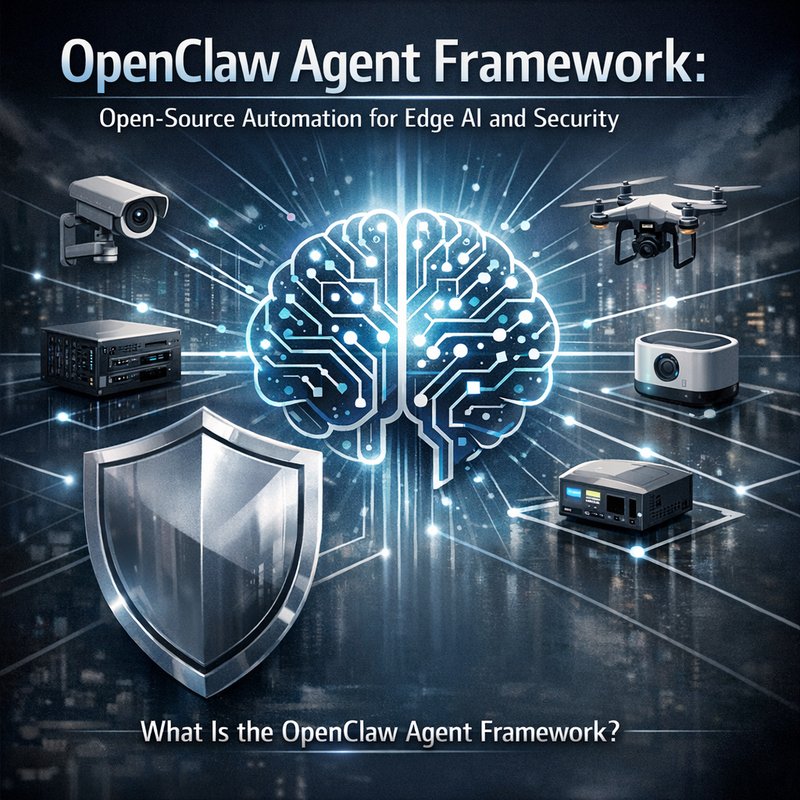
OpenClaw is a new open‑source framework that lets developers build autonomous agents for edge AI and security tasks. The OpenClaw agent framework is designed to run on a single binary, making it easy to deploy on laptops, servers, or embedded devices. It supports self‑improving, self‑healing agents that can learn from their environment and adapt without human intervention. In this article we’ll walk through what OpenClaw is, why it matters, how it works, and how you can start using it today.
What Is the OpenClaw Agent Framework?
OpenClaw is a lightweight, self‑contained platform that lets you create agents that can:
- Interact with APIs – call external services, read data, and send responses.
- Use tools – run command‑line utilities, query databases, or call other programs.
- Learn from experience – store memory, update knowledge, and improve over time.
- Run on the edge – operate on local hardware without needing a cloud connection.
The framework is written in Rust and uses a terminal‑user‑interface (TUI) for local control. It can also run as a daemon, allowing multiple agents to operate simultaneously on the same machine.
Key Features
| Feature | Description |
|---|---|
| Single Binary | One executable that contains the core engine, UI, and all dependencies. |
| Multi‑Profile Support | Create isolated profiles for different projects or users. |
| Self‑Healing | Detect corrupted config files and recover automatically. |
| Provider Health Tracking | Monitor the status of external APIs and report failures. |
| CLI Tool Integration | Run tools like cargo, gh, or custom scripts directly from the agent. |
| Token‑Lock Isolation | Prevent two agents from using the same API token at the same time. |
Image 1 – A screenshot the OpenClaw TUI.
Alt text: OpenClawUI showing agent status and command prompt.
Why OpenClaw Matters
Many developers rely on cloud‑based AI services, but that can be slow, expensive, or insecure. OpenClaw lets you keep data on your own hardware while still using powerful AI models. It also gives you full control over how agents learn and behave, which is important for security‑sensitive environments.
The OpenClaw agent framework is especially useful for:
- Security teams that need to automate vulnerability scanning or log analysis.
- IoT developers who want to run AI locally on devices.
- Researchers who want to experiment with autonomous agents without paying for cloud compute.
How Does OpenClaw Work?
OpenClaw follows a simple architecture:
- Agent Definition – You write a configuration file that tells the agent what it can do. This includes the tools it can call and the memory it can store.
- Execution Loop – The agent runs in a loop, waiting for input. When it receives a prompt, it decides whether to answer directly or call a tool.
- Tool Calls – If the agent needs external data, it calls a tool (e.g., a shell command or an API request). tool’s output is fed back into the agent’s context.
- Memory Update – After each interaction, the agent stores the conversation in its memory. This allows it to remember past events and improve future responses.
- Self‑Healing – If the agent crashes or the config file is corrupted, OpenClaw restores the last good state automatically.
Example: A Security Agent
Suppose you want an agent that scans a directory for suspicious files and reports findings. Here’s a high‑level view of how you’d set it up:
- Create a profile –
openclabs profile create security. - Define tools – Add a tool that runs
clamscanor a custom script. - Write a prompt – “Scan the
/var/logdirectory for malware.” - Run the agent –
openclabs -p security run. - Review results – The agent will call the tool, parse the output, and store the findings in memory.
The agent can then answer follow‑up questions like “What was the last file flagged?” without re‑scanning.
Getting Started with OpenClaw
Below is a step‑by‑step guide to installing and running your first agent.
1. Install OpenClaw
OpenClaw is available on GitHub. Clone the repo and build the binary:
git clone https://github.com/adolfousier/opencrabs.git
cd opencrabs
cargo build --release
The compiled binary will be in target/release/opencrabs. Move it to a directory in your $PATH:
sudo mv target/release/opencrabs /usr/local/bin/opencrabs
2. Create a Profile
Profiles keep your agents isolated. Create a new profile called demo:
opencrabs profile create demo
This creates a folder ~/.opencrabs/profiles/demo with default config files.
3. Configure a Tool
Open the config file ~/.opencrabs/profiles/demo/config.toml and add a tool section:
[tools]
[tools.scan]
command = "clamscan -r /var/log"
description = "Scan logs for malware"

4. Run the Agent
Start the agent with:
opencrabs -p demo run
You’ll see the TUI open. Type a prompt:
Scan the /var/log directory for malware
The agent will call the scan tool, display the results, and store them in memory.
5. Check Memory
After the scan, you can ask the agent:
What was the last file flagged?
The agent will retrieve the stored memory and answer.
Advanced Features
Multi‑Profile Management
OpenClaw lets you run several agents on the same machine. Each profile has its own config, memory, and logs. Switch between profiles with:
opencrabs -p <profile_name> run
You can also migrate profiles:
opencrabs profile migrate --from demo --to production
Self‑Healing and Recovery
If the config file gets corrupted, OpenClaw automatically restores the last good snapshot. This is useful for production deployments where uptime matters.
Provider Health Tracking
OpenClaw tracks the health of external providers (e.g., API keys). Use the /doctor command in the TUI to see status:
/doctor
It will list each provider, its last success/failure, and any errors.
Token‑Lock Isolation
When multiple agents use the same API token, OpenClaw creates a lock file to prevent conflicts. If a process dies, the lock is automatically cleaned up.
Real‑World Use Cases
| Use Case | How OpenClaw Helps |
|---|---|
| Security Automation | Run vulnerability scans, log analysis, and incident response scripts locally. |
| Edge AI | Deploy AI models on Raspberry Pi or other edge devices without cloud latency. |
| Research | Experiment with autonomous agents in a controlled environment. |
| DevOps | Automate CI/CD tasks, run tests, and report results. |
Image 2 – A diagram of an OpenClaw agent interacting with a local API.
Alt text: OpenClaw agent framework diagram showing tool calls and memory.
Integrating OpenClaw with Neura AI
If you’re already using Neura AI, you can combine the strengths of both platforms. For example:
- Use Neura’s Router to route requests to the OpenClaw agent when local processing is needed.
- Leverage Neura’s Email Sales Auto‑Replier to send scan reports automatically.
- Store OpenClaw logs in Neura’s Knowledge Base for future reference.
Check out the Neura product page for more details: https://meetneura.ai/products
Future Roadmap
The OpenClaw team is actively working on new features:
- Graphical UI – A web interface for easier agent management.
- Cross‑platform binaries – Windows and macOS support.
- Plugin system – Allow third‑party developers to add new tools.
Stay tuned for updates on the GitHub repository and the official blog.
Conclusion
The OpenClaw agent framework offers a powerful, open‑source way to build autonomous agents that run locally. With its single binary, multi‑profile support, and self‑healing capabilities, it’s a great fit for security teams, IoT developers, and researchers who need reliable, on‑premise automation. Whether you’re scanning logs, running AI models on edge devices, or experimenting with new agent behaviors, OpenClaw gives you the flexibility and control you need.
If you’re interested in learning more or want to try it out, head over to the GitHub repo or explore how it can integrate with Neura AI tools: https://meetneura.ai