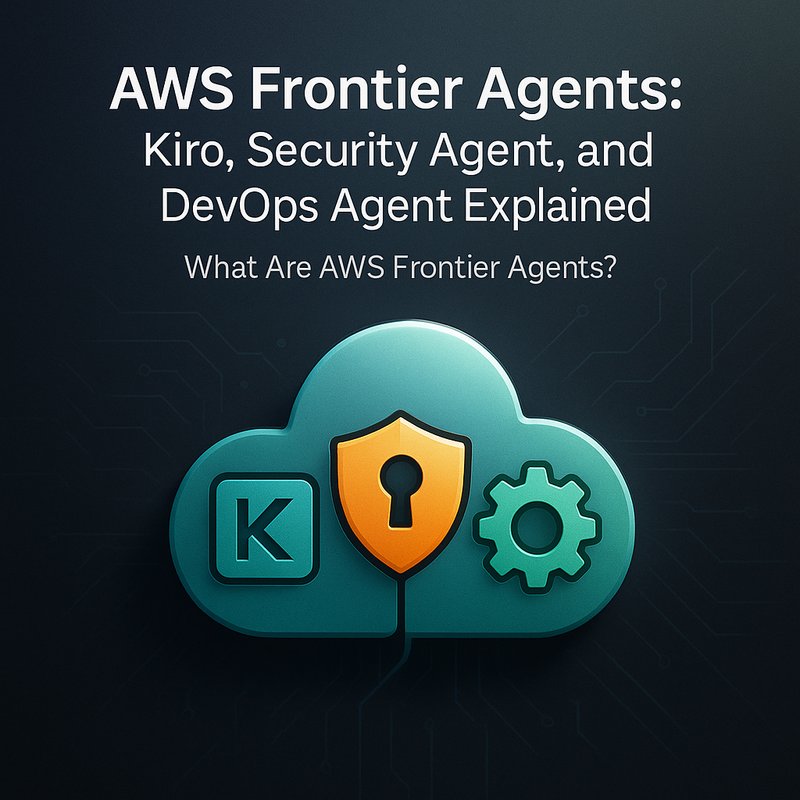
AWS has just released a new set of tools called AWS Frontier Agents. These tools use large language models (LLMs) and special “agent” logic to help developers and operations teams write code, review security, and automate deployments without writing much code themselves. In this article we break down what each agent does, how they work, what you can use them for, and why they’re a big step forward for everyday software work.
What Are AWS Frontier Agents?
Frontier Agents are a collection of autonomous “agents” that run inside Amazon’s cloud services. The three first agents in this family are:
- Kiro – an autonomous coding agent.
- AWS Security Agent – a security‑review agent.
- AWS DevOps Agent – an automation agent for deployment pipelines.
All three agents rely on a new family of Amazon LLMs called Nova. Nova models are powerful enough to understand natural language requests, plan tasks, and generate or modify code. They also have a “reasoning” layer that lets an agent think step‑by‑step before it acts.
Why is this a new thing?
Before Frontier Agents, developers had to use separate tools like IDE plugins or custom scripts. Frontier Agents combine those ideas into one unified platform that can understand a user’s natural‑language request, decide what to do, and then run that action in the cloud.
How Do These Agents Work?
Each Frontier Agent follows a simple pattern:
| Step | What Happens | Example |
|---|---|---|
| 1. Prompt | The user tells the agent what they want, in plain English. | “Create a simple REST API for user login.” |
| 2. Plan | The agent breaks the request into smaller steps. | “Generate a controller, add authentication logic, create tests.” |
| 3. Act | The agent runs the plan – writing files, calling AWS services, or updating CI/CD pipelines. | “Add a new Lambda function, connect it to API Gateway.” |
| 4. Verify | The agent checks that the changes meet the user’s goal. | “Run unit tests and confirm the API returns 200 OK.” |
Because the agents use Nova, they can read existing code, suggest edits, and even fix bugs in multi‑repository projects. The agents also keep a short memory of what they have done so far, which makes them more useful over long conversations.
The Three Frontier Agents
1. Kiro – The Autonomous Coding Agent
Kiro is designed to help developers write and refactor code with minimal effort. Here are some common uses:
- Code Generation – Write entire modules from scratch based on a description.
Example: “Create a user model with email and password fields and validation.” - Multi‑Repo Refactoring – Apply changes across several repositories at once.
Example: “Replace allprintfcalls withlogger.infoin the backend service.” - Bug Triage – Identify the most likely source of a failure and propose fixes.
Example: “The login API returns 500. Pinpoint the problem area and suggest a patch.”
Kiro uses Nova’s natural‑language understanding to translate user requests into code changes. It can work with languages such as Python, JavaScript, Java, and more. Kiro is especially useful for small teams that want to keep the codebase clean without a full code review cycle.
2. AWS Security Agent – The Security Reviewer
Security is a critical part of any software project. The AWS Security Agent scans code for known vulnerabilities and compliance issues. Key capabilities include:
- Static Analysis – Find potential security holes like hard‑coded secrets or outdated libraries.
Example: “Flag any hard‑coded API keys in the repository.” - Policy Evaluation – Check that IAM roles, bucket permissions, or network rules meet best practices.
Example: “Make sure the S3 bucket is not publicly accessible.” - Remediation Suggestions – Provide actionable fixes rather than just warnings.
Example: “ReplacePUTwithGETon the public API endpoint.”
The agent can be run automatically on pull requests or on a schedule. By integrating with CodeGuru or CodeBuild, it can alert developers before code lands in production.
3. AWS DevOps Agent – The Automation Assistant
Deploying code is often a repetitive, error‑prone process. The AWS DevOps Agent helps by:
- Pipeline Creation – Set up a CI/CD pipeline from scratch.
Example: “Build a GitHub Actions workflow that tests and deploys a Lambda function.” - Dependency Management – Update libraries or patch security fixes.
Example: “Upgradeexpressto the latest minor release.” - Rollback and Monitoring – Automatically roll back a failed deployment and send alerts.
Example: “If the new release crashes, revert to the previous version and notify the team.”
Because the agent can read the existing AWS CloudFormation or Terraform code, it can modify or extend infrastructure with minimal manual effort.
How to Get Started with Frontier Agents
Below is a quick step‑by‑step guide to use Kiro for a sample project:

- Enable the Agent – In the AWS console, go to “Frontier Agents” and turn on Kiro for your account.
- Create a Prompt – In the console or through the CLI, type a request like:
Generate a Flask REST API for user registration with email verification. - Review the Plan – The console will show the steps Kiro will take.
- Approve and Run – Click “Execute” and let Kiro add files and commit changes.
- Test – Run your test suite or hit the new endpoint to confirm it works.
You can also use the AWS CLI or SDK to invoke an agent programmatically. This makes it possible to embed Frontier Agents into your own tooling or automation scripts.
Real‑World Examples
Example 1: A Startup Building a SaaS Platform
A small team wanted to add a new feature: a two‑factor authentication flow. Instead of writing the code from scratch, they asked Kiro:
“Add two‑factor authentication to our existing login API.”
Kiro automatically added a new Lambda, updated the API Gateway, and even wrote unit tests. The team reviewed the changes in a single pull request and merged it in under an hour.
Example 2: Enterprise Security Review
A large financial firm needed to audit thousands of repositories for compliance with PCI‑DSS. The AWS Security Agent scanned the code, flagged every hard‑coded secret, and provided a summary report. Engineers then used the agent’s remediation suggestions to patch the issues quickly.
Example 3: DevOps Automation
A CI/CD team was spending hours writing identical GitHub Actions workflows for new microservices. They configured the AWS DevOps Agent to generate a default workflow. The agent also updated the workflow when a new dependency was added, keeping the pipelines up to date.
Benefits of Using Frontier Agents
| Benefit | What It Means for You |
|---|---|
| Speed | Create or change code in minutes, not hours. |
| Consistency | Agents follow best practices automatically, reducing human error. |
| Security | Built‑in scans catch issues before they hit production. |
| Scalability | Manage many repos or services without a proportional increase in effort. |
| Learning | Teams can see how the agent writes code, which can serve as a learning tool. |
Because the agents are integrated with AWS, they work well with other services like CloudWatch, IAM, and CodeDeploy. This means you can stay inside the AWS ecosystem for a more streamlined workflow.
Limitations and Considerations
While Frontier Agents are powerful, there are a few things to keep in mind:
- Model Bias – Nova may not always follow the exact coding style your team uses. You’ll still need to review generated code.
- Resource Costs – Running agents incurs compute usage. Monitor usage in the Cost Explorer.
- Security – The agent writes code directly to your repository. Make sure you use proper branch protection and code review.
- Learning Curve – Teams need to learn how to phrase requests effectively.
- API Limits – AWS imposes limits on LLM calls. For very large projects, you might hit those limits.
Despite these, the overall cost–benefit ratio is favorable for many organizations.
Integration with Other AI Platforms
Frontier Agents can complement other AI tools. For instance:
- Use Google Gemini 3 or Anthropic Claude for brainstorming code ideas before giving them to Kiro.
- Combine OpenAI Codex with the AWS Security Agent to double‑check vulnerability detection.
- Pair Neura AI’s ACE platform with Frontier Agents to produce marketing copy about your new feature—yes, you can describe the agent’s capabilities to the public!
These integrations can help teams get the best of multiple worlds without having to manage separate workflows.
Future Roadmap
AWS plans to extend Frontier Agents in the coming months:
- More Languages – Support for Rust, Go, and other emerging languages.
- Cross‑Account Collaboration – Agents can coordinate across AWS accounts for multi‑tenant setups.
- Advanced Reasoning – Improve the agent’s ability to handle complex multi‑step problems, like design patterns.
- Governance – New tools to audit agent actions and maintain compliance records.
Stay tuned to the AWS blog for updates, or join the AWS Developer Forums to discuss the agents with others.
Bottom Line
AWS Frontier Agents—Kiro, Security Agent, and DevOps Agent—are a new class of autonomous tools that bring natural‑language coding, automated security scanning, and intelligent deployment to your workflow. They reduce manual effort, increase consistency, and keep your code safer. If your team is already on AWS, adding Frontier Agents can be a straightforward step toward a smoother development cycle.
Additional Information
- AWS Documentation: AWS Frontier Agents Overview
- Neura AI Tools: Explore how Neura’s AI platform can further automate content creation or help with training data for your agents at https://meetneura.ai or https://meetneura.ai/products.
- Case Studies: Read how companies have used similar AI tooling at https://blog.meetneura.ai/#case-studies.