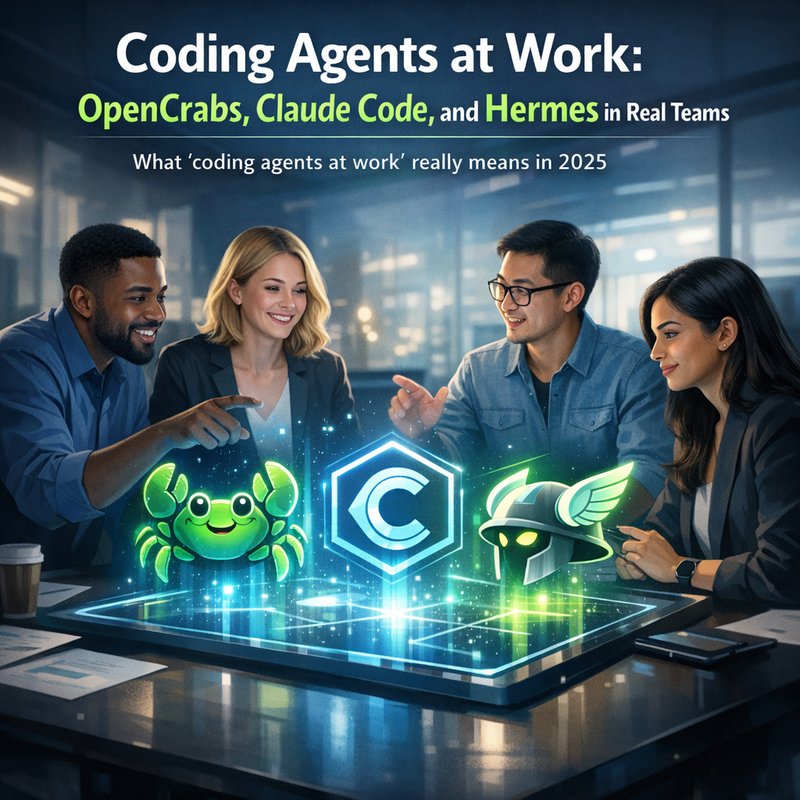
Coding agents are no longer just a cool demo. They are starting to show up inside real workflows, where people need work that finishes, not work that just sounds smart. In this article, I’ll break down how modern coding agents work in day to day teams, using open source OpenCrabs as a fresh example, and comparing it with Claude Code and Hermes based on what teams are building right now.
If you’ve been wondering how “agentic coding” stays useful after the first prototype, this is for you. I’ll also show what to watch for when agents are self-hosted, how they handle tool calls, and why runtime checks matter when you want reliable outcomes. This is a practical guide to coding agents at work, not hype.
Our focus keyphrase is coding agents at work. That’s the question we’ll keep coming back to: how do they actually behave once the environment is messy, the requirements change, and someone has to ship?
What “coding agents at work” really means in 2025
When people say “coding agent,” they often picture a chatbot that writes code on request. That’s the lightweight version.
But coding agents at work are different. They do more than generate text. They try to complete tasks by:
- Reading the repo or files they are responsible for
- Deciding which tools to use (tests, lint, build, docs, search)
- Making changes in smaller steps
- Checking results and fixing mistakes
- Persisting progress between runs
The big shift is that the agent is acting inside a loop.
Here’s the loop in simple terms:
- The agent gets a goal.
- It looks at what exists (code, errors, logs).
- It chooses the next action.
- It runs tools.
- It updates its plan based on what happened.
That loop is why coding agents at work can be useful even when the task is not perfectly described.
Also, you might be thinking: “But isn’t this just automation?” Sort of. The difference is decision making. The agent has to pick the next step, not just replay commands.
Why self-hosted agents are getting attention: OpenCrabs as the example
A lot of teams want coding agents at work to run inside their own setup. That’s where self-hosted projects like OpenCrabs matter.
OpenCrabs is described as a self-hosted AI agent built as a single binary, with a focus on autonomy and “self-healing” style behavior. You can see the project on GitHub here: https://github.com/adolfousier/opencrabs and the main site here: https://opencrabs.com
What makes this relevant to real work is the details in its recent updates. Those updates are not marketing slogans. They are behavior fixes that help the agent stay functional in edge cases.
Let’s look at a few concrete changes from the OpenCrabs changelog you shared.
Tool call parsing that actually matters for agent coding
Early coding agent setups often fail in the “tool call” step. The model might output something like a structured tool request, but the agent runtime might not parse it correctly.
OpenCrabs recently improved Xiaomi MiMo tool-call parsing:
- It parses tool calls wrapped in
<tool_call_list>XML emitted by MiMo models - It added structured tool calls so the agent uses JSON instead of “prose instructions”
This matters because coding agents at work need tools to run reliably. If tool calls fall through as normal text, the agent cannot actually execute actions like reading files, calling commands, or updating state.
In a team environment, that turns “assistant” into “writer only.” And teams usually need doers.
Source: OpenCrabs repository changelog shown in your context.
Session reliability and restarts: the boring stuff that saves you
Another thing teams learn the hard way is that agents crash, restart, and continue later. That’s normal. Servers go down. Users interrupt. Updates get deployed.
OpenCrabs added an “Evolve restart on Linux” fix that strips an odd marker from /proc/self/exe after unlink and rename:
- It now execs the real binary
- It hands RestartReady the exact new-binary path captured pre-swap
This is the kind of change that looks small, but it keeps the agent from getting stuck in a broken binary path.
If you’re trying to run coding agents at work, you care about reliability at runtime, not just great outputs.
A practical example: if your agent process restarts between coding steps, you want it to resume with the right binary. Otherwise, you end up with half-finished changes and unclear logs.
Phantom intent detection: what it is and why it affects coding quality
Some agents “think” they received a user command when they actually got a short status message. That creates weird actions.
OpenCrabs improved phantom intent detection:
- It scans all languages at once for intent-phrase matching
- It catches short announcements like “Running checks now.”
- It returns early on announcements instead of flagging the turn as phantom
Why this matters for coding agents at work: status messages are common in chat driven coding. The agent may talk like it’s working, and the system should not treat those lines as new tasks.
So what’s the real benefit? Fewer accidental actions. Less confusion in multi-step work.
In a team setting, that means fewer “why did it change that file” moments.
Telegram message settling: when real-time edits break agent logic
If your agent uses chat platforms, you already know that messages can be edited. Telegram groups are famous for rapid edits.
OpenCrabs updated Telegram message handling:
- It waits about 2 seconds of “edit silence” before processing peer bot messages in groups
- It holds a bot’s text message in a group until the edit stream settles
- Each edit resets the settle timer so the latest frame wins
Now you might wonder why this belongs in an article about coding agents. Because when agents at work are connected through messaging, they need stable inputs.
If the agent reads an intermediate edit, it might run the wrong command or start the wrong task. Again, this is the gap between demos and daily use.
Relevant context: OpenCrabs changelog in your prompt.
Coding agents in real teams: a compare-and-contrast
You also have search results pointing to a broader topic: “Coding Agents: Claude Code, Hermes, Cursor, & Opencrabs.” The exact linked page is via Vertex AI Search redirect to multiple sites.
From the context you provided, the trend is clear: companies and developers are comparing tools based on workflows, reliability, and integration style.
So here’s a simple way to compare coding agents at work without getting lost:
How teams evaluate coding agents at work
Look at these five areas:
-
Repo awareness
Does the agent understand the current codebase and follow conventions? -
Tool execution reliability
Can it run commands, tests, and read files without losing tool calls? -
Error handling
When tests fail, does it adjust with real retries instead of just guessing? -
Runtime stability
Will it stay alive and recover after restarts? -
Security and privacy
Can you control what it can access and how secrets are handled?
For OpenCrabs, we saw runtime stability improvements and tool call parsing improvements in the changelog.
For other agents, teams often focus on how clean the workflow feels and how fast you can start using it.
Where runtime governance fits: checks before the agent keeps going
Another search item you provided was about “Runtime Governance for AI Agents in Finance: SAFR Checkpoints.” Even if you are not in finance, the lesson generalizes.

When an agent changes code, data, or actions in a system, you need checks at runtime.
Coding agents at work benefit from checks like:
- “Did tests actually pass?”
- “Did the diff stay within expected files?”
- “Did it run the right build steps?”
- “Did it request access to secrets?”
- “Did it obey guardrails for scope?”
These checks can be simple. You don’t need a complex rules engine to get value.
The key is stopping the agent from going further when something looks wrong.
That is why QA practices like gated merges still matter. Agents should not bypass them. They should help you reach them faster.
A practical setup you can try this week (tool calls, retries, and logs)
Let’s make this hands on. I’m going to give you a practical pattern for coding agents at work that you can adapt whether you use OpenCrabs, Claude Code, or Hermes style tools.
Step 1: Define a narrow task and clear “done”
Bad tasks create bad agent behavior.
Instead of “Improve the auth system,” try:
- “Add rate limit to login endpoint and add tests for blocked requests”
- “Fix failing unit tests in module X and update docs for the new flag”
- “Refactor function Y without changing public API and ensure lint passes”
A good “done” list helps the agent pick fewer steps.
Step 2: Enable tool execution but log every tool call
If tools are the way the agent actually acts, logs are how you debug it.
Ask:
- Did it call tests after edits?
- Did it read the correct file set?
- Did it fail to parse a tool request?
OpenCrabs had explicit tool-call parsing improvements for MiMo models. That’s a reminder that parsing is not guaranteed by default.
Step 3: Add a “retry with evidence” rule
A retry should be based on evidence, not vibes.
Example retry pattern:
- If tests fail, the agent reads the test output
- It updates code based on error lines
- It reruns tests
- If it repeats the same failure, stop and request human review
This makes coding agents at work less “infinite loop.” It also reduces random code changes.
Step 4: Guard scope
Tell the agent what it is allowed to change.
Even a simple rule helps:
- It may edit only within
src/andtests/ - It may not touch config files with secrets
- It must keep formatting consistent
This supports safer automation.
Step 5: Make runtime checks part of the workflow
Even a basic check like “tests pass” before continuing will reduce risk.
That mindset matches the runtime governance idea you saw in the finance checkpoint theme.
Security basics you should not skip (especially with tool use)
When you connect agents to tools and repos, you open a path to accidental secret exposure.
That’s why secret scanning and reporting is a big deal for agent setups.
You shared a Neura security scanner tool in your context: Neura Keyguard AI Security Scan at https://keyguard.meetneura.ai
If you are building coding agents at work, consider running a quick scan on:
- Frontend code for leaked keys
- CI logs for accidental environment value dumps
- Public files committed by accident
And if your agent can read or write files, tighten permissions. Tool access should be least privilege.
Not because agents are “evil.” Because mistakes happen, and automation makes mistakes scale.
How to pick the right agent for your team
Here’s the honest way to choose: start with your workflow, not your curiosity.
Pick based on your biggest pain
If your team struggles with tool execution and reliability, a self-hosted option like OpenCrabs can be attractive because you can tune behavior and inspect runtime logic. The changelog you provided shows frequent fixes in tool parsing and runtime stability.
If your team wants a fast start and a clean experience, managed coding agents might feel easier.
If your team is building custom flows, you might care less which vendor model does what, and more that the agent can route tool calls, write code, and integrate with your environment.
Anyway, the bottom line is this:
Coding agents at work should reduce your time spent on busy work, not add a new layer of chaos.
Common objections: “Agents hallucinate” and other worries
Let’s address the common concerns, because you should.
“Agents will write wrong code”
True sometimes.
That’s why the retry with evidence pattern matters. Also, keep tests and linters in the loop. If the agent cannot prove correctness, treat it like a draft generator rather than an autopilot.
“Self-hosting is too hard”
It can be. But the OpenCrabs updates show that self-hosted projects are improving reliability for tricky environments like Linux restarts and Telegram edit handling.
So if you already run infrastructure, self-hosted can become manageable. Start small.
“Tool calls might still break”
Also true.
That’s why tool call parsing improvements are so important. If the agent can’t parse structured tool calls, it can’t act. Your runtime should detect and log “tool call parse errors” as first class events.
Conclusion: Coding agents at work is about loops, checks, and boring reliability
The phrase “coding agents at work” sounds simple, but the real meaning is deeper. These agents succeed when they:
- Use tools reliably
- Can recover from restarts and messy chat inputs
- Detect wrong turns like phantom intents
- Keep a tight loop around evidence
- Are protected by runtime governance and basic security checks
OpenCrabs’ recent changelog updates are a good reminder. A lot of agent progress is not just “smarter AI.” It’s better plumbing.
If you build or adopt agents, don’t only ask what code it can write. Ask how it behaves when the environment is imperfect.
That’s where coding agents at work actually earn their place.