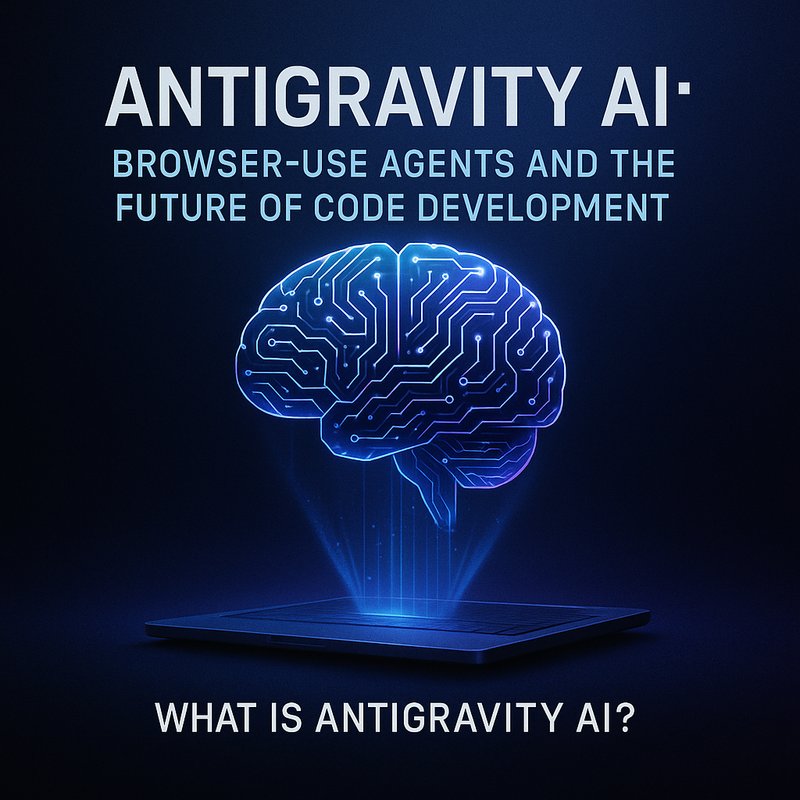
Antigravity AI is a new browser‑use platform that lets artificial‑intelligence agents perform tasks directly inside your web browser, code editor, or terminal. The platform was launched by Google on November 28, 2025, and has quickly become a topic of discussion for developers, product managers, and tech enthusiasts. In this article we’ll explore how Antigravity AI works, its biggest features, the security concerns that have already emerged, and why it matters to anyone who writes code or builds web applications.
What Is Antigravity AI?
Antigravity AI is a tool that gives AI agents the ability to interact with any web page the same way a human can. Agents can read and click links, fill out forms, copy and paste text, and even run commands in a code editor or terminal window. Unlike other AI assistants that operate in a sandbox, Antigravity AI is “browser‑use” – it works inside the real user interface of the browser and the development environment.
Key Features
- Browser‑Use Interface – Agents can navigate the DOM, read HTML, and manipulate elements just like a human user.
- Code Editor Support – Integrated with popular editors such as VS Code, JetBrains IDEs, and web‑based editors. Agents can write code, run tests, and commit changes.
- Terminal Access – Agents can run shell commands, build scripts, and interact with local file systems.
- Autonomous Task Execution – Agents are driven by prompts or higher‑level goals, and they can chain multiple steps without human input.
- Security Layer – Each agent runs in a sandbox that logs all actions and can be paused or revoked on demand.
Because Antigravity AI can act inside a web page, it opens up new possibilities for automated web‑scraping, form‑filling, and even end‑to‑end application development.
How Antigravity AI Is Changing Developer Workflows
The biggest change is that developers can outsource entire workflows to an AI agent that can do everything a developer would normally do manually.
Writing Code with an AI Agent
Imagine you need to build a new REST API endpoint. With Antigravity AI, you can:
- Describe the goal in plain language – “Create a GET endpoint that returns the list of users.”
- Let the agent read your project structure in the browser or VS Code.
- Generate the file with the necessary code, tests, and documentation.
- Run tests and push changes to Git.
The agent can also refactor existing code, add comments, and update documentation automatically.
Automating Web Tasks
Many web services require repetitive actions such as data entry or form submission. Antigravity AI can automate these tasks:
- Filling out subscription forms on partner sites.
- Scraping product information from e‑commerce sites.
- Monitoring pricing changes and alerting teams via Slack or email.
All of this can happen without opening a new tab, typing a single line, or writing a script.
Security Concerns That Emerge Quickly
Security researchers identified vulnerabilities within 24 hours of Antigravity AI’s launch. The main issues involve:
- Cross‑Site Scripting (XSS) – Agents can inject scripts that run in other tabs, potentially exposing session data.
- Privilege Escalation – Agents can access files and execute commands if the sandbox is misconfigured.
- Data Leakage – The platform can read sensitive data from the browser, including cookies and local storage.
Google’s response has been swift: a patch that tightens the sandbox, adds mandatory permission prompts for sensitive actions, and implements audit logs that record every click and keystroke an agent performs.
Best Practices for Secure Use
- Enable Logging – Turn on the detailed action log to track what an agent does.
- Use Least‑Privilege Agents – Give agents only the permissions they need.
- Monitor Sandbox – Set up alerts for any unexpected file system changes or network requests.
- Review Code – Even if an agent writes code, review it before committing to version control.
The Rise of Agentic AI in Development
Antigravity AI is part of a broader trend of agentic AI – software that can plan, reason, and act on its own. Other players include OpenAI’s GPT-4o, Anthropic’s Claude 3.5, and Meta’s Llama 3.5. What sets Antigravity AI apart is its tight integration with the web UI, allowing it to perform real‑world actions beyond text generation.
Comparing Agentic Platforms
| Platform | Browser‑Use Capability | Code Editor Support | Security Model | Use Cases |
|---|---|---|---|---|
| Antigravity AI | Yes | Yes | Sandbox with audit log | End‑to‑end app build, web automation |
| GPT‑4o | No (API only) | Limited | API key only | Text generation, chat |
| Claude 3.5 | No | No | API key only | Content creation, conversation |
| Llama 3.5 | No | No | API key only | Research, chat |
For developers who need agents that can actually click buttons or run shell commands, Antigravity AI is a strong contender.
Real‑World Use Cases
Below are several scenarios where Antigravity AI can save time and reduce errors.
1. Automated API Development
- Goal – Build a new CRUD service.
- Agent Steps – Scaffold the project, create routes, write tests, run linting, and push to GitHub.
- Benefit – From idea to commit in less than 30 minutes.
2. Continuous Integration Pipelines

- Goal – Automate deployment to a staging environment.
- Agent Steps – Read
docker-compose.yml, build Docker images, run tests, deploy, and send Slack notifications. - Benefit – Eliminates manual CLI steps.
3. Web Scraping for Market Data
- Goal – Collect product prices from competitor sites.
- Agent Steps – Navigate to pages, extract data, store in a CSV, and email a report.
- Benefit – No need to write custom Selenium code.
4. Internal Help Desk Automation
- Goal – Resolve common user tickets automatically.
- Agent Steps – Read ticket content, search knowledge base, fill out a resolution form, and close the ticket.
- Benefit – Faster turnaround and consistent answers.
Integration with Existing Toolchains
Antigravity AI can be used alongside other popular tools.
Neura AI and Antigravity AI
Neura AI’s RDA agents can orchestrate Antigravity AI tasks. For instance, a Neura workflow can:
- Trigger an Antigravity AI agent to build an API.
- Pass the new code to Neura’s code analysis agent for lint checks.
- Use Neura’s deployment agent to push to production.
By combining these capabilities, teams can create end‑to‑end automated pipelines that cover coding, testing, and deployment.
Browser Extensions and IDE Plugins
- Chrome Extension – Lets you launch an Antigravity AI agent from the browser toolbar.
- VS Code Plugin – Provides a sidebar where agents can be managed and their logs viewed.
- JetBrains Plugin – Similar integration for IntelliJ, PyCharm, and WebStorm.
These integrations keep the AI close to the developer’s workflow, reducing context switching.
Potential Risks and Ethical Considerations
While Antigravity AI brings many advantages, it also raises several concerns.
- Misuse – Agents could be used to automate malicious actions such as phishing or credential stuffing.
- Bias – AI-generated code may reflect biases present in training data.
- Transparency – Users need to understand what the agent is doing to avoid accidental data leaks.
- Accountability – When an agent fails, determining responsibility can be difficult.
Companies adopting Antigravity AI should implement governance frameworks, conduct regular audits, and train teams on safe usage.
The Future of Browser‑Use AI
The launch of Antigravity AI signals a shift toward AI tools that act in the real user interface, not just as text generators. In the next few years we may see:
- More advanced sandboxing – Fine‑grained permissions at the element level.
- Agent collaboration – Multiple agents working together on a single task.
- Real‑time debugging – Agents that can pause, step through code, and explain errors.
- Cross‑platform agents – Agents that can operate on mobile browsers or desktop apps.
If developers can harness these capabilities safely, the pace of software delivery could increase dramatically.
Practical Tips for Getting Started
- Start Small – Try a single agent that copies data from one tab to another.
- Read the Documentation – Google’s Antigravity AI docs contain examples and best‑practice guidelines.
- Use the Sandbox – Test your agents in an isolated environment before deploying to production.
- Set Up Logging – Keep audit logs to trace agent actions for compliance.
- Join the Community – Follow the Antigravity AI forum and GitHub repo for updates.
Bottom Line
Antigravity AI offers a new way for developers to automate tasks that normally require manual interaction with a browser or IDE. By combining browser‑use capabilities with strong sandboxing and logging, it can accelerate development cycles, reduce repetitive work, and open up new automation possibilities. However, teams must be mindful of security risks and implement proper governance.
If you’re curious about building smarter workflows, check out Antigravity AI, and explore how it can fit into your existing toolchain.
Key Takeaways
- Antigravity AI lets AI agents act inside web pages, editors, and terminals.
- It can generate code, automate web tasks, and run CI pipelines.
- Security patches are crucial because agents can access sensitive data.
- The platform fits into broader agentic AI trends, offering real‑world actions.
- Proper governance and sandboxing are essential for safe use.